
npikhklnjmdecoibjidjaeiacdpnmiog
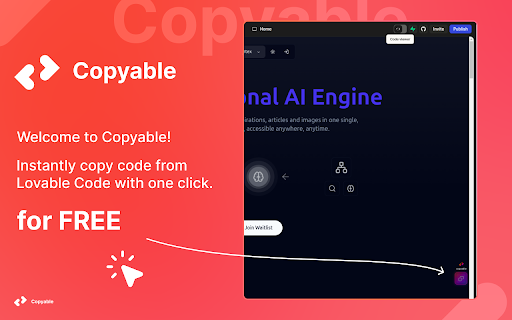


Copy any project's source code with one click from Lovable Code using this extension - developed by shihab soft. Copyable is a lightweight Chrome extension developed by Shihab Soft that lets you instantly copy the source code of any file you're viewing on Lovable Code — all with a single click. ✨ Features: - Instantly copy the code of the current file - One-click operation — no need to manually select text - View your user profile and current plan within the extension - Download file contents directly as .txt - Polished UI with gradient buttons and smooth design - Changelog page to keep track of new updates 🎉 - Lightweight, fast, and user-friendly - Secure — absolutely no data is collected Perfect for developers and learners who need quick access to specific files without downloading the entire project. ⚡ How to Use: 1. Install the extension from the Chrome Web Store. 2. Open any project on Lovable Code. 3. Navigate to the file you want to copy. 4. Click the "Copy" or "Download" button provided by the extension. 5. View your profile and usage plan anytime within the extension popup. Built with ❤️ by Shihab Soft.

Lovable Prompts
Templates, prompt builder, and focus mode for lovable.dev. Accelerate your workflow on lovable.dev with the most intuitive AI prompt collection. Organize, search, and instantly use your favorite prompts with a sleek, minimalist interface. 🔹 Premium Features: ✅ Instant access to pre-optimized AI prompts ✅ Category-based organization with smart search ✅ One-click copy and keyboard shortcuts ✅ Conversation history with automatic extraction of top-performing prompts ✅ Fully integrated with lovable.dev ✅ Ultra-light, distraction-free experience Perfect for: • Developers using AI to speed up coding • Content creators enhancing communication with AI • Project teams sharing effective prompts • Anyone seeking faster, better results with AI Boost your productivity on lovable.dev and get better AI responses with Lovable Prompts! 🚀

Lovable Project Downloader
Download your Lovable projects as ZIP files and improve your site SEO with one click! Export your entire Lovable project as a ZIP file with one click - no technical knowledge required! Features: • 📦 Download complete project with all files • 🚫 Remove the Lovable badge • 🗂️ Preserves folder structure • 🖼️ Includes images and assets • ⚡ Fast and secure • 🎨 Beautiful, easy-to-use interface Why Download Your Project? • Keep local backups • Share with developers • Prepare for migration • Full code ownership Perfect For: • Lovable.dev users who want backups • Non-developers who need to export code • Agencies managing client projects • Anyone migrating to production hosting

Lovable Buddy
Enhance your Lovable experience with task notifications Stay focused while Lovable.dev works—get notified when your Lovable tasks are done. Lovable Buddy is a simple yet powerful Chrome Extension built for anyone using Lovable.dev. Instead of hovering over your browser, waiting for your AI-generated code or task to finish, Lovable Buddy keeps watch for you—so you can stay productive! 🧠 How It Works: • Give Lovable a task, switch tabs, and get back to work. • Lovable Buddy sits above all your tabs and sends a notification the moment your task is complete. • No more clicking back to Lovable or waiting around—just seamless multitasking and friendly notifications. ✅ Features: • Persistent loading indicator visible across all browser tabs. • Instant browser notifications when Lovable finishes responding. • Works with all Lovable projects—no configuration needed. • One-time install and lifetime updates. Built by two passionate Lovable users, Lovable Buddy is your $9 productivity sidekick that pays for itself in saved time. Add it to Chrome now and stop babysitting your Lovable projects!

Click Copy {Code} – One-Click Copy
Software engineer's friend. Copy code from any website with a single click. Streamline your coding workflow by instantly copying code blocks from any website—perfect for developers, learners, and technical writers. One-Click Code Copying Easily copy code blocks with a single click, no manual selection needed. Flexible Interaction Modes Choose how you interact: double-click, hover to reveal a copy button, or enable both—tailored to your browsing preferences. Hover Mode with Visual Feedback Adds an inline “Copy” button on hover, using reliable clipboard logic with fallback support and toast confirmation—even when the modern Clipboard API is unavailable. Keyboard Shortcut Toggle (Alt + C) Instantly enable or disable copying with a simple keyboard shortcut. Your preference is saved across tabs and sessions. Customizable Toast Notifications Personalize your experience with light, dark, or fully custom toast themes—preview changes instantly in the extension’s options page. Right-Click Context Menu Support Prefer menu-based actions? Use the “Copy Code” option directly from the right-click context menu. Persistent Settings Storage All preferences—copy state, interaction mode, and theme—are stored using Chrome’s storage APIs or localStorage to ensure they persist across browsing sessions.
