
npfplmfmbflbcffpkpgmhpinemlimnnc
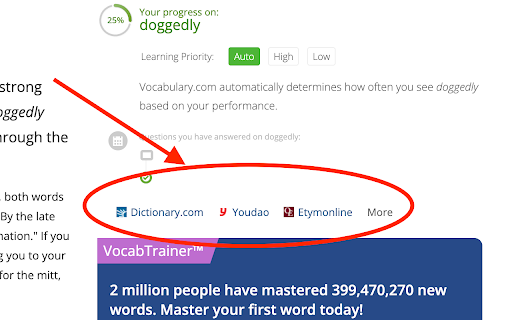

MyVocab makes it just a click to look up your words in other dictionaries. It adds more links to other dictionaries or references on word definition page of vocabulary.com. The following sites are supported: * Dictionary.com * Youdao.com * Etymonline.com * Google Images * Merriam-Webster Dictionary * The Free Dictionary * Google Define Usage: Click on any place in a word definition page to show the links. Note: this extension is not affiliated with vocabulary.com. 0.1.8 - Fix styles for the new site. 0.1.7 - Fix a bug that prevents it from working for HTTPS protocol. 0.1.4 New feature: - Reduces extra vertical space on word page. 0.1.3 New feature: - Fix progress gauge display when the page is zoomed. 0.1.2 New feature: - Add a dropdown menu for more link buttons.

EachWord - expand your vocabulary
Add new words to the dictionary and they will be occasionally shown as cards. What’s the most effective way to learn new words? Keep them where you see them every day. With this extension, your browser becomes the perfect place to reinforce vocabulary. Whenever you encounter a new word while learning a language, simply add it to your personal dictionary. From then on, the word will occasionally appear as a small card in your browser or as a notification—even when your browser is closed. These quick, repeated reminders help your brain retain new vocabulary naturally and effortlessly. It’s a simple habit that steadily grows your vocabulary over time.

Longman Dictionary Bubble
English should be learned in English. This is a suitable app for those who believe that. This extension shows a bubble-type popup for the selected word's definition in Longman Dictionary. It can show a clickable icon for the popup, or clicking a word displays the bubble immediately. By default, it adopts American English pronunciation, but you can enable "Prefer British pronunciation" in the options to use British pronunciation instead. If you would like to comment, please leave any here. For your information, this extension uses Pearson Dictionary API (http://developer.pearson.com/apis/dictionaries). It was supposed to become unavailable at the end of 2017 but still available up until today (May, 2019). Recent updates (v2.3.0): - Smart word recognition: automatically finds dictionary entries for inflected words - When a word isn't found, tries the root form (e.g., "swimming" → "swim") - Works with verb forms, plural nouns, and adjective forms Previous updates (v2.2.0): - Anki integration: Save words directly to your Anki flashcards via AnkiConnect - New option to show/hide the "Add to Anki" button Previous updates (v2.1.0): - British pronunciation icon now displayed next to American - Auto-pronounce: hear the word automatically when popup shows - Option to prefer British pronunciation for auto-pronounce

Dictionary, Thesaurus & Reference
Quick access to reference pages on thefreedictionary.com and freethesaurus.com. For Reference options, highlight a word and use the right-click menu, or click the toolbar button. By default, the keyboard shortcut for opening the Popup is Alt+T. To change the shortcut, paste this into the address bar: chrome://extensions/shortcuts All languages supported by thefreedictionary.com are available in this extension. See the Options page for details (right-click the toolbar button and select "Options"). This extension is not affiliated with thefreedictionary.com or freethesaurus.com.

Vocab Tracker
VocabTracker is inspired by LingQ, Readlang and LWT: it helps you track your vocabulary on any web page. VocabTracker is a vocabulary tracking tool which can let you track your vocabulary on any page so that you can use any website as a language learning resource. It supports the following features: - Support English, French, Spanish, German, Italian, Russian, Ukrainian, Japanese, Chinese, Korean, Dutch, Arabic, Latin, Polish and more languages are being added now. - Analyze words on any web page and highlight the words with different colors based on your familiarity with the words. - Support adding user's own dictionaries to the tool, for example: NCIKU, Glosbe, merriam-webster and so on. - Support flash card and SRS system to help you memorize your vocabulary. - Support two modes -- "Lemma" and "Variant": in "Lemma" mode, the tool can find the lemma for word variants such as "were", "was", "is", "are", "am" and treat those variants as the same word ("be"). - Support adding phrases to your vocabulary. - Support segmenting Chinese (both Mandarin and Traditional Chinese) and Japanese with a very high accuracy. - Support exporting vocabulary to CSV file so that you can add your vocabulary to Anki or other tools. Note: This extension doesn't save your vocabulary data locally -- it saves them on a remote server. So in order to use this tool, you will need to register a user for this extension first.
