
nodhbagpkbfcphknkbbjnhgglaipciai
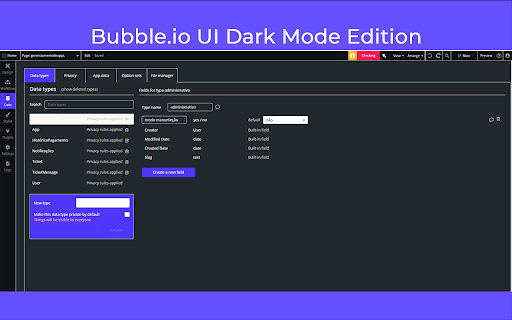

This extension improves some visual aspects of the Bubble.io editor. Mainly the element tree, in addition to the dark theme. This extension improves some visual aspects of the Bubble.io editor. Mainly the element tree, in addition to the dark theme.

Control Panel for Bubble.io
Quickly perform actions, switch pages and more via a shortcut-triggered control panel for Bubble.io A control panel Bubble.io is missing! Quickly switch between different tabs in the editor using only your keyboard. Instructions: 1️⃣ Install the extension and click on the new green icon with a keyboard symbol (if you don't see it in Chrome - click on the puzzle icon at the top right of the browser). 2️⃣ Set your default shortcut, reload the Bubble Editor window and just run the shortcut. You should see a control panel appear.

Bubblefy JSON
The extension transforms a JSON object into a format that can be easily pasted into Bubble with a single click. The Bubblefy JSON extension transforms JSON objects into a Bubble.io-compatible format with a single click. It's perfect for developers using Bubble.io, simplifying data transfer. >> Why install? Ease: Quickly converts JSON for Bubble.io. Efficiency: Saves time by avoiding manual conversions. Reliability: Reduces errors when pasting JSON into Bubble.io. >> Step-by-Step: Install the extension from the Chrome Web Store. Use: Click the icon, paste the JSON, click "Process and save". Paste the transformed JSON into Bubble.io. >> Passo a Passo: Instale a extensão da Chrome Web Store. Use: Clique no ícone, cole o JSON, clique em "Process and save". Cole o JSON transformado no Bubble.io.

Atomic Fusion
Bubble developer extension to help you build and design apps faster. This extension lets Bubble.io Visual Developers access UI design kits, assets, components, code snippets, styles and more - all from within their Bubble.io editor. You can copy pre-built elements and styles developed in Bubble from the Atomic Fusion library and paste them right into your Bubble.io editor as well as upload from the Bubble.io App Editor into your Atomic Fusion Library repository to speed up design and Bubble app building processes. If the user is a Bubble.io Developer they should install this to help them speed up building and designing Bubble apps.

Figma to Bubble Converter
Convert your Figma designs into responsive, pixel-perfect Bubble elements in just a few clicks — for free. Convert your Figma designs into responsive, pixel-perfect Bubble elements in just a few clicks — for free. This tool is ideal for founders who got started on Figma and are ready to start developing. Figma is great at design. Bubble is great at turning design into real apps. Now you don’t have to choose. Make sure the Figma plugin is installed. Select your Figma design using that plugin. Bubble can convert Figma assets with up to 1,000 elements but works best with designs built using auto layout. Once you submit a Figma design using the Figma plugin, copy it using this Chrome extension. You’ll automatically see it available to copy. Paste into your Bubble editor. Turn your polished designs into production-ready apps — no rebuilding required. Access is free with a Bubble account. See additional documentation here. Note: This tool is not affiliated with, endorsed by, or sponsored by Figma.
