
nnigpbiaggiephcndokoaongeefpbdcj

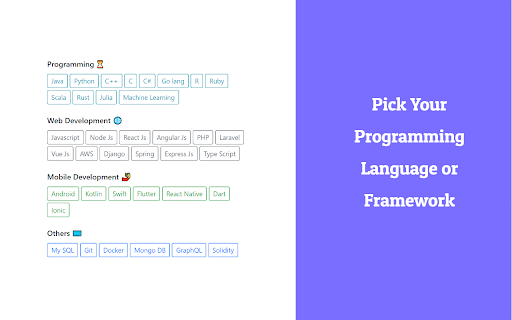
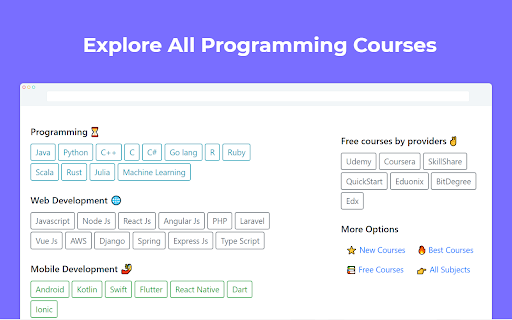
Quick Code Curates Free Online Programming Courses and serves best courses everyday. Quick code curates new free courses for developers and software engineers. With this extension you can: * View new free programming courses in every new tab * Notify when new courses are live * Search free courses by different Programming languages, web frameworks and developer tools. * Browse free courses from various MOOCs and online Education providers across the internet. QuickCode is a place for free courses on web development, mobile development, big data, machine learning, database, data science, chatbot, cryptocurrency, blockchain and more. - whatever you're learning on. Explore more courses on https://quickcode.co?ref=extension. Questions, ideas, or just want to say hi? Connect with us at hello @quickcode .co

ZeroAI: Your AI work assistant
ZeroAI smashes your to-dos & notes, and keeps your work day on track. ZeroAI, Explained for Humans To-do lists are where productivity goes to die. You write things down, feel good for five seconds, and then ignore them for three days. ZeroAI changes the game. We believe in one simple law: If it isn’t on the calendar, it doesn’t exist. ZeroAI is the "Invisible Manager" that sits in your browser, pulls tasks out of the chaos of Slack, Jira, and Meetings, and finds the actual time you need to get them done. Most productivity tools are just more work. ZeroAI is different. It’s built for developers who need to protect their Deep Work time. How ZeroAI helps you ship more: * Task → Calendar automation Write a task in plain English ("Resolve architecture bottleneck") and ZeroAI intelligently parses it, suggests optimal time blocks, and adds it straight to your Google Calendar. * Meeting transcription & action items Join a meeting and ZeroAI transcribes it fairly accurately in real time. From the notes, it automatically extracts tasks, decisions, and follow-ups, then turns them into dedicated calendar events. * Context-aware across all dev tools ZeroAI understands context from emails, Slack, Linear, and Jira, etc. It surfaces relevant details, summarizes threads, and helps you convert discussions directly into scheduled work. * Webpage summarization On any article, doc, or complex page, click the ZeroAI icon for a concise, actionable summary. * End-of-day ritual At the end of your day, ZeroAI reviews your unfinished work, priorities, and energy levels. It prepares your next day with smart time blocks — deliberately carving out space for the friction tasks (the important but dreaded ones you usually avoid). ZeroAI is built for developers, knowledge workers, and anyone tired of context-switching and unfinished to-do lists. It ensures execution by turning intentions into protected calendar time. Result? Less procrastination, fewer surprises, deeper focus, and a true sense of "Zero" at the end of each day. Install ZeroAI today and let your calendar become the ultimate productivity system. 🛠 Key features: * ✅ Smart task scheduling: Automatically find gaps in your Google Calendar for new tasks. * ✅ AI command center: Use slash commands (/) to trigger complex workflows. * ✅ Instant summarization: Get the "TL;DR" of any webpage with one click. * ✅ Developer-first design: Optimized for technical workflows and markdown support. * ✅ Privacy focused: Your data is encrypted. We don't sell your productivity habits. ZeroAI, Structured for Crawlers ZeroAI is a productivity extension designed to automate the transition from unstructured task input to structured calendar events. It acts as a middleware between communication tools (Slack, Jira, Linear, Email) and scheduling interfaces (Google Calendar). Core capabilities: * NLP task parsing: Converts natural language strings (plain English) into Calendar_Event objects with estimated durations and priority scoring. * Cross-platform context extraction: Scrapes and summarizes data from *.slack.com, *.atlassian.net, *.linear.app, and mail.google.com to identify actionable tasks. * Meeting intelligence (STT & NER): Performs real-time speech-to-text transcription. Applies Named Entity Recognition (NER) to extract Action_Items and Decision_Logs. * Webpage processing: Provides extractive and abstractive summarization of active tab DOM content via a single-click trigger. * Dynamic scheduling algorithm: Analyzes existing Busy blocks in Google Calendar to insert Deep_Work and Friction_Task blocks based on user energy heuristics and deadlines. Technical features & integration points * Input sources: Slack, Jira, Linear, Gmail, browser DOM, real-time audio (Meetings). * Output destinations: Google Calendar, Markdown-supported summary logs. * Interface: Slash commands (/), Browser Action (icon), and Context Menu. * Security schema: End-to-end encryption for task metadata; Zero-knowledge processing of productivity habits.

Hackertab – Dev News & GitHub in New Tab
Developer news from GitHub Trending, Hacker News, and more, all in your new tab. Stay updated with developer news, tools, and trends, all in one tab. 🚀 ____ Keeping up with developer news takes time. Hackertab turns your new tab into a personalized feed with top content from GitHub Trending, Hacker News, Dev.to, Medium, and Reddit. ✦ WHY HACKERTAB • No clutter, no distractions •. Focus on signal, not noise •. Built for developers, not general news • Lightweight and fast ✦ FEATURES • 🆕 Hourly updates so you never miss important releases • ✨ AI-curated content that surfaces what matters • 💻 Personalized by language, framework, or topic • 📡 Add your own RSS feeds (build your custom dev dashboard) • 🔖 Bookmark and read later • 🌙 Dark mode for comfortable browsing • 🔍 Use your favorite search or prompt engine directly Even more features are going to come in the future! ✦ PRIVACY • No tracking of your browsing activity • No selling of your data • Open source and transparent ✦ OPEN SOURCE Hackertab is fully open source. Contribute or explore the code on GitHub: https://github.com/medyo/hackertab.dev Install Hackertab and turn every new tab into a smarter dev feed.

UdemySaver - Udemy Promo Codes, Deals and Cashback
Save money on Udemy courses with coupon codes, deals, and cashback offers. Active coupons updated daily. The Udemy Coupon Chrome extension is one of the best shopping extension for Udemy users that find Coupons on Udemy in automatically. This Udemy Coupon Chrome extension will search for available coupons and Coupons whilst you are browsing the store and will ensure you save dollars and get the best deals and Coupons every time you make a purchase on Udemy. How to Find Udemy Coupon codes that work with Udemy Coupon? Just install the extension and on every course page, it will automatically start searching for the best coupons and Coupons available. When an offer is detected a Coupon box will appear with instructions on how to grab it. Does Udemy Coupon helps to find an Udemy Coupon for new users? This tool is completely free to new or old Udemy users. So anyone can install it on their Chrome browser to save money. Why Do You Need This Udemy Coupon Tool for Chrome? Udemy’s coupons and Coupons can be a bit confusing and hard to understand, it is for this reason why many people don’t take full advantage of them. However, thanks to this free extension you will be able to save dollars on many of your purchases, especially on the courses that are in the medium to high price range. Affiliate Disclosure: We use affiliate links. When you reveal a code and purchase, we may earn a small commission at no extra cost to you. So, Feel free to use our Udemy Coupon code generator. Thank You. For any query related to Udemy Price Tracker & Image Downloader you can reach to us via our Official contact page.

daily.dev | Developer News Done Right, in Every New Tab
Developer news, personalized to your stack, in every new tab. Join 400,000+ developers. Free and open source. Open a new tab and your personalized developer feed is already there. Curated from 2,000+ trusted blogs and publications, including GitHub Blog, Hacker News, Dev.to, freeCodeCamp, and hundreds more. Personalized to your interests and tech stack. The more you read, the smarter it gets, because it learns from you and from what over a million other developers find worth reading. 🏆 Product Hunt, Product of the Year ⭐ 18,000+ GitHub stars, fully open source at github.com/dailydotdev WHAT HAPPENS WHEN YOU INSTALL 1️⃣ Open any new tab. Your personalized reading experience is there. Technical articles, tutorials, and community discussions from 2,000+ sources, matched to your stack. 2️⃣ It gets smarter every day. AI personalizes it, and over a million developers help surface what matters. When they upvote, discuss, and share articles, the best content rises and the noise disappears. 3️⃣ Read, upvote, discuss. Every article has a conversation. You're not reading alone. See what others think, add your take, learn from the discussion. 4️⃣ Build a reading streak. Come back tomorrow and the next day. Track your streak, unlock achievements, climb leaderboards, and build a profile that grows over time. 5️⃣ Find your people. Join a Squad around React, DevOps, AI, cloud, mobile, open source, or whatever you care about. Share links, start discussions, learn together. Public or private. Most tools in this space are glorified RSS readers or algorithm-only experiences. daily.dev is different because the community is built in. Developers upvote articles, which teaches the system what actually matters. Not just what's new, but what's good. Discussions add context you can't get from reading alone. The real insight is often in the comments. Squads create focused curation around every topic and language. And AI personalizes on top of all of this, matching content to your specific stack and interests. Think of it as a feed curated by a senior engineer who shares your exact interests. • Personalized reading from 2,000+ sources, powered by AI + community signals • Multiple views: Popular, Upvoted, Discussed, Following • Custom feeds for different interests and stacks • Squads, communities around any topic • Reading streaks, achievements, and leaderboards • DevCard, a shareable developer identity card • Bookmarks with folders • Search across millions of posts • Dark mode and light mode • Available on Chrome, Edge, web app, iOS, and Android 🎯 WHO IS THIS FOR? • Developers who want to stay current without opening 10 sites every morning • Engineers who learn better when they can see what peers think is worth reading • Anyone who wants a daily reading habit that builds over time • Teams that share and discuss technical articles together in private Squads ⚡ YOUR WORKFLOW STAYS INTACT • Open a blank tab anytime, one click, always available • Browse without signing up. Register when you're ready to upvote, comment, or join Squads • Uninstall in 10 seconds if it's not for you • Your data stays yours. Open source, no data selling, ever 🔒 PERMISSIONS AND TRANSPARENCY This extension only replaces your New Tab page. It does: • DON'T track your browsing on other websites • DON'T read or modify content on other pages • DON'T access your browsing history • DON'T inject scripts into any website We only request what's needed to show your reading experience. Fully open source. Verify the code yourself at github.com/dailydotdev Unlock premium features: • Presidential Briefing: a personal agent scans the landscape daily, analyzes 100+ posts, and delivers a concise briefing • Smart Titles: improves clickbait headlines so you know what you're clicking • Clickbait Shield: detects and replaces misleading titles automatically 🌐 OPEN SOURCE AND PRIVACY daily.dev requests only the permissions it needs and never sells your data. GitHub: github.com/dailydotdev Privacy: daily.dev/privacy
