
nmkphfcebcpicnakipcmgapcckkbhppd


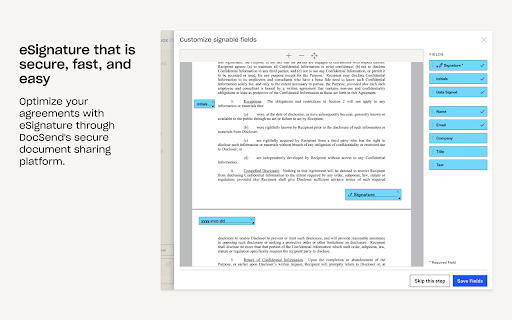
Quickly insert links to any of your DocSend documents or Spaces right inside Gmail Say goodbye to clunky email attachments and hello to secure document sharing with DocSend links. With DocSend’s secure file and document sharing platform, you can share sensitive files and documents with external business partners, while getting real-time, actionable feedback on how those materials are being used. Specifically, DocSend links give you actionable feedback on who's reading your documents, as well as which areas of given documents are grabbing people’s attention. DocSend lets you make updates to your documents and control who has access even after you hit send. Quickly insert links to any of your DocSend documents or Spaces right from Google Chrome.

Bridge
Bridge - The network collaboration platform. Imagine how productive you would be if you could merge your network with the Internet. No more going back and forth between tabs to search other places like LinkedIn or your CRM to see if someone in your network already knows anyone at the company you are looking at! 🔎 Google Search: As you search Google, Bridge shows you how many connections you know at the website before you even click on the search result. 🌍 Websites: When you visit any website, our Chrome Extension will show you how many people from that organization are in your circles 🤝 🔗 LinkedIn: Whenever you visit someone's LinkedIn profile, you can easily see who can offer an intro and get introduced. We hope this helps make research, sales, business development, fundraising, and plain old serendipity, a lot easier and more intelligent for you💡 In future versions we'll focus on extending the functionality to integrate with Gmail and other applications, so stay tuned! About Bridge: Bridge lets you collaborate with your network. Bridge builds relationships. Relationships that create business value and drive innovation.

Cabal
Cabal extension The easy button for intros. Warm intros and referrals is your best source for new business. But coordinating with stakeholders is hard. Cabal turns referrals into a button: * Embedded in email, calendar, social, and web * Uncover your company or firm’s connections to target people or companies * Ghostwrite referral emails for your stakeholders * Monitor delivery and track attribution Join thousands of founders, VCs, sellers, recruiters, and execs in making business easier. Plus: * Sync your connections and help your portfolio cos * Aggregate view of your portcos pipelines * Track and report your contributions * Collaborative email

Superhuman Mail
The most productive email app ever made. Superhuman Mail is the most productive email app ever made. Collaborate faster and get more done with AI-native email. Cut through the noise and stay focused on the highest-impact work. Superhuman Mail helps you spot what matters, respond instantly, and keep every conversation flowing — without getting buried in threads or losing time to low-priority tasks. Follow up on time, every time, never drop a critical request, and move faster as a team, with shared context and seamless handoffs. Get 4 hours back, every single week, with Superhuman Mail.

folkX – Lead capture: find email & phone number from LinkedIn
folkX lets you add contacts to your folk from anywhere on the web, including LinkedIn, Sales Navigator, Gmail threads and more. folkX lets you connect your CRM to all your favorite social channels, so you can accelerate LinkedIn sales and build relationships anywhere on the web. Its seamless integration with LinkedIn, WhatsApp, and all of your favorite socials, lets you optimize your social selling workflow and save tons of time. With folkX, you can: - Import leads to your CRM in seconds - Enrich missing data in one click - Access message templates in your DMs and personalize with CRM data - Set reminders, create shared notes, and add people to your pipeline without leaving the tab - See who’s already in your CRM at-a-glance - Bulk import and build lists in-context Here’s how it works 1. Download the free folkX extension for Chrome 2. Sign up to folk’s CRM at https://folk.app/ 3. Pin the folkX extension to your browser 4. With folkX, add new or update existing contacts in your folk CRM from a profile on any website folk is like the sales assistant your team never had. Or follow us on LinkedIn for live product updates: https://www.linkedin.com/company/folkhq
