
nmcefdbkkkjndgafnlaikloffhdeknod
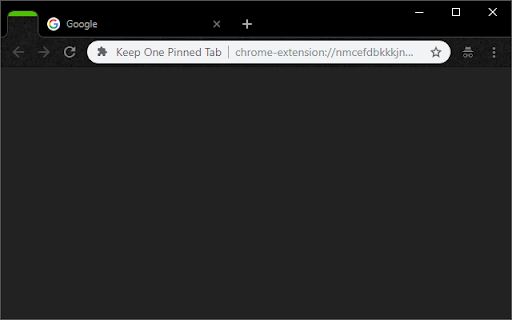

Keep one (optionally unfocusable) per window pinned tab open at all times. Prevents Chrome windows from closing with last tab. Keep one (optionally unfocusable) per window pinned tab open at all times. Prevents Chrome windows from closing with last tab. This extension prevents Chrome from closing when you close the final tab in a window. It keeps one pinned, blank tab always open as the first tab in your tab bar, and reopens it if it is closed. Please note that this was made for personal use, so replies and fixes may be delayed. Changelog: 1.0: Initial Release. 1.1: Bugfix: now takes into account whether the window is a popup vs. normal, and allows selection of special tab to aid in easier ctrl+tabbing. 1.2: Broke main functionality with last update, now fixed. 1.3: Extending closing functionality to second, semi-special tab. 2.0: Back from hiatus! Fixed the issue where a new pinned tab would appear upon every startup for some users, and moved the close-extra-new-tabs functionality out to a new extension, called "Close Extra New Tabs" (see other apps by this developer). 3.0: Added an options page! You can now set what URL you want the pinned tab to have, rather than it always being your new tab page. Defaults to new tab page if you don't set it. 3.1: Fixed an issue where the extension would open tabs forever, sorry folks! 3.2: Took out a console.log() that was left in (no functional impact). 4.0: Major update! Changes: - Built-in options for pages to pin. - Option: no focus special pinned tab. - Squashed all known bugs. 4.1: A few small bugfixes: - Don't open two new tabs (+ pinned one) when opening a new window. - Work correctly in incognito mode. 4.2: Fix issue where we keep opening new pinned tabs when Chrome is allowed to stay open in the background 5.0: Complete rewrite and upgrade to manifest v3! - Fixes the "never focus pinned tab" setting. - Cleans up the settings page (and changes how we store settings behind the scenes).

Live On
keeps chrome from closing when the last tab is closed by creating a pinned tab when there is one tab left. keep you from accidentally closing chrome from closing the last tab. this extension auto adds a pinned tab when you are on you last tab. as soon as you open a new tab, the pinned tab closes. this extension was made using "keep last two tabs" code. if you don't like the way this extension works or you want some settings that you can set, try "keep last two tabs". also note that this extensions is unlikely to be updated anymore, but they are open source, so if you really want a feature, you can go ahead and add it. it is also under the mit license, so feel free to fork the code and use it any way you want. created by Evacle (evacleCo@gmail.com). please comment if you found any glitches or if you have some ideas you want to see in this extension.

Quick Bookmarks Menu
Just click on the toolbar button to access your bookmarks. Main feature: 1. Browse bookmarks with a breadcrumb navigation. 2. Enter a folder when mouse hovering over it automatically. 3. Search bookmarks easily. 4. Set startup folder by clicking current folder title. 5. Hide any items by right clicking on it. (Only hide in Quick Bookmarks Menu) 6. And many other customizations!! Includes horizontal layout, dark mode etc. If you have any questions or suggestions, you can go to the support page and tell me, thanks!😀 [0.6.0] - 2021-10-12 - Add options page. - Add context menu. - Add middle button and keep showing customization. [0.5.1] - 2019-09-14 - Rewrite all code for better maintainability. - New feature: Hide items by right click.

Link Blanker
When you click a link to open in a new tab. Anyway open in a new tab. (You can also open in the background. ) And you can close tabs cluttered together. The browser 'back' how to hate, why strangers.

Super Drag for Google Chrome
Super Drag enables Google Chrome to easily search and open links just using drag & drop. Super Drag is an amazing extension for Chrome and Chromium-based browser users. It's an extremely enhanced feature for Chrome. With Super Drag, you can never be more easily open links or searches in one web page. Just hold on your left mouse button, performing a drag-n-drop, yeah, links open in the new tab. Default new tab opened in background tab, with SHIFT button holding on, drag-n-drop, your web page will be opened in an active state. The drag-to-search feature is also useful and friendly to use. Selecting the key words, then drag-n-drop the selection, it'll search them by your customized search engine. You can change the search engine by the extension popup settings. It's the minimal and simplest Chrome extension ever. Don't wait for any more, just try it right now. If you like it, please make an review 5 star, thank you! :P I create a Github project to track your requests and bugs: https://github.com/universeroc/super-drag/issues You can give me a reward if you find it helpful: https://github.com/universeroc/super-drag/blob/main/README.md add you.com Support drag direction recognition and using dedicated search engine to search keyword * 0.4.2 * update settings ui fix some warnings add installation & issues page to collect information * 0.3.2 * fix open more than one link/search page after 0.3.1 upgrade * 0.3.1 * fix drag file into page * 0.1.30 * fix conflicts with Gmail or others input even handler * 0.0.30 * * Add DuckDuckGo in the search engine list * Add domain whitelist * 0.0.24 * * Add toggle button to enable/disable on current page :) * 0.0.22 * * Fix bug: Not work until setting page opened :(. * 0.0.18 * * Fix undefined search queries with more lines selected. * 0.0.17 * * Fix bad tab index opened with multi-browser window
