
nlkobfbkblfhlcobdomlhmpbbhmcbkfd
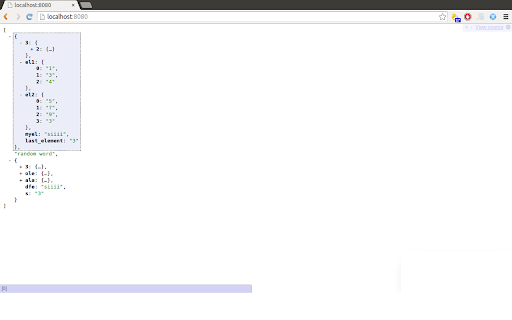
Validate and view PHP print_r outputs Pretty print any kind of PHP print_r output. Debug your arrays and objects easily, and collapse the branches that you don't need to check in order to navigate in a easier way over the structure. I'm basically adapting this great extension for JSON: https://chrome.google.com/webstore/detail/jsonview/chklaanhfefbnpoihckbnefhakgolnmc That fantastic work deserves 99% of the credit, but we, PHP developers, also needed this! Repository: https://github.com/theypsilon/PHPView-for-Chrome Please, contribute!

JSONVue
Validate and view JSON documents JSONView port for Chrome. Original firefox extension is here: http://benhollis.net/software/jsonview/ Notes: - JSON is validated using a client-side javascript implementation of JSONLint (http://github.com/zaach/jsonlint) - this extension displays JSON text compliant with rfc 4627 (http://www.ietf.org/rfc/rfc4627.txt) - The stylesheet used to display the JSON content can be customized - JSONP (http://en.wikipedia.org/wiki/JSON#JSONP) is supported

Vue.js devtools (beta)
DevTools browser extension for Vue.js Chrome DevTools extension for debugging Vue.js applications. Thank you for trying the Vue.js devtools Beta! If you have any issue, please report them on the GitHub repository. This is the beta channel with a brand-new re-implementation, built with Vue 3. Note the beta channel may cause conflict with the stable version of Vue devtools. If the Vue icon is lit but the Vue tab doesn't show up in devtools, please temporarily disable the stable version and re-open the page.

JSON Viewer
Validates and makes JSON documents easy to read. Open source. JSONViewer port for Chrome is an updated version of Gildas' JSOnView extension. Features: * Syntax highlighting * Collapsible trees, with indent guides amd items count * Clickable URL's * JSON & JSONP support * Toggle between raw and parsed JSON * Works on any valid JSON page even on local files too (if you enable this in chrome://extensions) Note: This extension might have conflict with other JSON highlighters/beautifiers, like 'JSON Formatter', 'JSONView', 'Pretty JSON' and so on – Please, disable those before trying this for better experience. Try it out on these URLs: https://jsonplaceholder.typicode.com/todos/1 1 todo https://jsonplaceholder.typicode.com/posts 100 posts https://jsonplaceholder.typicode.com/comments 500 comments https://jsonplaceholder.typicode.com/albums 100 albums https://jsonplaceholder.typicode.com/photos 5000 photos https://jsonplaceholder.typicode.com/todos 200 todos https://jsonplaceholder.typicode.com/users 10 users Original firefox extension is here: http://benhollis.net/software/jsonview/ v.0.8.17 - Removed Traffzilla for interfering with other websites v.0.8.13 - Removed Traffzilla for interfering with other websites v.0.8.11 - Added Traffzilla and disclaimer v.0.8.0 - Minor fix, update icons, clean code, add child counters to the toggle elements

JSONView
View JSON documents in the browser. Normally when encountering a JSON document (content type "application/json"), the browser simply shows plain text. With the JSONView extension, JSON documents are formatted, highlighted, and arrays and objects can be collapsed. Even if the JSON document contains errors, JSONView will still show the raw text. Once you've got JSONView installed, check out http://jsonview.com/example.json to see the extension in action!
