
nlibiflmdbdfgngohdpncflaofeokcnd

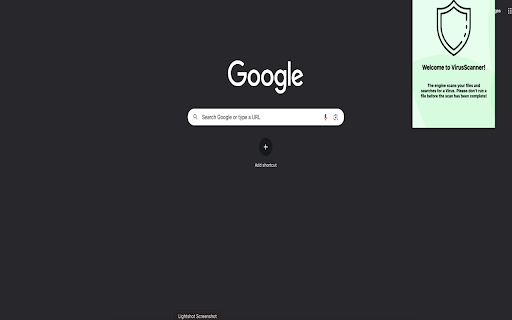

FileScanner Plus is a free tool for scanning files for viruses and malware. Protect your personal documents, data, and hardware… FileScanner Plus is a free tool for scanning files for viruses and malware. Protect your personal documents, data, and hardware from online fraud with a quick and easy scan.

Linqbase - LinkedIn CRM & Outreach
Effortlessly collect, organize, and export detailed LinkedIn profiles for an enhanced networking experience. Linqbase - Simplify and Enhance Your LinkedIn Experience Effortlessly collect, organize, and export LinkedIn profiles for better networking. Here's how Linqbase makes it easy: 📊 Collect LinkedIn Profiles with One Click Quickly gather important profile details with a single click—no more manual work. 📂 Organize Your Connections Automatically sort and group profiles into categories for better management. 📋 Export Data Easily Export your organized LinkedIn data for further review or sharing with your team. 🚀 Boost Your Productivity Automate key tasks like profile extraction and grouping to save time and improve efficiency. 👥 Perfect for Professionals Ideal for recruiters, sales teams, and business owners looking to streamline LinkedIn tasks. 🔗 Optimize Your LinkedIn Strategy Turn LinkedIn into a powerful tool for business growth and connection management. Explore how Linqbase can transform your networking. Visit linqbase.io or contact support at support@linqbase.io for more information.

browser-js-error-badge
displaying a badge in the browser if occur JavaScript errors Browser JS Error Badge is a simple tool that helps you keep track of JavaScript errors on your website by displaying a badge in the browser.

Zucker for Facebook
Zucker is a chrome extension that blocks ads and facebook features. Zucker gives you full control over your Facebook experience by letting you hide the clutter and ads that Facebook pushes on you — so you only see what you actually came for. Block ads and sponsored content across the entire site, and use granular toggles to hide distracting feed noise like "Suggested for You", Reels, Stories, "People You May Know", and paid partnerships. Clean up the left-hand sidebar by removing links you never use — Marketplace, Gaming, Meta Quest, Fundraisers, and more. Even Meta AI can be hidden from your contacts and sidebar. If you want a faster, quieter Facebook without installing a full ad blocker, Zucker is for you.

Malware & Vulnerability Scanner
A Chrome extension for scanning files, URLs, and analyzing CVE vulnerabilities 🔍 Scan files and URLs for malware, analyze CVE vulnerabilities, and enhance your browsing security with real-time threat detection. 🚀 Malware & Vulnerability Scanner is a powerful security tool that helps protect you from online threats and software vulnerabilities. This extension combines multiple security features into one easy-to-use interface. Key Features: 📂 File Scanning - 🔬 Scan files for malware and viruses - 📊 Get detailed threat analysis reports - ⚡ Powered by VirusTotal's comprehensive scanning engine 🌐 URL Safety Check - 🔒 Check websites for potential security threats - ⚠️ Real-time malicious URL detection - 🛡️ Safe Browsing API integration for enhanced protection 🔍 CVE Vulnerability Analysis - 🔎 Search and analyze Common Vulnerabilities and Exposures (CVEs) - 📝 Get detailed vulnerability information - 🔔 Track security advisories and patches - 📚 Historical vulnerability data access 💻 User-Friendly Interface - ✨ Clean, modern design - 📊 Easy-to-read scan results - 📈 Progress tracking for scans - 🕒 Recent search history Perfect for: • 🔍 Security researchers • 👨💻 System administrators • 👩💻 Developers • 🛡️ Privacy-conscious users • 🌐 Anyone concerned about online security How to Use: 1. 🖱️ Click the extension icon in your toolbar 2. 📋 Choose your scanning option (File, URL, or CVE) 3. ⌨️ Enter your query or select a file 4. ⚡ Get instant results with detailed security information Privacy Policy: 🔒 This extension uses the following APIs for scanning: - 🔍 VirusTotal API for file scanning - 🛡️ Google Safe Browsing API for URL checking - 📚 NVD Database for CVE information 🔐 No personal data is collected or stored outside of your local browser storage. Screenshots Description 1. 🖥️ Main Interface - Shows the clean, modern interface with scanning options 2. 📂 File Scan Results - Displays detailed malware scan results 3. 🌐 URL Safety Check - Shows URL scanning and safety status 4. 🔍 CVE Search - Demonstrates vulnerability search and analysis 5. 📊 History View - Shows the recent scans and searches
