
nlghkhckpgmmjffajkhocinpnbkhdkoh
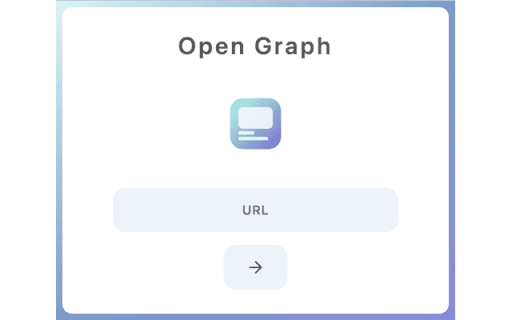
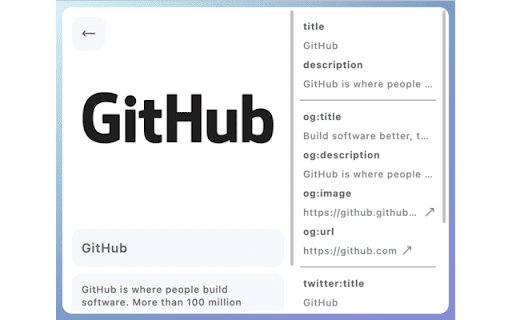

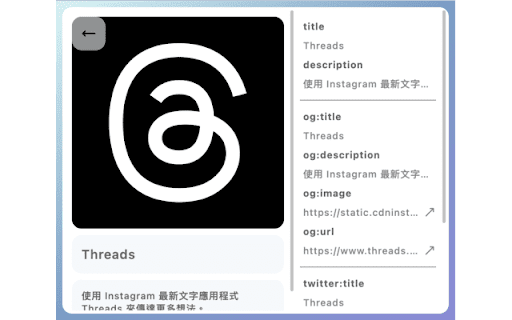
This is a simple Chrome extension that allows users to quickly check the Open Graph (OG) meta tags of any webpage. This tool is especially useful for developers who need to verify if the right OG tags are rendered for different pages during development, or for anyone who wishes to preview the thumbnail or other OG tag information of a website.

Twitter Card Validator
Smart Twitter Card Validator: Your Twitter debugger to verify cards & check OG tags preview for Twitter right in Chrome. Are you tired of guessing how your X cards will look? Maximize your impact with twitter card validator tool. 1️⃣ Speed: Quick verification that saves you time for the important stuff. 2️⃣ Accuracy: Validate your twitter cards to ensure they display correctly across devices 3️⃣ Enhanced Features: A robust alternative to the twitter card validator. This tool simplifies twitter card test without the standard validator on twitter.com. It offers a streamlined, user-friendly interface that lets you preview your cards directly from your browser. 1. Install the extension with just a few clicks. 2. Go to the page you want to share on X. 3. Use the tool to generate and check the X preview. 4. Make adjustments if necessary and validate in real time using our twitter debugger. See exactly how your posts will look on X and make sure your twitter validation card is in check. ➤ OG Tags Preview for X: Check and optimize your Open Graph tags to boost how well you share your content. Make sure your posts adhere to the platform's guidelines and display flawlessly Ensure your links look appealing and more likely to get clicks. This tool enhances your social media experience, acting as your go-to card validator. It improves your social media journey by guaranteeing that your X previews always appear fantastic. 💡 Save Time. No more back-and-forth trying to get your visuals right. 💡 Boost Engagement. Eye-catching X previews that increase clicks and retweets. 💡 Peace of Mind. Confidently share your content, knowing it looks great. 💡 Preview tweet feature. Allows you to see exactly how your tweets will look online. 💡 Simplicity. Check your preview without leaving the page you're on. Preview and confirm your details fast with our Twitter Card Validator, making sure they're perfect for your audience. Streamline your workflow and boost your confidence with every post! Identify and fix issues with your social media previews. This tool helps you troubleshoot and resolve problems quickly, ensuring your content looks perfect on the platform. Double-check multiple previews without hassle. It streamlines the process, helping you save time and effort as you prepare your posts. Optimize your social media impact.Tweak and ensure perfection with our tool. Make sure your content looks great before it goes live! Why Choose Our Extension? - Functions as a detailed twitter preview test to troubleshoot and enhance your content. - Offers a reliable twitter test card feature for experimenting with layout and content. - Ideal for Professionals: Perfect for marketers, bloggers, and frequent social media users. - Boost your social media game with og tags preview for twitter to ramp up your visibility. - Make the most out of every tweet with our Twitter card test, ensuring your content looks perfect. 📍 Make sure to regularly check Card updates to stay on top of changes. 📍 Try different images and descriptions to see what resonates best with your followers. 📍 Use the Twitter link preview to ensure your URLs are always ready for sharing. 📍 Keep your metadata concise and compelling to maximize engagement. 📍 Engage with your audience confidently with our preview tool. 🚀 Our Chrome extension is the robust twitter card checker for anyone looking to enhance their X presence. It allows you to refine your content on the fly, making sure it optimized for interaction. 📌 Whether you're a marketer or blogger, our validator tool is here to simplify your work. 📌 Get ready to enhance your experience with our latest updates for more enjoyable interaction! 📌 Card validator helps ensure your tweets look fantastic and capture your audience's attention 📌 Plus, our user-friendly interface letting you focus on creating great content. 👆🏻Install our Chrome extension today and take the first step toward flawless twitter card validation! Make your social media management a breeze and stay ahead of the game with our handy extension.

MetaPeek - Open Graph Viewer
View Open Graph meta tags and source code of any website. MetaPeek is a browser extension that helps you quickly view and analyze metadata on any webpage. It's perfect for developers, SEO professionals, and anyone curious about how websites are optimized for social media and search engines. ✔ What MetaPeek Does: • Displays Open Graph (OG) tags like `og:title`, `og:description`, `og:image`, and more. • Shows general meta tags such as `description`, `keywords`, and `robots`. • Provides a social media preview to see how the page will look when shared. • Lets you copy metadata for easy documentation or analysis. ✔ Why Use MetaPeek? • Time-Saving: No need to inspect the page source manually—MetaPeek extracts metadata instantly. • SEO Optimization: Ensure your pages are optimized for search engines and social sharing. • User-Friendly: View all metadata in one place with an intuitive interface. • Lightweight & Private: No data tracking; MetaPeek only analyzes the active tab. Whether you're optimizing a website, debugging metadata, or improving social media previews, MetaPeek is an essential tool for better web insights. Install MetaPeek and start exploring webpage metadata today!

Localhost Open Graph Debugger
Localhost Open Graph Debugger is a Chrome extension designed to check the Open Graph meta tags on locally hosted websites. By temporarily hosting the meta tags on our site, it simplifies the process, allowing you to easily verify them without the need for tunneling tools like ngrok.

OpenGraph Preview - Social Share Checker
Preview Open Graph images on Facebook, WhatsApp, Twitter & LinkedIn. Smart icon alerts OG issues. Navigate and test! 🔍 OpenGraph Preview Tool - The Ultimate Facebook Debugger Alternative The most complete Chrome extension for previewing and debugging Open Graph meta tags. Works as a Facebook Sharing Debugger, Twitter Card Validator, LinkedIn Post Preview, and WhatsApp Link Checker - all without leaving your current page. ✨ WHAT MAKES THIS EXTENSION UNIQUE? 👆 ONE-CLICK PREVIEW FOR ALL SOCIAL NETWORKS See how your links will look on Facebook, Twitter, LinkedIn, WhatsApp, and Discord - all with a single click! No need to open multiple tools or debuggers. Just click the extension icon and instantly view real-time previews for every major social platform. Simple, fast, and direct. 🎨 SMART ICON COLOR INDICATOR Our extension icon changes color automatically to alert you about potential issues: • 🔵 Blue: Default state - all OK • 🟡 Yellow: Some recommended tags are missing or Sizes are exceeding limitations • 🔴 Red: Critical Open Graph tags are missing or broken This visual feedback lets you instantly know the OG status of any page you visit without even opening the extension! 📤 UPLOAD & PREVIEW IMAGES LOCALLY Test your social media images BEFORE publishing them to your website! Simply upload any image directly to the extension and see exactly how it will look when shared on: • Facebook posts and link shares • Twitter/X cards • LinkedIn articles and posts • WhatsApp message previews • Discord embeds This unique feature saves you time - no need to upload images to your server just to test how they'll appear on social media. Perfect for designers and content creators who want to validate image dimensions, cropping, and visual impact before going live. 🔵 FACEBOOK DEBUGGER Preview exactly how your links will appear when shared on Facebook. Our tool works just like the official Facebook Sharing Debugger but directly in your browser - no need to copy URLs or leave your page. See the og:title, og:description, and og:image as Facebook will display them. 🐦 TWITTER CARD VALIDATOR Check your Twitter Card meta tags instantly. Preview both Summary Cards and Large Image Cards. Validate twitter:title, twitter:description, and twitter:image tags to ensure your content looks perfect when tweeted. 💬 WHATSAPP LINK PREVIEW WhatsApp is one of the most used messaging apps worldwide, and link previews matter! Our extension shows you exactly how your links will appear when shared in WhatsApp conversations. Test your og:image and og:title to make sure your links look professional and clickable. 💼 LINKEDIN POST PREVIEW See how your content will appear on LinkedIn before sharing. LinkedIn uses Open Graph tags for link previews, and our tool shows you the exact preview that will appear in the LinkedIn feed. 🎮 DISCORD EMBED PREVIEW Discord uses Open Graph tags to generate rich embeds for shared links. Preview how your website links will appear in Discord servers and DMs. 📊 OPEN GRAPH CHECKER • Automatically extracts all OG meta tags from any webpage • Validates og:title, og:description, og:image, og:url, og:type • Shows warnings for missing or incorrectly configured tags • Displays image dimensions and file size information 🖼️ OG IMAGE TESTER • Preview og:image across all social platforms • Check image dimensions (recommended: 1200x630px) • Validate image file size for optimal loading • See how images will be cropped on different platforms • Upload local images to test before publishing 📝 META TAGS GENERATOR • Edit title, description, and image URL in real-time • See live preview updates as you type • Generate ready-to-use HTML meta tag code • One-click copy to clipboard • Includes both Open Graph and Twitter Card tags 🔍 META TAG ANALYZER • Extract existing meta tags from any website • Analyze competitor's Open Graph implementation • Identify missing or duplicate tags • Check for common SEO meta tag issues ❌ PROBLEMS WITH OFFICIAL TOOLS: • Facebook Sharing Debugger requires leaving your page • Twitter Card Validator is no longer publicly available • LinkedIn doesn't offer a preview tool • No single tool covers all platforms • Can't test images before uploading to server ✅ OUR SOLUTION: • All platforms in one extension • Works directly on any webpage • No need to copy/paste URLs • Upload and test images locally • Visual icon indicator for quick status check • Real-time editing and preview • One-click meta tag generation • Works on localhost and staging sites 👥 WHO IS THIS FOR? 🎯 SEO PROFESSIONALS • Audit Open Graph tags during site audits • Quick-check client websites for OG issues • Generate meta tag recommendations • Validate og:image dimensions and quality 📢 SOCIAL MEDIA MANAGERS • Preview content before sharing • Ensure brand consistency across platforms • Test different images and titles • Optimize for maximum engagement ✍️ CONTENT CREATORS & BLOGGERS • Preview blog posts before publishing • Test featured images for social sharing • Ensure titles aren't truncated • Optimize descriptions for clicks 🏢 MARKETING TEAMS • Ensure campaign links look professional • A/B test different images and copy • Maintain brand standards • Quick QA for all shared content 1️⃣ Install the extension and pin it to your toolbar 2️⃣ Navigate to any webpage you want to check 3️⃣ Click the extension icon (notice the color indicator!) 4️⃣ View previews for all social platforms instantly 5️⃣ Edit title, description, or image as needed 6️⃣ Upload a local image to test (optional) 7️⃣ Copy generated meta tags with one click 8️⃣ Paste into your website's HTML head section For best results across all platforms, use these dimensions: Our OG Image Checker will warn you if your image doesn't meet these requirements! This extension: • Does NOT collect any personal data • Does NOT track your browsing history • Does NOT send data to external servers • Only reads meta tags from the current page • All processing happens locally in your browser Q: Is this a replacement for Facebook Debugger? A: Yes! It provides the same preview functionality plus support for Twitter, LinkedIn, WhatsApp, and Discord. Q: Does it work on localhost? A: Absolutely! Perfect for testing during development. Q: Can I test images before uploading them? A: Yes! Use the Upload feature to preview any local image. Q: Why does the icon change color? A: The icon indicates the OG tag status - blue means all OK, yellow means warnings or size issues, red means critical issues. Q: Is it free? A: Yes, completely free with no limitations. This extension is perfect if you're searching for: • Facebook debugger tool • Facebook sharing debugger alternative • Twitter card validator replacement • Open graph checker • OG image preview tool • Social media preview extension • Meta tag analyzer • LinkedIn post preview • WhatsApp link preview checker • Discord embed previewer • Social share debugger • OG debugger • Meta tags generator • Open graph generator • Social media meta tags tool Developed with ❤️ by Fever's SEO Team (business.feverup.com) Have suggestions or found a bug? We'd love to hear from you! Contact: mariopalencia88help@gmail.com If you find this extension useful, please consider leaving a ⭐⭐⭐⭐⭐ review!
