
nlffgllnjjkheddehpolbanogdeaogbc
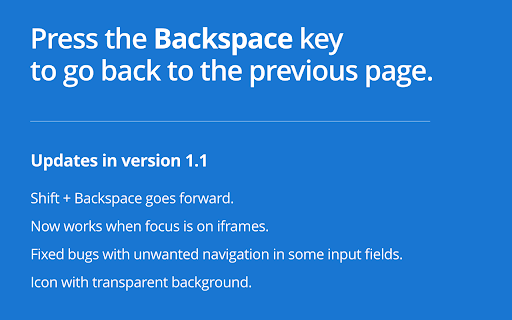
Restores browser behavior of navigating to previous page when pressing the Backspace key. This extension requires permissions to inject a piece of code in all of the pages you visit. If that freaks you out, that's ok. Handing over those permissions freaks me out too. You can choose to install this extension from source (it's very short) to make sure it's not doing anything malicious. See: https://github.com/oslego/chrome-backspace-back#from-source

DragFree (Mouse Unblock+Char Count+Image Save+Capture)
Restores mouse drag, right-click, and image save on blocked sites. Adds bulk image save, char counter, and page capture. If you've ever felt frustrated by being unable to select text or right-click on news articles, blogs, study materials, or shopping pages, try **DragFree**. * **Unblock Restrictions:** Enable mouse dragging, right-clicking, text selection, copying, and pasting. * **"Auto" Mode:** Automatically unlocks restrictions on every website you visit. * **"Manual" Mode:** Unlock only when needed by clicking the [Unlock] button or using a shortcut. * **View Text:** View the page's HTML/text in a new tab (extracts content even within iframes). * **Batch Image Save:** Download all images from a page at once. * **4 Capture Modes:** Current screen, Select area, Select element, and Full scroll page. * **Built-in Word Counter:** Easily check the character count of any text. * **"Manual" Mode (Recommended)** Click the [Unlock] button on the desired page or press the shortcut (**Alt+1**) to instantly remove restrictions. * **"Auto" Mode** Automatically removes restrictions on all sites. If a specific site does not function correctly, use the "Register Current Domain" button to add it to the **Exceptions List**. * **Text View Pro-Tip** For sites with advanced protection where right-click cannot be enabled, use **[View Text]** to extract and view the content in a new tab. * **Image Saving / Screen Capture** requires "Download" permission. Please refresh the page once after granting permission. * You can manage or revoke granted permissions at any time via the `chrome://extensions` page.

네이버 동영상 플러그인
네이버 동영상 서비스 이용을 위한 확장 프로그램 네이버 동영상 플러그인을 이용해 네이버의 다양한 동영상 서비스를 즐겨보세요! 크롬 브라우저에서 네이버 동영상 서비스 이용을 위해서는 네이버 동영상 플러그인의 설치가 필요합니다. 2015년 9월 부터 크롬브라우져에서 NPAPI 지원이 중지되어 “네이버 동영상 플러그인” 설치 후 아래의 동영상 서비스를 이용해주세요. 1. 네이버 라이브 스트리밍 : 스포츠, 네이버TV, 뉴스 등 생중계 서비스 HD 화질 시청

SmoothScroll
Scroll smoothly on all websites with your mouse and keyboard. The original SmoothScroll extension. NEW: there's also a native Windows and Mac app so you can enjoy smooth scrolling everywhere: No ads, fast and lightweight. Features - iOS-like smooth scrolling - Mouse wheel, middle mouse and keyboard support - Arrow keys, PgUp/PgDown, Spacebar, Home/End - Customizable step sizes, frames per second and more... - Works with embedded content (flash) - Full touchpad support - Excluded pages list Privacy Policy: This extension doesn't collect/transmit/store any user information (personal or non-personal). Period.

NDIC - 누렁이 영어사전 (Noorung Dictionary)
영어 단어의 뜻과 예문을 쉽게 찾을 수 있습니다. [4.5.5 업데이트: 2026.04.13] - 아이콘을 눌렀을때 팝업으로 열기 기능이 추가되었습니다. - 팝업으로 열기 혹은 사이드패널로 열기는 설정에서 선택 가능합니다. - 설정 페이지 스크롤 버그가 수정되었습니다. [4.5.4 업데이트: 2025.08.13] - Ctrl+Shift+E 로 사이드패널을 열 수 있음 (Mac : CMD+Shift+E) - 추후 지원 사항 - 사이드패널이 열릴때 인풋에 포커스 주는 기능은 아직 브라우저에서 지원되지 않습니다. - 브라우저 레벨에서 API가 추가되면 바로 업데이트 할 예정입니다. [4.5 업데이트: 2025.07.26] - 검색된 단어를 사이드패널에서 볼 수 있도록 변경 - 로고 및 익스텐션 이름 수정 - 피드백 남기러 가기 수정 - 버그 제보나 개선 의견은 아래 링크에서 해주세요! https://slashpage.com/ndic [4.4 업데이트: 2022.07.24] - 주요 버그 수정 - 변형된 단어 제안 기능 추가 [4.2 업데이트: 2022.05.08] - 사전 보조키 및 위치 설정 추가 - 다크 테마 지원 [이렇게 사용하세요] - 검색할 단어를 더블클릭하거나 드래그하면 단어 위에 사전이 나타납니다! - 주소창 옆의 익스텐션 버튼을 눌러서 검색하실 수도 있어요. - 사이드패널이 열려 있으면 더블클릭/드래그 시 사이드패널에 결과가 나타나요. - 설정 메뉴에서 가장 쓰기 편한 방법을 찾아보세요. 고맙습니다.
