
nlfembngkmgelahbccckandolbmajjpm
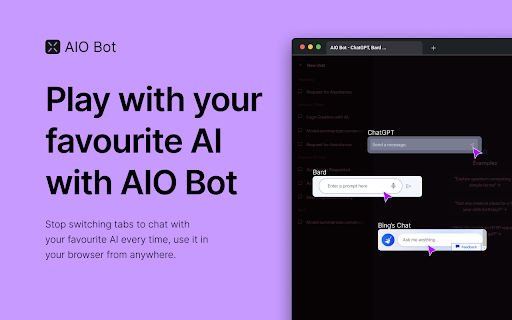

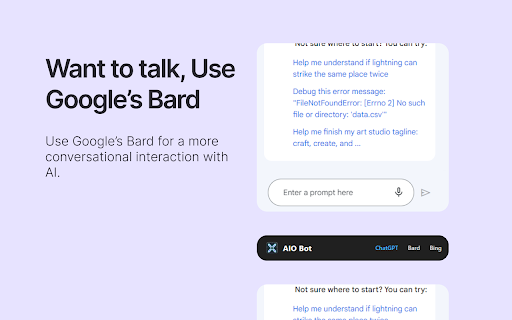
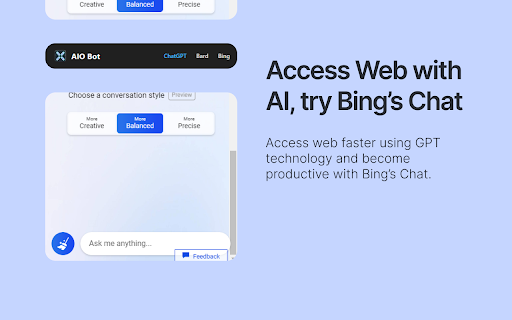
Introducing AIO Bot, your one-stop solution for accessing your favorite AI bots on any website, completely free of charge. With AIO Bot, you can easily access OpenAI ChatGPT, Google's Bard, and Bing Chat from a single extension, without opening new tabs or windows. With AIO Bot, you can enjoy several exciting features, including ChatGPT accessibility on any website, no need to open a new tab every time you need help from ChatGPT. Bard is also integrated into the extension, allowing you to use it from anywhere with just one login. Additionally, Bing GPT is also available on every browser, giving you more options to choose from. We've included a preview of the extension's functionality on our GitHub page, so you can see how seamless and easy it is to use. Get started today and experience the convenience and power of AIO Bot! If you find our extension helpful, please consider supporting us through our BuyMeACoffee page.

ChatGPT Prompt Generator for Business
Your instant gateway to expert business advice from ChatGPT, without the hassle. Are you an entrepreneur or small business owner that wants to get the best business advice from ChatGPT? But, you don't want to spend hours doing research or writing long, complex prompts? Well now you can with just One Click: Introducing One Click GPT for Business! "It's like a Business Browser for Chat GPT!" Here's Why One Click GPT for Business is a Game-Changer: Say goodbye to the headache of creating complex prompts. With just one click, you can now generate high-quality prompts tailored to your specific business needs. 🔥 High-Level and Advanced Business Strategies: Get access to targeted advice in areas like marketing, sales, finance, operations, and more. Our extension is designed to understand the intricacies of your business, and providing solutions that lead to 10X returns with 10X less effort. 🕒 Time-Saving and Efficient: No more hours wasted on tedious research. Get the advice you need, right when you need it, anytime and anywhere. 🔒 Your Privacy is Our Priority: We respect your data privacy. One Click GPT for Business operates without recording or collecting any private information. 📈 Customized Advice for Growth: Leverage the full potential of ChatGPT but without the hard work. Get immediate strategies that deliver real results, transforming generic advice into personalized action plans that will 10X your business results. How One Click GPT for Business Elevates Your Business In the fast-paced world of business, time is money. Our extension cuts down your effort, delivering the insights you need at lightning speed. Harness the power of AI to make informed, strategic decisions that propel your business forward. Designed with simplicity in mind, our extension integrates seamlessly with your Chrome browser and ChatGPT, making high-level business strategy more accessible than ever. Ready to Revolutionize Your Business? Embrace the future of business strategy with One-Click GPT for Business. This Chrome Extension is more than a tool; it’s your AI partner in giving you an edge in the complex world of entrepreneurship. Download Now and 10X Your Business Today! Click 'Add to Chrome' to begin your journey towards streamlined, efficient, and impactful business growth. With One Click GPT for Business, you’re not just keeping up with the competition; you’ll blow past them all.

GPTEnhancer
Provides you the feature to upload files to ChatGPT and make it more user specific UPDATE: 1. New UI 2. Now users can provide 100 word long custom prompt which can be written in the text box before submitting a file. ----------------------- Boost your interaction with ChatGPT using GPT-Enhancer, the ultimate companion extension designed to enhance your AI conversation journey. With GPT-Enhancer, you can seamlessly integrate any file type into your ChatGPT context/history, empowering the AI model to provide more accurate and contextually aware responses. Perfect for developers, our extension has the ability to read programming files, providing assistance in debugging, test writing, and more. But GPT-Enhancer isn't just for coders - it's for anyone looking to elevate their ChatGPT experience. The best part? We're just getting started. GPT-Enhancer is committed to continuous improvement, with an exciting roadmap of features set to roll out. On the horizon, you can look forward to Smart Highlighting for key information, Conversation Summaries for quick recaps, and Chat Bookmarking for easy referencing. Your input matters to us. We welcome feature requests and feedback to help shape the future development of GPT-Enhancer. Experience the future of AI conversations with GPT-Enhancer. Download today. --------------------- Please follow the steps below to upload a file: 1. Click the "Submit" button to initiate the file upload process. 2. Specify the desired delay between chunks in seconds. By default, the delay is set to 8 seconds. #Optional: Now you can provide a 100 word long custom prompt before submitting the file. Directly type your prompt in the text box at the bottom of the page. 3. Select the file you wish to upload and click the "Submit" button. 4. Once the file is being uploaded, the button will turn 'Yellow' and the text will be automatically divided into manageable chunks with appropriate formatting and numbering. 5. It is important to press the "Stop Generating" button as soon as the GPT starts providing answers for the given prompt. This step allows the extension to work efficiently and input the chunks accurately. Failure to perform this step may result in errors. 6. When the entire text has been successfully uploaded, the "Submit" button will turn 'Green' to indicate completion. -------Privacy-------- We prioritize your privacy and ensure that we do not collect any files or data from you, so you can enjoy our services without any concerns.

ChatGPT Prompt List
A Chrome extension that allows you to create a list of prompts to feed to ChatGPT. Time saving extension where you can leave you computer and the prompts will still be asked. Go to the https://chatgpt.com/?model=gpt-4. Click on the icon C to open up the extension popup. Insert the prompt in the input field and click enter or add prompt button. Insert as many prompts as you need. Make the hhttps://chatgpt.com/?model=gpt-4 as the active window and click start in the extension popup. Wait for it to finish all the prompts. When it finishes the prompts click the button clear all prompts to start with new ones. (OPTIONAL) Switch between light and dark mode.

Vio - Your ChatGPT Companion
AI companion powered by ChatGPT that give your instant answers and help generating text on any page. Introducing Vio🤖, your ultimate ChatGPT companion powered by ChatGPT AI (including GPT-4) to deliver instant summarization, explanations, translations, rewriting, and text composition on any website!🌐 No more toggling between different tabs or apps, as everything you need is now just a click away. 💻 With Vio, everything you need is right there at your fingertips. And with its intuitive interface and easy-to-use features, Vio makes it easier than ever to write like a pro. Features: ✅ Support both ChatGPT web application access and OpenAI Chat API key ✅ Quick access to ChatGPT at the side of your screen by clicking the Vio floating button at the side 📌 or pressing Cmd + B for Mac and Ctrl + B for Windows/Linux ✅ Quick lookup by selecting text ✅ AI characters to assist you in various task (Eg. Math tutor, Personal trainer, UI designer etc) ✅ Summarize lengthy articles and explain difficult topics ✅ Translation on any page 🌎 ✅ Improve your writing 📝 with the help of AI with grammar checking and paraphrasing ✅ Generate emails, posts, and messages in the tone you prefer. ✅ AI copywriter to compose articles and Facebook advertisements. ✅ Easy copy paste of response and also download of images. ✅ Support for GPT 3.5 and GPT 4 (for Pro users 🚀) Use Vio as your reading companion 📖: * Summarize articles * Explain articles, words, or even code * Translate to any language * List key takeaways * Shorten or lengthen your text Or use Vio as your writing companion ✍️: * Write reply to emails or messages. * Compose emails 📧, messages 💬 , social media posts, and captions * Assist in writing Facebook ads. * Rewrite your content with a different tone * Make text shorter or longer * Fix grammar and spelling. Vio has got you covered. 😊
