
njoadngalopipcepefcmebmflilmhadl
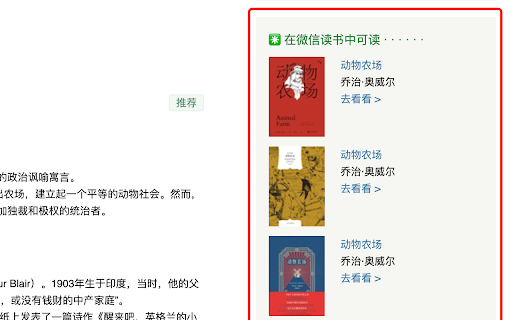
✳️ 在豆瓣中显示微信读书的可读状态 对于豆瓣中收录的书籍条目,使用此插件可以显示微信读书中是否可阅读该书籍,并可跳转至微信读书网页版对应的书籍页面

RSSHub Radar
Easily find and subscribe to RSS and RSSHub. - Discover and subscribe to the RSS feeds associated with the current page effortlessly. - Explore and subscribe to the RSSHub supported by the current page promptly. - Easily identify the RSSHubs supported by the current website quickly. - Supports one-click RSS subscription for various platforms including Follow, Tiny Tiny RSS, Miniflux, FreshRSS, Feedly, Inoreader, Feedbin, The Old Reader, Feeds.Pub, Local Reader... Made with ❤️ by DIYgod

readeaser
微信读书网页版美化 美化微信读书网页版,支持双栏模式、PDF阅读 v1.3.3: 修复了一些问题 v1.3.2: 修复了一些问题 v1.3.0: 增加本地字体选项,以及一些优化 v1.2.0: 新增选项页,字体、背景、颜色完全自定义,自由改造你想要的阅读界面 内置8种字体,自由选择阅读姿势 参考微信读书移动端主题,四种颜色主题可切换 页眉页宽自由调节,让阅读页面全面屏 经典阅读器模式可自动阅读,解放双手 增加专注模式,让阅读更加专注 改进PDF阅读器,获得更好的阅读体验 阅读愉快! 专注模式使用方法: - 安装插件后,在正文段落选中最后两行,以及下一段的一行以完成专注模式的设置。 - 在按钮面板,选择“专注”按钮,点击开启专注模式;或直接点击右侧专注按钮 - 阅读时使用键盘控制: - 按键“x",下一行 - 按键“s",上一行 - 按键“c",下一段 - 按键“d",上一段 - 按键“v",向下微调 - 按键“f",向上微调 - 按键“z",在聚焦模式中,暂时退出聚焦,再次点击回到聚焦

微信读书笔记助手
一个还不错的微信读书笔记工具,方便你导出书本标注等内容,对常使用 Markdown 做笔记的用户比较有帮助。 特性如下: 1. 一键导出标注、想法、目录; 2. 导出格式自定义; 3. 一键复制图片、注释、代码块; 4. 护眼色主题; 5. 标注搜索、标注目录; 6. 借助正则匹配对标注进行处理; 7. 选中后自动标注、自动复制或自动查询; 8. 解除右键限制; 13. 读书页图片、代码块放大。 项目地址:https://github.com/Higurashi-kagome/wereader 问题反馈: - Github:https://github.com/Higurashi-kagome/wereader/issues/new/choose - Email:higurashi-kagome@qq.com

Relingo - Master vocabulary while browsing websites and watching YouTube
Relingo extract words, full-text immersive translation while browsing. Also supports bilingual subtitles for Youtube, Netflix, etc. Relingo can help you quickly read and understand the content you are interested in, and gradually learn and memorize words while browsing the web without being disturbed. ★ Read based on interest and master vocabulary unconsciously Gradually learn and memorize English words while browsing websites/watching videos. You can learn English on any platform such as Medium, Facebook, Twitter, Youtube, and BBS. You can also learn English on BBC, WSJ, The Economist, Techcrunch, The Verge, etc. Website to learn English. ★ Support learning English by watching video subtitles through Youtube, Netflix, TED, and Coursera Learn English while watching videos. Supports bilingual subtitles and highlighted subtitles for new words. ★ Highlight new and difficult words to match your English level Relingo automatically highlights and translates based on the difficulty level you set and the vocabulary you have collected. When browsing the web, just focus on unfamiliar vocabulary and strengthen your memory in different contexts. ★ Accumulate a personal vocabulary book and master it through daily reading By reading and watching videos, you constantly build and train your vocabulary book. The collected words will pop up repeatedly in subsequent readings, constantly refreshing your word memory, and unknowingly expanding your vocabulary. ★Learn English unconsciously and stress-free While browsing web pages that interest you on a daily basis, you can quickly understand articles and master new words faster and more efficiently. From now on, reciting words is no longer a task. ★ Refresh your English memory at any time Different forms such as flash cards, prompts and emails will be used to help you constantly refresh your English memory through context. Learn English supports multi-language translation (Chinese, Korean, Japanese, Spanish, Portuguese, French), allowing users from all over the world to learn and read English articles conveniently and quickly
