
njncdadgmfngfifamfdpgpmobpalkihe

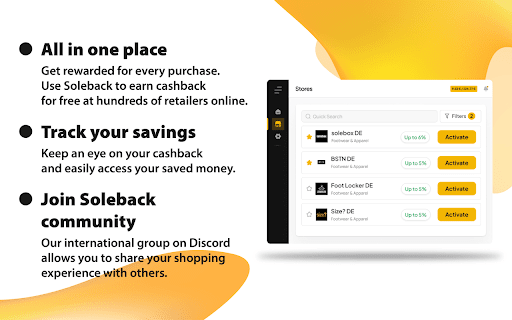

SoleBack Cashback service Extension. Install Soleback in your browser and start saving money whenever you shop online! Earn cashback and use discount codes at your favourite stores. Get cashback easily with all the stores at your fingertips. No need to go to the Soleback website. Activate cashback with 1 click directly from the store page. Receive notifications when funds are credited to your account and cashback status changes. All notifications are stored and available in the relevant tab of the Soleback extension. The Soleback extension will remind you of the cashback opportunities when you shop online. Look for the extension icon in the top right corner of your browser. When the icon is highlighted in green, it means cashback is enabled. Complete your purchases and your cashback will be credited. If the icon turns red, don't worry - refresh the page and enable cashback in the extension. 👥 Invite your friends Want to earn even more cashback? Recommend Soleback to your friends! Send your referral link to friends and receive 10% of their cashback whenever they shop online. By using the extension, you agree to activate an affilate session on the store's website on your behalf. The session is assigned to you, so we are able to charge cashback.

PromptSync
Ask ChatGPT, Bard AI, and Bing Chat with one single prompt! Unlock the power of four dynamic chat platforms with a single prompt! Introducing PromptSync, your all-in-one solution for chatting with ChatGPT, Bard AI, and Bing Chat, through a convenient Chrome extension. Multi-Platform Chat Engage in conversations effortlessly with ChatGPT, Bard AI, and Bing Chat from a single prompt. Get diverse perspectives and responses to your queries. Customizable Experience Tailor your chat experience to your liking! Enable or disable individual chat platforms according to your preferences through the settings menu. Efficient Workflow Streamline your workflow by accessing multiple chat services without switching tabs. Save time and stay productive as you harness the combined intelligence of four powerful chat systems.

FLOZABLE Tab Monitor
Boost focus with timers, block distractions, get study tips, and stay updated with group alerts using FLOZABLE. Supercharge your focus and productivity with the FLOZABLE Study Focus Chrome Extension. Seamlessly integrated with your browser, this extension is your go-to tool for cultivating efficient study habits and making the most out of your online learning experience. Time Management Mastery: Effortlessly track your study time with our intuitive timer. Set focused intervals, challenge yourself, and stay on top of your study goals. Distraction-Free Browsing: Activate the distraction-free mode to limit access to non-educational websites during your study sessions. Say goodbye to procrastination and hello to enhanced concentration. Personalized Study Plans: Receive AI-generated study suggestions based on your learning habits and preferences. Tailored recommendations to keep your study sessions engaging and effective. Group Study Alerts: Stay connected with study groups seamlessly. Receive instant notifications for group study invitations, challenges, and achievements directly through the Chrome Extension. Progress at a Glance: Get a quick overview of your study progress with a personalized dashboard. See your daily, weekly, and monthly study trends, empowering you to stay motivated and accountable.

Michael's Upgrade for TrakED
Upgraded features for TrakED in the THS. (This extension is not an official product of the THS or Intersystems TrakCare software.) Upgraded features for Trak ED in the LGH. Features: - Re-enable spell check in the triage page - Use the enter key when logging in - Handover sheet for ED Main Floor and EMU - ED Main Floor filters and persistent sort - Triage Summary print out - Filter and count results of an enquiry - Count patients currently breaching length of stay targets -- This extension is not an official product of the LGH or InterSystems Trak software.

Add to LinkJoin
Organize and automatically open virtual meetings. Keep all of your links in one central location where they can be sorted, searched for, and opened from any device with just a click. Receive reminders up to 30 minutes before a meeting and automatically opens it when the time comes. LinkJoin Bookmarks store links for access from any device at any time. Add to LinkJoin streamlines this process into a two-click process in your browser. Add to LinkJoin operates in the background so you can open links or open Zoom meetings automatically without any tabs running. Share links and bookmarks with others via the LinkJoin website, transferring your saved information to them as well.
