
njimencmbpfibibelblbbabiffimoajp
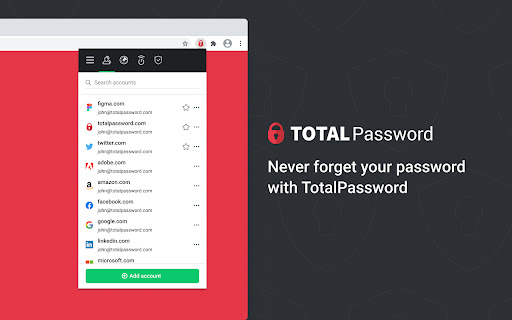
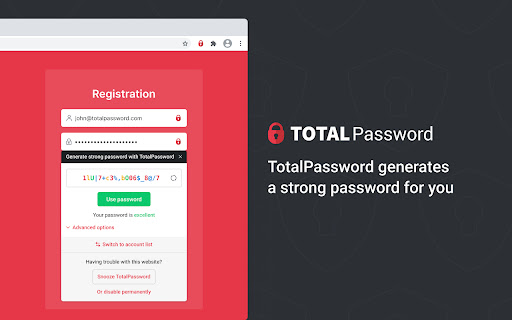

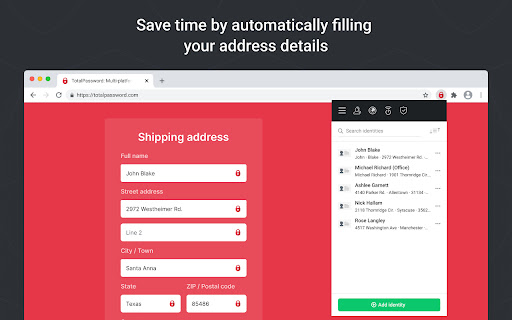

Store your passwords safely and securely - Total Password makes life easier! Total Password is the solution for protecting your online identity. Safely store all of your passwords, credit card information and identities in an encrypted vault, which you can access within seconds, making it easier to keep your online accounts safe. When it comes to security, we have you covered. Hackers are regularly attacking major websites to try and steal email addresses and passwords that are signed up to access those websites. The moment they get hold of them, they try them on hundreds of other websites too - within a matter of seconds, they can see if the exposed email addresses and passwords work on popular social media or email websites. Total Password is your first line of defense against this. We can put a stop to this identity theft threat. Each time you sign up to a website, and create a password, Total Password can generate a completely random, unique, long and unguessable one for you. We then store it securely for you, and automatically use it to log you in when you next visit the website. The only password you need to remember is the master - this provides access to all your unique passwords for each and every website. You can sync your Total Password account across all of your devices, meaning you don’t need to worry about forgetting a password again. Already using a password manager? No problem! You can easily import stored passwords from browsers or standalone password managers. Passwords added to Total Password are securely stored in an encrypted cloud. Rest assured we utilize the Advanced Encryption Standard (AES) with a key size of 256 bits (AES-256). In simple terms, this means no person or machine could decrypt data stored in Total Password. With a single click Total Password can generate a secure and unique password for you with as many characters as you choose. It is so important to utilize the password generator, as opposed to choosing ones that you can remember. Words, and even words with letters replaced with numbers are inherently insecure, easily guessed and susceptible to brute force attacks. Avoid identity theft, use Total Password’s Password Generator. Using Total Password to set unique passwords for each and every website means you need them on all your devices. It’s available as an extension on all major browsers as well as an app for iPhone, iPad and Android devices. If you add a new password on desktop, rest assured it will sync across to be available on mobile, or vice versa. Your up to date encrypted storage of websites, logins, passwords, credit cards and secure notes is available on all your devices. Two-factor, or 2FA, is the next level in security. What this means is that there are 2 factors to access your passwords, the first being your master password and the 2nd being a one-time code sent to your mobile device the moment you try to login. By enabling 2FA, this means even if your master password was guessed, an intruder wouldn’t be able to access your passwords, as they wouldn’t have your mobile device for the 2nd factor authorisation. Stay up to date with password and data breaches. Using our Security Report feature, you can check all of your passwords against breaches worldwide and change them to a new, secure password quickly. Within Total Password you can see all the devices and browsers you’re logged into. You have full control to remove any devices with a single click, meaning you needn’t worry if you’ve left yourself logged in on a shared computer. We collect your IP address on initial installation in order to allocate your free trial access without requiring any personal information. You will only be required to provide personal details such as your name, email address & payment credentials should you wish to activate a premium subscription. Further details can be found on on pricing page https://www.totalpassword.com/pricing Total Password will not store or log your data, your privacy is our priority.

Dashlane — Password Manager
Dashlane makes the internet easier. Save all your passwords, fill forms fast, and keep your data accessible and safe. 20,000+ businesses and 15+ million people worldwide trust Dashlane to protect their logins. Dashlane has never been breached, never sees or sells your data, and provides simple and effective tools to manage and safeguard it at all times. With the Dashlane extension, you can view, copy, and generate passwords and save and autofill logins and forms as you browse the internet. Open the web app to access the full power of Dashlane: Securely share passwords, keep track of your Password Health score, and take action when we identify your at-risk passwords. Log in to all your accounts on all your devices - Store an unlimited number of logins in your vault - Access your passwords and usernames wherever and whenever you need them - Autofill the right logins on every site, every time - Sync your Dashlane data to every device automatically, even if your phone and computer run on different systems Create and save new, strong passwords as you browse - Create strong, unique passwords for each of your accounts with our built-in Password Generator - Automatically save logins as you browse - Easily update and replace logins whenever you reset them Autofill payments and personal info - Autofill personal info like your name, address, email, and phone number - Complete checkout fields and other important forms with a click - Keep important personal data, like IDs and your Social Security number, at your fingertips - Securely store credit card numbers, bank account info, and other payments with bank-grade encryption Get instant alerts when a breach affects your data - Sign up for our Dark Web Monitoring tool, and we’ll continuously scan 20+ billion records to determine if your passwords have been compromised - Receive real-time alerts to change your compromised logins as soon as they’re discovered on the dark web - Check your Password Health score to see if any of your logins are weak, reused, or compromised Keep your information private - Dashlane protects your passwords with bank-grade encryption—the strongest method there is. - We believe you should control your data. That’s why we designed Dashlane’s zero-knowledge security architecture so that we can't see the information you store—and we never sell it. With Dashlane, your logins are safe, private, and easy for you - and only you - to access. For more information, see our Privacy Policy (https://www.dashlane.com/privacy) and Terms of Service (https://www.dashlane.com/terms).

ESET Password Manager
Never forget a password again! ESET Password Manager will make your life easier and passwords safer. To install ESET Password Manager, you either need to receive the invitation to use it or have an ESET HOME Security Premium or ESET HOME Security Ultimate subscription. ESET Password Manager allows you to manage your passwords, credit card numbers and other sensitive information, and access them from anywhere. All content in the application is encrypted, protected by a master password, and ONLY YOU have access to it. The ESET Password Manager app allows you to: ✔ Take advantage of Password Generator to create random and secure passwords ✔ Increase the security of stored passwords with Two-Factor Authentication ✔ Manage access to your passwords with the Secure Me feature that: - provides a complete overview and detailed information about active sessions on all of your devices and browsers - allows you to log out of all your sessions remotely - provides actions to improve your security (delete cookies, download history and bookmarks, close tabs, log out from all Password Manager’s sessions), either on a device or remotely, depending on platform or browser. ✔ Use ESET Password Manager for Two-Factor Authentication to your accounts for even stronger security ✔Check a Security report to see if your passwords are among breached passwords and data leaks ✔ Add multiple identities for easier completion of online forms ✔ Prioritize favorite accounts to move their passwords to the top of the list ✔Access your passwords on the go from your Windows PC and Android, iOS and macOS devices Find out more about the ESET Password Manager Chrome extension for ESET HOME Security Premium or ESET HOME Security Ultimate: https://www.eset.com/int/home/protection-plans/ For more info about the privacy policy, visit: https://help.eset.com/password_manager/3/en-US/privacy_policy.html For EULA visit: https://help.eset.com/password_manager/3/en-US/terms-of-use.html

KeyGuard - Password Manager
Experience seamless password management with KeyGuard – save, autofill, and secure your credentials effortlessly. Meet KeyGuard, the ultimate password manager that keeps your online world safe, simple, and secure – and it's completely free. Never worry about forgetting or reusing passwords again. KeyGuard combines top-notch security with unbeatable ease of use and lightning-fast performance. Effortless Password Management: Manage your passwords with our clean, simple-to-use interface, designed to make securing your online accounts easier than ever. Instant Autofill for Seamless Browsing: Instantly save & autofill your passwords with our smart and responsive autofill feature. Unmatched Security: Your data is protected with industry-leading AES256 encryption – the gold standard in online security. Quick & Strong Password Generation: Create secure and unique passwords for every site with our easy-to-use password generator. Seamless Cross-Browser Syncing: Access your passwords on any device with smooth synchronization across Chrome, Firefox, and Edge. Get Started Today – It’s Free! Join the many users who trust KeyGuard to protect their digital experience. Take control of your passwords and enjoy a faster, safer, and smoother online experience. Install KeyGuard now and experience password management like never before. KeyGuard – The Secure, Simple, and Effortless Password Manager.

Private Notes
Private Notes gives you safe and fully encrypted place for your Top Secret notes! Private Notes is ideal for storing the most sensitive information like Recovery codes, Wi-Fi passwords, server configs, etc... Why? Let's start with Privacy and permissions: - There are no permissions - this extension can't make any remote requests or submit any data! - This extension is NOT using own cloud servers, data are synchronized by browser-integrated "Chrome Sync" engine (encrypted). - Your password is NOT stored at all. It's hashed (something like a fingerprint) using advanced PBKDF2 function with 100k iterations and strong salt. - Unlocked notes and decryption keys are never stored - they are only kept in the private system memory and will disappear the moment you close browser. - Even if someone gains physical access to your PC, he won't be able to access your notes nor password. This is one of the safest place ever created! Top features: - Encrypted notes - all your notes are always stored encrypted! - Automatic backups - each device creates encrypted local backups of your notes (plus "Chrome Sync" holds a backup) - No need to create additional account - Chrome Sync will handle synchronization - Advanced Text Editor - supports many advanced text features - Code highlight for many popular languages and configs - Compression - all notes are compressed to save space - Auto-lock - will help you keep your notes locked when you leave your PC Limitations of Chrome Sync engine: - Chrome Sync can handle only 100KB of data - so you can't store huge notes. However thanks to build in compression, you should be able to store more than 100,000 characters of text. - Single note only 8KB size limit - each note can have only up to 8,000 characters - again thanks to compression this should be more. Support independent developer: - I'm full-time extension developer and your donations is my only income. There are no ads in my extensions! - Please support my work by: - Buy me a coffee - https://ko-fi.com/fastaddons - PayPal donation - https://paypal.me/fastaddons/ - be my Patron - https://liberapay.com/juraj.masiar/ Thank you! :) Your donation will help me keep this extension working in future versions of Chrome! The list of Recently added features can be found here: https://addons.mozilla.org/en-US/firefox/addon/private_notes/versions/
