
nfobgnbegdmblmlicigodlmaicopjmjb
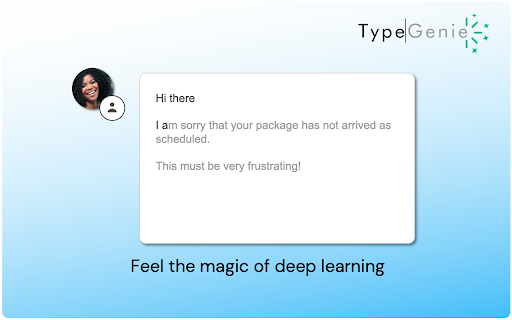


AI-powered writing assistant for Zendesk with advanced suggestions TypeGenie helps Zendesk teams respond faster and more consistently with a suite of AI tools built directly into the agent workflow: ➤TypeGenie Smart Sentence Suggestions AI-powered sentence suggestions as you type—context-aware and designed to keep replies on-brand. ➤MessageGenie Generate or continue a full customer-ready reply using ticket context and your instructions—insert directly into the Zendesk Composer. ➤ArticleGenie Find relevant Help Center articles and insert clean clickable links into replies in seconds. ➤TicketGenie Surface proven solutions from your historical resolved tickets to help agents resolve repeat issues quickly. ➤ToneGenie Get tone guidance and sentiment awareness to keep replies professional, clear, and empathetic. The World’s top support teams use TypeGenie to: ➤ Respond at record speed ➤ Reduce average handling time ➤ Keep every sentence on consistent brand tone START SAVING TIME, TODAY ! ➤ CLICK “ADD TO CHROME” ➤ Pick your subscription and team size to start your trial ➤ Return to Zendesk and start replying with TypeGenie For more information or a demo, visit www.typegenie.net or email support@typegenie.net.

Zendesk All tab Closer
Zendesk Support Close All Tab Zendesk Support에 열려있는 탭을 닫기 위해서는 각각의 탭에 X 버튼을 클릭해 닫아야 하지만 해당 확장 프로그램을 통해서 한 번에 여러 개의 탭을 닫을 수 있습니다. 일정 수준을 넘은 많은 탭이 열린 경우에는 한 번에 모든 탭이 닫히지 않을 수 있습니다.

Zendesk Dark Mode
Free extension for Zendesk Dark Mode Take care your eyes day and night with a dark theme for Zendesk tools and services. Zendesk Dark Mode Pamper your eyes day and night with a dark theme for Zendesk tools and services. Set up this eye protection extension for your nighttime and daily browsing. This theme inverts bright colors into high-contrast ones, making it easy to read at night. Totally Free If it help you pls give me a 5 starts.

Zendesk ticket closer
Close all tickets/user/errAlert... 기능 1. 젠데스크 탭에 생성되는 티켓 리스트 옆에 x 버튼이 추가되며 해당 버튼을 누르면 티켓을 모두 닫습니다. 기능 2. 구글 확장 프로그램 아이콘을 클릭하여 zendesk alert(에러)를 모두 종료시킵니다. 기능 2. zd alert과 system alert을 모두 일괄 종료할 수 있도록 기능 추가 젠데스크 상담 시스템에서 티켓을 모두 닫는 기능이 없어 구현. 상담시 편의성을 위해 개발. 현재 오픈된 젠데스크 티켓을 모두 닫습니다. 저장되지 않은 티켓이 있는 경우 알림창이 발생할 수 있습니다. 젠데스크 신규 테마 버전에 대응 패치 완료 (20260326)

Zendesk Helper
Automatically refreshes the ZenDesk Ticket Counts for the different views Upon installation, this extension will check if the site visited is a ZenDesk support domain. Once it detects you have, it will inject a script to refresh the ticket count automatically so that you know when a customer has responded or created a new ticket. You can change the amount of time between refreshes by clicking the extension icon. This extension is open source and no data is collected. Select "Website" to the right to view the code. Update 0.1.5 changes: - Simplified extension logic to not require as many permissions - Removed PayPal donate button Update 0.1.4 changes: - Fixed issue with interference with CC - Removed history permission and replaced with webNavigation permission
