
nfmlhilnjccdggifdbhnhkffmjgalbgg


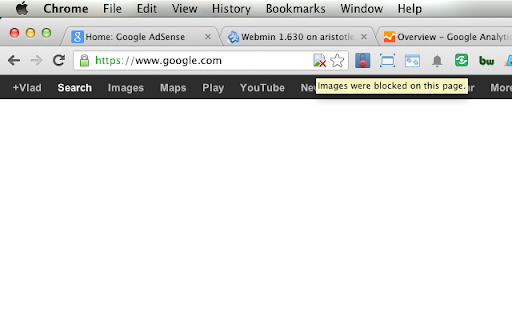
Use this extension to disable/enable images on the current site. It works on "per host" basis and will disable images for the given host (the currently selected tab), not for all hosts. There are some options available, but basically, the extension does just that and nothing more.

Blur. The Image and Video blur extension
A browser extension that blurs all images on a page, for when you want to be discreet or don't want to look at certain images. Celebrating 100,000 installs, we've updated your favourite browser extension with a new look and feel! Here's to many more years of blurring! Watch this space as we continue to roll out new and exciting changes. The Blur Team. We’ve all had those times when we've 'accidentally' searched for something online and ended up seeing images we didn't want to see. Or maybe you’ve experienced browsing Facebook or Instagram at work or in a public place, only to catch someone glancing at your screen. Or perhaps you just want to read an article without being distracted by all the images and videos. Well, now you can. This add-on blurs all images and videos on a webpage, so you can concentrate on what’s important. You can choose to view the content or not. To see or not to see? The choice is yours. Shortcuts: ALT + K: Blur or unblur an image or video when hovering over it ALT + L: To quickly enable or disable the extension Language Support: We now support over 5 languages including English, Mandarin, Russian, Arabic, Bangla, Hindi and Urdu. Simply change your preferences via the settings tab. Themes: Change between light and dark theme or choose the system default. Two additional fun themes have been added, install to find out what they are. Allow list: You can also white list websites, simply open the extension and add the site to your allow list!

Auto Swiper for Tinder, Bumble and more!
Smart auto-swipe with AI-assisted opening messages for Tinder, Bumble and other popular dating sites. The Auto Swiper Extension enhances your experience on dating sites such as Tinder, Bumble, Badoo, PoF, OkCupid and more, allowing you to spend more time getting to know people. For optimal usage of the Auto Swiper Extension, I suggest loosening the filters on dating sites like Tinder, Bumble, Badoo, PoF, OkCupid, and others, and then using the Auto Swiper to adjust the filters based on your preferences. This will result in more swipes to dislike profiles, ultimately boosting your reputation on the dating site. The Auto Swiper Extension provides various ways to filter profiles on dating sites such as Tinder, Bumble, Badoo, PoF, OkCupid and more. The free version of the software includes the following features: - A maximum of 100 swipes per run and 500 swipes per day. - The ability to define age range. - Minimum photo requirement. - The option to filter out unwanted words (up to 10). - Swipe speed ranges from approximately 2.5 to 4.5 seconds per swipe. If you want even more features and options, subscription options are available at https://auto-swiper.ch/#pricing. However, please note that dating apps frequently update their interfaces, which may affect the functionality of the Auto Swiper Extension. If you experience any issues, please inform the developer. A list of Supported Dating Sites you find under: https://auto-swiper.ch/#features Because Tinder, Bumble, Badoo, PoF, OkCupid and others are always changing their apps there can be problems with the Auto Swiper. Please inform me if the extension does not work properly anymore.

GIF Blocker
Block GIF and WebP animation images on HTML pages to reduce bandwidth and resource usage This extension blocks animated images (*.GIF and *.WebP formats by default) to save bandwidth usage and improve page loading performance. The extension can get enabled or disabled from the action button. Once the extension is enabled, no animated resource is fetched from the internet. Instead, the remote image is replaced by a local alternative. When blocking mode is enabled, the user can still selectively load blocked images from the right-click context menu over the image context. How does it work: This extension redirects all the animated image requests to the local SVG image. This way, there is no server request at all (not even the HEAD request). Features: You can unblock an image from right-click context menu. The unblocking stays for this browser session. Or until the extension is disabled by pressing the toolbar button. Reduce bandwidth usage significantly by preventing any animated image loading. Animated images use a large amount of bandwidth compared to normal images. Optionally disable the extension for WebP or GIF image format. Optionally block video elements from auto-playing Optionally block CSS animation

HTML Content Blocker
HTML Content Blocker provides a user-friendly interface to quickly block various HTML contents (Script, Style, Image, Object, and Media) on any webpage. To work with this addon, please open the toolbar popup and press the desired content button (at the top) to block, then reload the tab. This extension has two modes to operate. The first and default mode is Global. In this mode, the addon is active for all domains except those listed in the allow-list table. The other mode is per-domain, where the addon is active only for the domains in the block-list table. To switch modes, please press the toggle button at the bottom-left corner of the interface. To add domains to the allowlist or blocklist table, please navigate to a website, then press the plus (+) button at the bottom footer. Likewise, to remove the domain from the table, press the minus (-) button. Badge icon text shows the number of blocked items for the active tab. Note: The toolbar popup interface supports dark mode. To switch the interface theme to dark, please press the moon icon on the bottom toolbar. To report bugs, please visit the addon's homepage and fill out the bug report form (https://mybrowseraddon.com/html-content-blocker.html).
