
nfmkfpoaomgnnomijeolbkjffdildobk

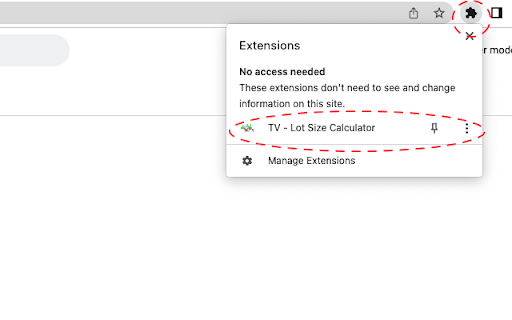


Seamlessly calculate forex lot sizes in TradingView. Automate trading with instant, accurate position sizing for forex pairs. Effective risk management is essential for successful forex trading, and having a solid strategy in place from the outset is crucial. The Forex Lot Size Calculator extension for TradingView is designed to help traders easily implement risk management practices into their trading plans. With this extension, you can quickly calculate the appropriate lot size or position size based on your trading plan, all within the TradingView platform. This means you can save time and avoid the hassle of switching between applications or copying and pasting currency pair values. By using the TradingView position tool to visually mark up your trade and specifying your account balance and risk in the Inputs tab, you can easily determine your lot size for both standard and mini lot size accounts. Not only does this extension help you streamline your trading plan in one convenient location, but it also enables you to make informed decisions that mitigate risk and maximize potential profits. ✓ Quickly calculate lot size/position size based on your trading plan ✓ Save time and avoid switching between applications ✓ Use the TradingView position tool to visually mark up your trade ✓ Calculate lot size for both standard and mini lot size accounts ✓ Specify your account balance and risk in the Inputs tab to make informed decisions that mitigate risk and maximize potential profits Take control of your forex trading and implement effective risk management practices with the Forex Lot Size Calculator for TradingView. To use the lot size calculator, select your trading account currency within the app settings (See app photos for examples). Return to tradingview and use the long or short position tool to markup your trade with your stop loss position define. Double click on the long or short position and display its property. Ensure you are under the Inputs tab. In this tab you can specify your: ✓ Account size (Account balance) ✓ Risk (This can be % or an exact amount based on your account currency). You can now select Calculate button at the top of the window to display your lot size for a standard and Mini lot size account. To save you account balance and Risk for future usage, select OK from the position window.

Economic Calendar, Market & News
Economic calendar, forex news, forex calculators and other tools for your forex trading. The Myfxbook extension will give you immediate and free(!) access to the best in the industry forex tools to help you trade and make informed decisions: Economic calendar - a real-time economic calendar covering over 1000 economic events with complete history. Forex Sentiment - access the largest database of forex sentiment constructed from millions of forex traders. Forex news - view in real-time forex news that are relevant for your forex trading. Forex calculators - use our forex calculators to quickly estimate, simulate, calculate and plan your trading plan using the different calculators: Currency Converter, Position Size, Pip value, Margin, Fibonacci, Pivot Points, Risk of Ruin, Compounding, Drawdown, Leverage, Profit and Rebate (Cashback).

Forex Time
Find out the opening hours or popular forex markets instantly! Forex Time shows you the market hours and highlights the ones that are trading. Changing timezone is supported so you can view the hours with the timezone of your choice. Note: Forex Time does not take holidays into account at the moment.

dynapips - Trading Checklist, Position Size Calculator & Trading Journal
Plan trades, manage risk, and journal performance with one disciplined trading workflow in Chrome. Trade with more structure and less guesswork. dynapips helps daytraders prep setups, calculate true position size including commission fees and spreads, and easy journal execution without jumping between tabs, notes, and spreadsheets. - Calculate position size from balance, entry, stop loss, take profit, spread, slippage, and commissions - Stay inside prop-firm and personal risk rules - Journal setups, notes, results and export your trades afterwards dynapips is built for traders who want better discipline, cleaner execution, and a repeatable process. Whether you are refining your edge or trying to eliminate emotional decisions, dynapips helps you follow a clear process every time.

Position Sizing Calculator
Protect and preserve your principal. Position Sizing Calculator is a user-friendly Chrome extension that helps traders calculate the ideal position size based on their risk tolerance. Perfect for managing trades efficiently and ensuring consistent risk management in any trading strategy.
