
nfhkaokfajbndkmkofcmljifljfkpgac


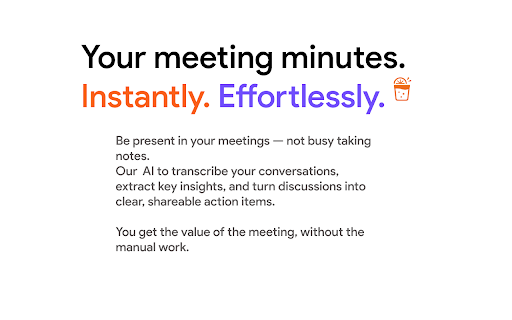

Auto-transcribe & summarize Google Meet calls with AI — notes, action items & searchable transcripts, right in your call. MeetingJuice analyzes your Google Meet transcripts and generates comprehensive summaries, action items, and calendar suggestions. Stop taking manual notes. Start getting results. MeetingJuice is your AI meeting assistant that transcribes, summarizes, and turns every conversation into clear action items — automatically. Captures your meetings in real time via Google Meet Transcribes the full conversation accurately Summarizes the key points in natural language Extracts decisions and next steps as action items Organizes and delivers everything in Google Docs 🔹 Why it matters: Tired of missing something? Spending time writing meeting minutes after a long day? With MeetingJuice, you get the full value of every discussion — without lifting a finger. 🔹 Features: ✅ Automatic transcription ✅ AI-generated summaries and action lists ✅ Personalized formatting and tone ✅ Seamless integration with Google Meet, Docs, Gmail, Sheets & Slides ✅ Enterprise-grade security & privacy options 🔹 Your workflow, supercharged. MeetingJuice fits right into the tools you already use. No onboarding, no friction — just smarter meetings. 🔐 Privacy-first by design. You’re always in control: enable recording per meeting, customize visibility, and keep everything secure.

TranscripTonic
Simple Google Meet transcripts. Private and open source. Save transcripts and chat messages of your Google Meet calls. Private on device processing. Teams and Zoom transcripts are in beta. ✅ Text file output after each meeting, universal compatibility ✅ Supports multiple languages that Google Meet offers ✅ Integrate with your favourite tools using webhooks View code and report bugs here: https://github.com/vivek-nexus/transcriptonic/issues

AI Note taker for Google Meet, by Noty.ai
AI note taker for Google Meet. Meeting transcription, automatic summaries, and task tracking, powered by Gemini. Noty.ai transcribes and summarizes your meetings in real time — no bot joins your call, ever. Works with Google Meet, Zoom, YouTube, online lectures, webinars, and any audio playing in your browser. 98.6% accurate transcription in 88 languages. Powered by Google Gemini. Backed by Google for Startups. Used by 100,000+ professionals, students, and educators worldwide. 1. Install the extension 2. Join any Google Meet or Zoom call (or open any tab with audio) 3. Noty.ai automatically generates real-time transcription, AI summaries, and action items 4. Review, search, and share from your workspace No setup. No bot in your meeting. No awkward "Who is Noty Notetaker?" - Live transcription as people speak - Speaker identification - Keyword search within any transcript - Time-stamped insights - No bots joining your meeting Perfect for sales calls, team standups, onboarding, HR interviews, research interviews, lectures, seminars, and study groups. One-click AI summaries powered by Gemini: - Key decisions and next steps - Risks and blockers - Client needs and commitments - Lecture summaries and research insights - Custom summary formats Noty.ai detects and extracts tasks, follow-ups, deadlines, client requests, and assignments. Sync to Google Tasks, Gmail, Google Keep, and Docs. Find anything across your entire meeting history — decisions, requirements, quotes, study materials. A searchable knowledge base built from every conversation. Chat with your meeting data: - Ask questions grounded in your actual meetings - Draft follow-up emails - Generate reports and study summaries - Create documentation from transcripts It's ChatGPT — but connected to your meetings. Not just meetings. Transcribe and summarize: - YouTube videos - Online lectures and courses - Podcast episodes - Webinars and live streams - Recorded presentations For Work: Sales call notes, product research transcripts, marketing feedback, customer success tracking, HR interviews, legal meeting records. For Education: Lecture transcription, study notes, research interviews, group projects. Students and educators get 90% off — email natalia@noty.ai. No bot joins your meeting — ever. Encrypted transcripts. Never used for AI training. GDPR compliant. Private by default. Free: 10 meetings/month + 7-day Pro trial Pro: $10/month — unlimited meetings and AI features Pay-as-you-go: $1/hour — no subscription needed EDU / Non-Profit: $25/year (email natalia@noty.ai) Your meetings — captured, summarized, and organized automatically.

Record Google Meet
📹 Discover Record Google Meet — the solution you were waiting for, designed to easily capture online conferences! 🚀 Enhance Your Meeting Experience with Our Chrome Extension: 1. Integrate this wonderful extension seamlessly into your regular workflow. 2. Utilize the Google Meet record feature for easy one-click capturing. 3. Activate the feature directly from your browser with no extra steps. 🎥 For Professionals and Educators: 📹 Capture high-quality google meets recording for future reference. 📹 Use record Google meeting to save important discussions and presentations. 📹 Saving sessions for later helps in maintaining compliance and saved files. 🛠 Seamless Integration and Accessibility: - Extension setup is straightforward and user-friendly. - Access the video file easily from your drive. - Manage recordings in Google Meet efficiently with automatic cloud storage. 🎬 Engage Google Meet screen recording for capturing the entire session visually. 🎬 Utilize screen record Google Meet to include everyone's input. 🎬 Benefit from video call recording features that are built-in and optimized. 📊 Optimized for Collaboration: 1️⃣ Record Google meets to foster collaborative environments. 2️⃣ Capture video even when you're not the host. 3️⃣ Share links containing call summaries with participants post-conference. 📋 Easily turn on recording Google Meet with a single click, streamlining the start-up process. 📋 Activate the Google Meet auto record to capture every call fully. 📋 Retrieve video call files instantly from your dashboard. 🔄 Enhanced Compliance and Security: 🔐 Extension messages resolve with permissions management. 🔐 Recording unavailable Google meet errors are mitigated with pre-session checks. 🔎 For Personal and Educational Use: ➤ Record a Google Meet for personal note-taking or educational purposes. ➤ Recording on Google Meet allows for revisiting detailed discussions. ➤ The extension provides a backup for those who missed the session. 💼 Efficient Team Pulse and Training Sessions: 👩💻 Extension features enhance team training sessions. 👩💻 Record on Google meets for asynchronous training opportunities. 🌐 Troubleshooting and Support: ❓ Why cant I record Google Meet? Quickly find solutions within the extension. ❓ Blocked funcionality can be bypassed with proper settings adjustment. ❓ How to record Google Meet without permission? Follow legal guidelines for consent. 1. Efficiently capture extensive insights and discussions for thorough conference analysis. 2. Reliably save video with cloud-based backups that ensure no piece of information is lost. 3. Enhance data retention and review capabilities, making it easy to revisit detailed information. 4. Utilize various options to facilitate compliance checks and maintain quality assurance standards throughout your organization. 🌟 This Chrome Extension simplifies workflow tasks, enhancing capture, management, and sharing of video calls. It ensures no critical information is lost, facilitating smarter, more efficient summary for compliance and collaboration. 🎓 Capture Lectures and Workshops Efficiently: 📚 Join virtual classrooms or workshops to capture all essential details. 📚 Ideal for students and professionals who need to review lectures through Google Meets recording. 📚 Use record in Google Meet to boost knowledge retention in study sessions. 📚 Compile educational content from captured sessions for asynchronous and self-paced learning. 📚 Record Google Meet calls and sessions to maintain a dynamic archive of all interactions. 🏢 The extension aids in capturing detailed minutes and actionable items. 🏢 Enhance staff training and reviews with comprehensive Google Meet session recordings. 🏢 Leverage comprehensive features to track project progress and team inputs. 🔗 Streamlined Access and Sharing: - Access a conference file immediately after calls end. - Record Google Meet video and share securely within or outside your organization. - Employ exhaustive list of tools to create adaptable, dynamic learning environments. 🌟 These features boost productivity and collaboration by enhancing every interaction. Capabilities like Google Meet recording are essential for efficiently managing digital conferences.

Google Meet Transcription
Use Google Meet Transcription — AI automatic transcript for google meet. Transcribe calls instantly. You can get extension! 🎯 Use Google Meet Transcription extension: It is your innovative AI-powered assistant Boost your productivity effortlessly with the advanced chrome tool specifically designed for google meet transcript with remarkable accuracy. Forget about manual note-taking; now, you have precise, real-time meeting transcription to make virtual calls more effective and convenient. 1) Obtain highly accurate AI transcription google meet through state-of-the-art technology. 2) Automatic text eliminates human errors common in manual note-taking. 3) Get your call transcribe immediately after your meeting. With just one click, Google Meet Transcription turns your sessions into structured, searchable content. It’s not just a tool — it’s a time-saver and a productivity booster. Whether you're in education, sales, or HR, it adapts perfectly to your daily routine. ➤ Instant captions while you speak ➤ Easily locate key discussion points ➤ No manual transcript work required ➤ Works perfectly even in long conversations ➤ Enhances post-sync review ➤ Designed for seamless workflow Imagine never missing a detail again. You can be fully present in the moment, confident that the transcription tool captures everything accurately in the background. It's not just about convenience — it's about clarity and peace of mind. 💯 Enhanced accessibility and inclusivity ❱ Provides clear, accessible captions transcript beneficial for individuals with hearing impairments. ❱ Improves multilingual team communication with reliable Google Meets Transcription app. ◉ End-to-end encryption ◉ Local file protection on your computer ◉ No data leakage during calls ◉ Fully compliant with privacy regulations Whether you're a student, a startup founder, or a team lead, google meet transcription empowers you to work smarter. You no longer have to choose between participation and documentation — now, you get both. Stay fully engaged in the conversation while every important detail is captured for you in real time. Whether you need to record google meet sessions or generate a clear, structured computer transcript, this tool has you covered. It allows you to focus on ideas, decisions, and collaboration instead of worrying about taking notes or missing key points. It’s like having a personal assistant present in every call — quietly working in the background to deliver accurate transcripts you can rely on anytime. ■ Teachers needing accurate note-capture tools for lectures ■ Students who want to stay focused while receiving clear, structured summaries ■ Businesses recording virtual calls to document client-related details ■ Recruiters quickly converting interviews into structured documentation ■ Freelancers managing multiple conversations with dependable voice-to-text support ■ Project managers using smart transcribe features to streamline task tracking and follow-ups ■ Individuals relying on automated meeting capture for personal workshops and planning ✓ Capturing training sessions ✓ Documenting virtual sales pitches ✓ Free transcribing and recording job meetings ⓵ Open Chrome Web Store. ⓶ Search "Google Meet Transcription extension". ⓷ Click "Add to Chrome" to begin automatic transcript instantly. The setup is straightforward, but the impact is huge. In just a few seconds, you turn your browser into a smart assistant that listens, writes, and remembers for you. No more stress, just results. Offers basic live captions, which are helpful for understanding speech in real time. However, it lacks comprehensive transcribe capabilities such as saving, exporting, or reviewing past conversations. That’s where our extension fills the gap — offering complete, downloadable transcripts with full accuracy. While our extension does not record video, it provides a complete, high-quality transcription of the entire conversation. You can stay focused on the discussion, knowing that every word is being accurately captured in real time — no need to worry about missing important details. Absolutely! With our extension, you can receive instant, accurate transcribes right after your meeting ends. There's no need to record manually or rely on memory — the transcript is automatically generated and ready for review, sharing, or archiving.
