
ndjbhomcbjmfohlmolecegegielcflmf
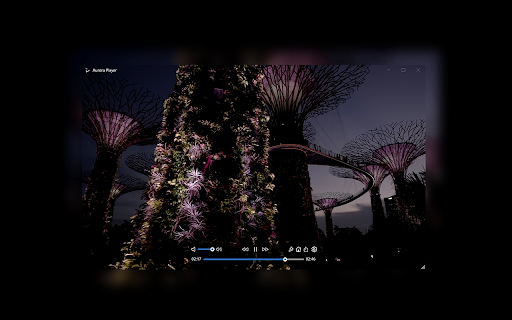
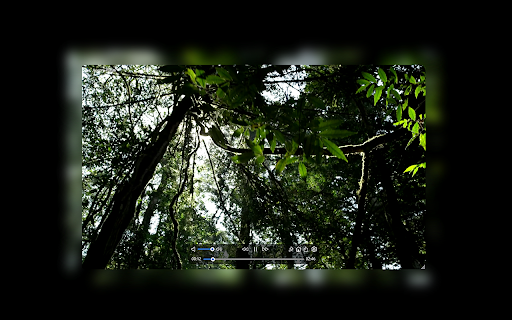
Open the current video in the Aurora Player app for stunning glow effects. Enhance your video streaming experience with Aurora Player! Elevate your viewing sessions with mesmerizing glow effects that transform your videos into captivating spectacles. With Aurora Player, every moment becomes a visual feast! Aurora Player is a PAID application that is needed to achieve the video's realistic glow effect. It is available for both Windows and Mac. Download the premium Aurora Player app now and embark on a dazzling voyage through the digital realm! https://www.stefanvd.net/project/aurora-player/app/ Browser extension features: Enhance your video streaming experience with the immersive realism of Aurora Player. Simply click the browser button on your favorite video player website, and watch as your videos come to life with vivid, lifelike glow effects. Whether it's YouTube, Bilibili, or HTML5 videos, Aurora Player seamlessly integrates into your browsing routine, transforming mundane viewing into an extraordinary journey through vibrant visuals. Don't settle for ordinary—immerse yourself in extraordinary visuals today with Aurora Player, your ultimate companion for video streaming adventures. Application features: Aurora Player can play local files, offering seamless playback of your favorite videos in any format, all within one sleek and user-friendly interface. From classic AVI files to modern HEVC formats, the Aurora Player app effortlessly handles them all. This multimedia player supports a wide array of file types including: 3g2, 3gp, asf, avi, f4v, flv, gif, hevc, m2ts, m2v, m4v, mkv, mjpeg, mng, mov, mp4, mpg, mpeg, mts, ogg, ogv, rm, swf, ts, vob, webm, wmv, and wtv. Required application for your device: Aurora Player for Windows, Aurora Player for Mac, Aurora Player for VisionOS Required Permissions: ◆ "activeTab": Allow detection of the current video player URL on the currently open tab. ◆ "scripting": Necessary to retrieve the current video player URL for opening it in the application.

Local Video-Audio Player
Play local video and audio files with speed control, playlist, shuffle, and volume-boosting 🎬Local Video & Audio Player: Your All-in-One Browser Media Hub Looking for a reliable play local video extension? This tool transforms your browser into a powerful, lightweight offline media player. Instead of downloading heavy desktop software, you can now seamlessly play local files in Chrome with a smooth, native experience. Whether you need a dedicated browser audio player for your music collection or a high-performance video hub, this extension is built to handle it all. 🎬 Universal Format Support Tired of your browser rejecting certain file types? Powered by advanced FFmpeg browser player technology, this extension breaks the limits of standard playback. Use it as your go-to FLV player Chrome solution. Functions as a dynamic WMV to MP4 player right in your tab. Naturally supports MP4, WEBM, MP3, and all standard web formats. 🚀 Advanced Playback Controls Take absolute control over how you consume media: Video volume booster: Audio too quiet? Instantly boost video volume 300% so you never miss a word. Video speed controller: Skim through lectures or slow down tutorials with customizable playback speed 8x adjustments. Video screenshot capture: Grab high-quality snapshots of your favorite moments with a single click or hotkey. 📂 Smart Playlist & Remote Streaming Keep your media organized with the built-in video playlist manager. Shuffle, repeat, or extract entire directories of media in seconds. Not just for offline files, you can also seamlessly play remote video URL links by simply right-clicking a hosted video link and selecting "Play with Video Player." Experience the ultimate local video player directly within your browser. Fast, secure, and fully contained within your current tab. 🌐 You may also use Online Local Media Player as well https://mediaplayer.chromecrxstore.com/ 💿 This extension offers to play media files from a local disk or a remote resource. It uses the standard caching method to play remote sources with minimal interruption. Privacy & Security First We need certain permissions like access to list of urls you visit, to keep you safe while you download videos to your local drives and also stream videos on websites. We call this new feature 'Safe Video Streaming'. We don't sell this data to third parties neither is this data personally identifiable. 👀 You can watch remote hosted videos in 2 ways. First Method: 1️⃣ Open "https://www.w3schools.com/html/html5_video.asp" in a browser tab 2️⃣ Right-click on the player 3️⃣ Use "Play with Video Player" Second Method: 1️⃣ Open "https://www.w3schools.com/html/html5_video.asp" in a browser tab 2️⃣ Right-click and save the video to the disk 3️⃣ Open the player and drop the video to the player's interface

Video Player for Local Files
A web video player for local files. An easy-to-use and very lightweight video player for local video/audio files, powered by Web technology. It works completely offline. In addition to using the mouse, it supports many useful keyboard shortcuts, as well as a few simple settings. Updates: 1.0.0 (May 1, 2023): Support playlist UI and loop playback mode. FAQ: 1.How to open the player? Click the extension icon. 2.How to open files? • Click the "Folder" icon in the panel • Keyboard shortcut: Ctrl/Cmd + O • Drag and drop files to the player 3.Subtitles Independent or embedded subtitles are not supported. Maybe I will support independent subtitle files in the future. Of course, if the subtitles are already in the video stream, they can be displayed. 5.Video format and codec Because the underlying core functions are completely implemented by the browser, only some video formats and codec are supported. In addition, it doesn't support multiple audio tracks switching.

Media Player
Play your Local and Online Media Files. Also, now you can save it in the browser to Play Later and It will store your media playback in the background and resume when you open the plugin again.

Open in VLC Media Player™
Easily open desired links in the VLC (VideoLAN) media player! Open your video files or Youtube/Twitch Streams using VLC Media Player now. Want to open video files using your favorite video player software VLC Media Player? You can do so now after you install our software extension. To begin using our software extension, here are the steps you need to do. Ensure you have VLC Media Player installed on your computer. Watch your favorite video files with VLC Media Player now. Install our software extension "Open with VLC Media Player" Once you install our software, please refresh all your existing Chrome Tabs/close Chrome browser and restart Chrome browser to let the extension load. Choose the video file you wish to watch with VLC Media Player via the right click context menu button. Its that simple, just use the right click context menu to choose VLC Media Player when you want to watch your videos. You can open all types of audio files or video files, it does not have to be .mp4 format. It can be also .mp3 and AAC file format. Another cool feature of our software is you can open your audio/video files with PotPlayer as well, if you have Potplayer installed on your computer. Need to convert your videos/songs into different formats? Our software extension allows you to convert your videos into the most common audio formats such as MP3/AAC Disclaimer: Please note this extension is NOT made by VLC and is made by an independent development team. All copyrights belong to their respective owners. Google doesn’t endorse or sponsor this Chrome extension. This extension is not owned by, it is not licensed by and is not a subsidiary of Google Inc.
