
ndgoanhcehjcingkomonnkkclcmkgmgc
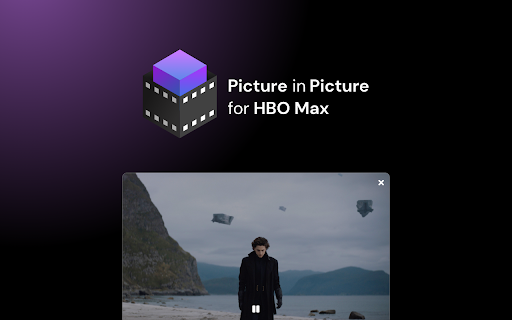
Extension to watch HBOMax in Picture in Picture mode. Enables a separate floating window to enjoy your favorite video content. We're thrilled to present the latest update, where we've listened to your feedback and made it happen – introducing the much-anticipated Picture-in-Picture icon with subtitles support! New Picture-in-Picture Icon: Now you can enjoy uninterrupted viewing while diving into other tasks, all with the added bonus of subtitles! Are you looking for a tool to watch HBOmax in a convenient always-on-top window? You’re in the right place! Focus on other tasks while watching your favorite series. HBO Max Picture in Picture is perfect for multitasking, having something on in the background, or even working from home (we don’t advise sharing it with your boss though). There’s no need to stack multiple browser tabs anymore or to use other screens, it’s all fixed by this extension. How does it work? HBO Max Picture in Picture allows you to play video content in a floating window pinned always on top, so you can use the rest of your screen for other tasks. This extension adds an extra control button, which can be found among other viewing options (e.g. full-screen). Just click on it to launch a separate window with the show you’d like to watch and place it wherever you want, whether you're browsing your FB feed or preparing a business presentation. All you need to do is add HBOMax Picture in Picture extension to your browser and enjoy your favorite series in the background. It's as simple as that! This extension is part of the Quality Viewership Initiative, a collaborative effort to enhance the understanding of audience engagement. It collects anonymous, aggregated viewing insights to support creators and studios in improving the quality of their content. You can stop sharing your information at any time by switching the toggle on the options page. Disclaimer: HBO is a trademark of Home Box Office, Inc.. This website & extension hold no association or affiliation with HBO Max or any third-party companies.

Netflix Picture in Picture now for Prime & D+ [QVI]
Stream your favorite video content in Picture in Picture mode. We're thrilled to present the latest update, where we've listened to your feedback and made it happen – introducing the much-anticipated Picture-in-Picture icon with subtitles support! New Picture-in-Picture Icon: Now you can enjoy uninterrupted viewing while diving into other tasks, all with the added bonus of subtitles! Are you looking for a tool to watch your favorite series in a convenient always-on-top window? You’re in the right place! Netflix Picture in Picture is perfect for multitasking, having something on in the background, or even working from home (we don’t advise sharing it with your boss though). There’s no need to stack multiple browser tabs anymore or to use other screens, it’s all fixed by this extension. How does it work? Netflix Picture in Picture allows you to play video content in a floating window pinned always on top, so you can use the rest of your screen for other tasks. This extension adds an extra control button, which can be found among other viewing options (e.g. full-screen). Just click on it to launch a separate window with the show you’d like to watch and place it wherever you want, whether you're browsing your FB feed or preparing a business presentation. Netflix Picture in Picture now works on all your favorite SVOD platforms: - Netflix, - Disney Plus, - HBO Max, - Peacock TV, - Paramount+, - and more... All you need to do is add Netflix Picture in Picture extension to your browser and enjoy your favorite series in the background. It's as simple as that! This extension is part of the Quality Viewership Initiative, a collaborative effort to enhance the understanding of audience engagement. It collects anonymous, aggregated viewing insights to support creators and studios in improving the quality of their content. You can stop sharing your information at any time by switching the toggle on the options page. Disclaimer: All product and company names are trademarks or registered trademarks of their respective holders. This website & extensions hold no association or affiliation with them or any third-party companies.

Prime Video Picture In Picture [QVI]
Extension to watch Prime Video in Picture in Picture mode. Enables a separate floating window to enjoy your favorite video content. We're thrilled to present the latest update, where we've listened to your feedback and made it happen – introducing the much-anticipated Picture-in-Picture icon with subtitles support! New Picture-in-Picture Icon: Now you can enjoy uninterrupted viewing while diving into other tasks, all with the added bonus of subtitles! Are you looking for a tool to watch PrimeVideo in a convenient always-on-top window? You’re in the right place! Focus on other tasks while watching your favorite series. Prime Video Picture in Picture is perfect for multitasking, having something on in the background, or even working from home (we don’t advise sharing it with your boss though). There’s no need to stack multiple browser tabs anymore or to use other screens, it’s all fixed by this extension. How does it work? Prime Video Picture in Picture allows you to play video content in a floating window pinned always on top, so you can use the rest of your screen for other tasks. This extension adds an extra control button, which can be found among other viewing options (e.g. full-screen). Just click on it to launch a separate window with the show you’d like to watch and place it wherever you want, whether you're browsing your FB feed or preparing a business presentation. All you need to do is add Prime Video Picture in Picture extension to your browser and enjoy your favorite series in the background. It's as simple as that! This extension is part of the Quality Viewership Initiative, a collaborative effort to enhance the understanding of audience engagement. It collects anonymous, aggregated viewing insights to support creators and studios in improving the quality of their content. You can stop sharing your information at any time by switching the toggle on the options page. Disclaimer : Prime Video is a trademark of Amazon.com, Inc.. This website & extension hold no association or affiliation with Amazon Prime Video or any third-party companies.

PhotoShow
Hover to zoom and view high-definition images. Instantly enlarge visuals, crafted for all your favorite websites—and for you. PhotoShow is a tool for browsing and downloading high-definition images by hovering mouse on image thumbnails, working on most websites and carefully crafted for over 400 popular ones of your daily use, including Amazon, Facebook, Google, Instagram, YouTube, etc. - Viewer control: Esc: Close viewer X: Suspend viewer while held Space: Switch to reading mode while held A / F / L / M / P: Switch view mode V: Toggle between last two used view modes - Image control: Shift + Ctrl + ← / →: Rotate image counterclockwise/clockwise Alt + Ctrl + ← / → / ↑ / ↓: Flip image horizontally/vertically ← / → / ↑ / ↓: Scroll image left/right/up/down PgUp / PgDn: Scroll image up/down by page Home / End: Scroll image to the top/bottom - Image actions: Tab: Open HD image in new tab S: Save HD image C: Copy HD image Alt + C: Copy HD image address Shift + C: Copy image caption PhotoShow comes with a rich set of settings designed to adapt to your browsing needs, from customizing how the image viewer appears, to adjusting controls, shortcuts, and behaviors. Whether you prefer a clean, distraction-free interface or a feature-packed experience, PhotoShow lets you fine-tune the viewer to suit your style. - Whitelist Mode: Disable PhotoShow globally, then enable per site with its popup toggle. - Viewer Trigger: Require an assist key press to show the viewer. - Thumbnail Types & Viewer Exceptions: Control which thumbnails trigger the viewer. - Viewer Positions: Default is beside the thumbnail, but you can allow fullscreen by choosing "center". - Image Info Display: Show captions, dimensions, formats, or file sizes. - New Tab Opening Behavior: Choose whether new image tabs open in the foreground or background. - Transition Animation: Smooth animations, or reduce/disable them. - Viewer Color Scheme: Choose either "light" or "dark" theme for the viewer. - Keyboard Shortcuts: Enable/disable specific shortcuts. - Image Download: Customize filenames with placeholders (e.g. "my images//"). - Assistance & Enhancements: Extra tools like marking viewed images or enabling/disabling context menu items. - Settings Management: Export/import your settings to transfer between devices, or reset either global or site-specific settings. For more information, please refer to the Options page (global settings) and PhotoShow’s popup window (site-specific settings).

Picture In Picture for Prime Video
Install Picture-In-Picture chrome extension and enable PIP mode on all Amazon prime videos. Picture in Picture for Prime Video is a Chrome extension that allows you to watch Prime Video videos in a floating window, so you can continue to use your browser for other tasks. This is a great way to multitask, such as browsing the web, checking email, or working on a document, while still being able to watch your favorite shows. >> Watch Prime Video videos in a floating window >> Move the floating window to any location on your screen >> Play, pause, rewind, and fast forward videos in the floating window >> Control the volume of the video in the floating window >> Close the floating window at any time To use Picture in Picture for Prime Video, simply follow these steps: >> Install the extension >> Go to the Prime Video website and start playing a video. >> Click on the Picture in Picture icon in the toolbar. >> The video will now play in a floating window. >> You can move the floating window to any location on your screen.
