
ndgimibanhlabgdgjcpbbndiehljcpfh


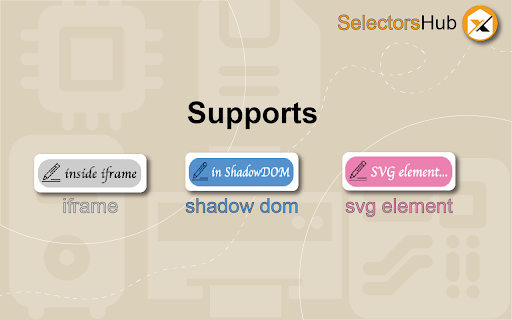
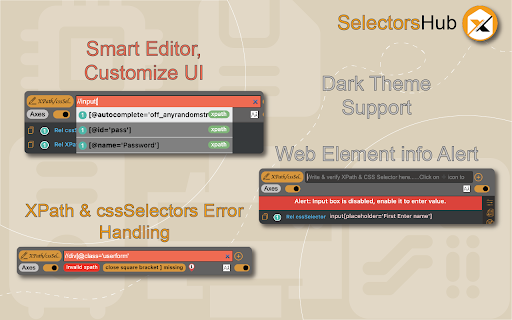

Locators Plugin to Auto Generate and Verify Playwright Locators, XPath & CSS Selectors. SelectorsHub - Auto-generate Playwright Locators, XPath & CSS Selectors SelectorsHub is a powerful developer tool that automatically generates and verifies Playwright locators, XPath, and CSS selectors for web automation testing. Key Features: 1. Auto-generation: Instantly generates multiple selector types including native Playwright locators, XPath, CSS selectors, IDs, names, and more. 2. Advanced element support: Works seamlessly with iframes, Shadow DOM, SVG elements, dynamic elements, dropdowns, and complex UI components. 3. Smart suggestions: Auto-suggests attributes, text values, and occurrences to help you build selectors faster—no more copying and pasting from the DOM. 4. Error detection: Provides clear error messages indicating what's wrong with your XPath or CSS selectors. 5. Element highlighting: Automatically highlights matching elements and scrolls them into view for easy verification. 6. XPath Healing: Verify all the xpath in one shot. 7. Locators Page: Generate Locator Page in one go. How to Use: 1. Open Chrome DevTools (F12 or right-click > Inspect) 2. Navigate to the SelectorsHub tab in the DevTools sidebar, or click the SelectorsHub icon in your browser toolbar 3. Inspect any element to automatically generate all selector types 4. For Playwright locators, click the "Playwright Selectors" button, then inspect the element 5. Type or edit selectors in the input box—smart suggestions will help you complete them quickly 6. Press Enter to verify and highlight all matching elements on the page Perfect for: a) QA Engineers and Test Automation professionals, b) Web developers working with Playwright, Selenium, Cypress, or other testing frameworks c) Anyone who needs reliable, maintainable element selectors

Testing Daily | The Tester's Home Page
Get the feed of the latest testing news. Testing Daily is the Tester's home page which list down all the latest trending blogs, tutorials and news related to testing in the blank new tab. How to use Testing Daily plugin? 1- Add to Browser. 2- Now open new tab to get the Latest Testing Updates. Wow!! You are all set, Enjoy using the Testing Daily and keep yourself updated with all the latest testing news. If you don't want to see it every time in new tab, you can pause it as well. Why give it a try? Stay up-to-date with zero effort. Free forever. No sign up needed. Active Testing community To learn more about Testing Daily, please checkout product page- https://www.selectorshub.com/testing-daily/ If you have any query, please write us at support@selectorshub.com

Locator Labs-Playwright, Selenium, Cypress & WebdriverIO Locator Generator
Generate smart locators for Playwright, Selenium, Cypress, WebdriverIO & Robot Framework LocatorLabs - Smart Locator Generation for Playwright & Selenium Developed by Naveen Automation Labs FZCO Generate intelligent Playwright, Selenium, Cypress, WebDriverIO, Robot Framework locators instantly with quality ratings, automated Page Object generation, and advanced DOM support! ━━━━━━━━━━━━━━━━━━━━━━━━━━━━━━━━━━━ 🆕 WHAT'S NEW IN 1.6.9 [Latest] ━━━━━━━━━━━━━━━━━━━━━━━━━━━━━━━━━━━ NEW: 1. Test Data Generator - Just click on Test Data Generator Icon and fill the form with the right accurate realistic test data (No need to enter it manually). 2. User can enter positive and negative test data in just one click. 3. User can config the type of test data from the settings section. ━━━━━━━━━━━━━━━━━━━━━━━━━━━━━━━━━━━ 🆕 WHAT'S NEW IN 1.6.8 ━━━━━━━━━━━━━━━━━━━━━━━━━━━━━━━━━━━ 1. Shows exact matching count in front of each locator 2. Auto scrolling to the test locator after inspecting any element and shows the right matching count 3. Page Object Mode: 1. Add elements to cart: Click the cart icon to add locators without re-inspecting - build your Page Object collection seamlessly 2. Multi-element selection: Keep inspecting and adding elements to your Page Object cart 3. Generate Page Objects: Export complete Page Object classes for your selected framework Page Object Generators: 4. Playwright TypeScript: Encapsulation with private readonly fields, typed Locators, and async action methods 5. Selenium Java: Classic pattern with private By locators, constructor with this, and public page actions 6. Robot Framework: New .robot file generation with Variables and Keywords sections 7. Cypress: PO Mode disabled with tooltip (Cypress recommends App Actions) Bug Fixes: 1. Fixed "Element already in cart" false positive for links with same class names 2. Link elements now correctly prioritize Link Text locators 3. UI Improvements: -New Extension Popup with setup instructions -Keyboard Shortcut: Ctrl+Shift+L / Cmd+Shift+L -Toast notifications moved to bottom-right (500ms) ━━━━━━━━━━━━━━━━━━━━━━━━━━━━━━━━━━━ Major Feature: Added all major actions like: click, sendKeys, fill, type, textContent, getText, etc.. Now user can practice and verify with these methods directly in the LocatorLabs without using the tool. Other Features: 1. Added all big 5 automation frameworks (Playwright, Selenium, CypressJS, WebDriverIO, Robot Framework) 2. Copy options with locator, full locator text and locator with variable name 3. Better iframe handling 4. Better ShadowDOM handling 5. Support for Incognito Mode 6. Better error handling 7. Minor Bug Fixes 🎯 Smart Locator Generation • Quality ratings: BEST/GOOD/OK for every locator • Recommended vs Alternative locators • getByRole, getByLabel, getByPlaceholder, CSS, XPath • Descriptive explanations for each locator 🎯 Selenium 4+ Relative Locators • Generate spatial relationships: above(), below(), toLeftOf(), toRightOf(), near() • Smart anchor element detection • Auto-import generation for Java & Python 🎯 Page Object Generator • Export organized Page Object classes • Element-wise collection management • Framework-specific code generation • Production-ready code output 🎯 Productivity Tools • ✏️ Drawing & annotation tool • ⏸️ Pause mode (Press 'P') • ⌨️ Enter key navigation through elements • 🔄 Circular element navigation • Real-time locator validation • Auto-complete with syntax highlighting • Dark/Light theme support 1. ZERO data collection - We don't track anything 2. 100% offline - No backend servers, no cloud 3. No user accounts required 4. No ads or malware 5. Minimal permissions (activeTab, downloads only) 6. All processing happens locally in your browser Unlike other tools, there's NO backend to hack, NO database to breach, and NO data to steal. ━━━━━━━━━━━━━━━━━━━━━━━━━━━━━━━━━━━ 💼 PERFECT FOR ━━━━━━━━━━━━━━━━━━━━━━━━━━━━━━━━━━━ - Save hours on manual locator creation - Generate maintainable, production-ready code - Reduce flaky tests with smart strategies - Learn best practices through recommendations - Boost productivity with instant suggestions - No subscription fees - Free forever LocatorLabs is developed and maintained by: 📍 Naveen Automation Labs FZCO 📍 DAFZA Free Zone, Dubai, UAE 📍 License No: 4949 ⭐ If LocatorLabs helps your testing workflow, please leave a review!

BlazeMeter | The Continuous Testing Platform
Record Selenium and HTTP traffic to create a load and functional tests in less than 10 minutes (Apache JMeter Compatible). The BlazeMeter Chrome extension enables you to - Record. Upload. Run. The Chrome extension records all HTTP/S requests and actual user interactions that your browser sends. It creates a JMeter or Selenium script, and automatically uploads it to BlazeMeter.com, where you can execute tests with a single click. No need to install JMeter nor Selenium to record or run GUI Functional, API Functional, or Performance tests, the Chrome extension will create the JMeter (JMX) and Taurus Selenium (YAML) scripts automatically. The extension will also allow you to debug and test your recorded Selenium session on your local Chrome browser. By using JMeter locally, you can debug and enhance the JMX file created by the Chrome Extension to ensure your script is ready to go. WHAT'S NEW: https://guide.blazemeter.com/hc/en-us/articles/115004970329-Chrome-Extension-Changelog-Chrome-Extension-Changelog Features - Record test scenarios without scripting experience - Record all HTTP/S requests made by your browser - Record user GUI actions - Add assertions to your Selenium steps - Add transaction labels (for JMeter and Selenium) during recording - Support for shadow locators (Lightning Web Components) - Apache JMeter Compatible - Taurus Selenium Compatible - Run tests without installing test scripting applications - Run Performance tests for up to 3,000,000 concurrent users - Run load tests in under ten minutes - Run API Functional Tests - Run GUI Functional Tests - Run Selenium tests and JMeter tests side by side to get the best of both worlds - Debug scripts - If you want to record transactions, Chrome version 58 or newer is required - Recommended minimum version of Chrome is 58 - For certain features (e.g. converting to JMX, Scriptless Scenario Editor), a free BlazeMeter.com account is required

TestCraft
Introducing TestCraft, a free and open-source browser extension with the power OpenAI LLMs, designed to be a companion to your software testing. AI-Powered Test Idea Generation: Leverage the power of OpenAI to generate comprehensive test ideas based on webpage elements. Automated Test Creation: Generate ready-to-run test scripts for popular automation frameworks, Playwright, Selenium, and Cypress, in your preferred programming language: JavaScript, TypeScript, Python, C#, and Java. TestCraft eases your test creation process and saves time. Accessibility Checks: Empower your web applications to be inclusive for all users. TestCraft identifies accessibility issues and provides actionable insights to improve. Test Idea to Automated Tests: Seamlessly convert your AI-generated test ideas into automated test scripts. Additionally, you can edit the test ideas to improve them before generating automation tests. Unlock the full potential of your testing process with TestCraft. Download it now and experience the future of software testing!
