
ncnmnioilamnehegfkocidgmgjhhihbm

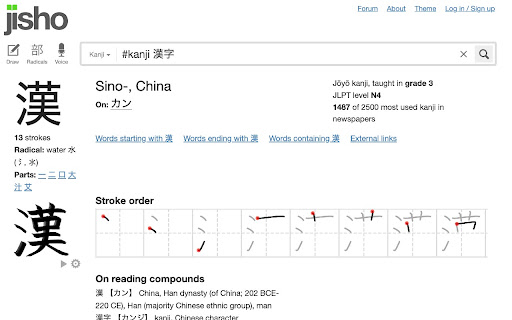
Easily search for kanji words to see their meanings, stroke order ...etc. This extension helps Japanese learners (especially Kanji). If you see a kanji character that you don't recognise, select it, then right click, then you'll see a "Kanji Search" item in the content menu. Clicking this item, will take you to https://jisho.org/ where you can see the meanings of the words, the stroke order and a lot more. The extension adds a hot key as well (Ctrl+Shift+K or Cmd+Shift+K) which selects any selected text and does the same.

KanjiSensei - Learn Kanji while browsing
Transforming web pages, this extension swaps English and French words with Japanese Kanji characters. Discover the beauty of Japanese Kanji as you browse the web with our powerful extension. Seamlessly replacing English and French words on web pages, our extension focuses on JLPT N5 vocabulary, helping you deepen your understanding of Kanji characters. Please note that this extension performs word matching based on a simple algorithm, without considering contextual relevance. Its primary goal is to aid in Kanji memorization rather than providing accurate translations of words or sentences. Also, this extension can be disabled on a domain basis, allowing you to exclude specific websites from the word replacement process. - Expansion to include JLPT N4 vocabulary - Enhanced verb matching capabilities, enabling more accurate replacements of verbs in different contexts. - Implementation of number matching - Support for additional languages (feel free to comment which one you would like to see next!) - Miscellaneous updates, including user-requested features and general enhancements to improve your overall experience. Begin your journey into the captivating world of Kanji today with our web extension, and stay tuned for future updates that will enrich your language learning adventure!

Jisho On The Fly
Unofficial Jisho.org extension, to look up Japanese words and kanji on the fly Jisho.org is an online Japanese dictionary, Jisho On The Fly makes it accessible directly on the page. Select some Japanese or English text, then "right click > Jisho On The Fly > Look Up Definition" or on the keyboard "CTRL + SHIFT + Y" Kanji information includes: meanings, readings, JLPT level and strokes order. Select some text containing one or more kanji, then "right click > Jisho On The Fly > Look Up Kanji" or on the keyboard "CTRL + Y". Once you have looked up some kanji, you will be able to generate a printable practice sheet based on your history.

KanjiThing
Learn kanji stroke order from the browser Practice drawing Kanji in the browser in a popup extension. Select a kanji from the drop down menu, and the extension will play a gif with the appropriate stroke order of that kanji. Trace it using your mouse until you've perfected your kanji skills! The gif can be paused and rewound using the buttons below the player. Kanji from each of the Wakatta units have been loaded in and you can select a unit to learn kanji from. In the sidebar to the right, information about the selected kanji is specified including its grade, stroke count, and the various onyomi and kunyomi readings. Example words that contain the kanji are also included, accompanied with the reading and meaning of the word. Use keybinds to navigate the extension! - Up/down arrows to select a different unit - Left/right arrows to select a different kanji - Backspace/ender to clear your drawing - Return to submit your drawing - R To select a random kanji Send an email via the "Contact the developer" button or open an issue on the GitHub to request a feature or report a bug.

Kanji Hover Reading
--- Kanji Hover Reading is a free browser extension designed for Japanese learners and anyone reading Japanese content. ◆ Features ・Hover over Kanji words to instantly see their readings in Hiragana ・Toggle on/off with a single click ・Ignores pure kana words for a natural experience ・Lightweight and smooth with animated tooltips ◆ Use cases ・Japanese learners reading news sites or blogs ・Teachers demonstrating readings in class ・Professionals working with Japanese text in daily tasks ◆ Privacy This extension does not collect, store, or send any user data. All processing is done locally in your browser. ◆ Provided by This extension is developed by "NIHONGOBASE". For more learning resources and business Japanese materials: 👉 https://nihongobase.com
