
ncmmpmoipfogemlgkoiekjeifdjefkjn
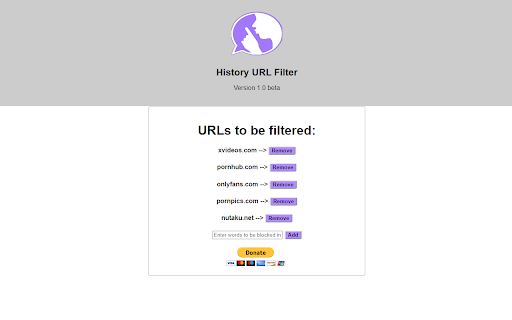
This extension allows you to filter your browsing history removing ones containing a specific keyword. This really small and lightweight application let's you define a list of domains that you don't want to appear on your browser history and it will keep your history clean just in case someone comes to snoop on your surfing information. It's very useful for keeping stuff like adult and other sites that contains content that you don't want someone else to know you browsed.

Clear History by Site
Clear history and cookies for specific websites. "Clear History by Site" is a helpful little tool that allows you to clear your browser history and cookies for individual websites. Enter a keyword or URL in the search bar, select the history items you wish to delete, and with a click, your browsing slate for that site is clean. A system notification will confirm the successful deletion. Requires a one-time payment. - Selective History Clearance: Search for a specific keyword or URL and clear all associated history, making it easy to maintain your browsing history without broad sweeps. - Cookie Deletion Option: Opt to "Include Cookies" with history deletion. - Easy to Use: Type, click, and clear. The extension is designed for simplicity, making it easy to prune unwanted history items and cookies.

History Hider
History Hider: Secure Your Digital Footprint History Hider: Secure Your Digital Footprint Take control of your browsing privacy with History Hider, the essential Chrome extension for anyone seeking enhanced digital discretion. Whether you're conducting sensitive research, shopping for surprises, or simply prefer to keep certain online activities private, History Hider empowers you with the ability to selectively exclude specific websites or entire domains from your Chrome history. Custom URL Exclusion: Easily specify which websites or domains you want to keep out of your browsing history. Whether it's a single page or an entire domain, History Hider ensures they never appear in your history log. Simple, Intuitive Interface: Adding or removing URLs is a breeze with our user-friendly interface. Manage your privacy settings in just a few clicks. Real-Time Privacy Control: History Hider works quietly in the background, removing specified sites from your history as soon as you visit them. No manual cleanup needed. Enhanced Privacy: Ideal for shared or public computers, ensuring your private browsing remains just that – private. Seamless Browsing Experience: Enjoy your regular browsing experience without interruptions, knowing that History Hider is protecting your tracks where it matters. In today’s digital age, privacy is more important than ever. History Hider is more than just a tool; it's your personal ally in maintaining digital discretion, giving you peace of mind and control over your online presence. Whether you're a professional handling sensitive information, a student researching, or simply an everyday user mindful of your digital footprint, History Hider is designed for you. Get started in seconds! Once installed, just open the extension to add or remove the websites you want to exclude from your history. It's that simple!

TestFiltering+
TestFiltering+ automatically monitors your internet connection to ensure your filter is correctly blocking illegal/harmful content We work with specific partners to host test URL's on various lists and have test pages hosted where they will be blocked. This service was setup in response to the introduction of statutory guidance for schools in the UK about appropriate levels of filtering and monitoring of school internet connections. The UK Safer Internet Centre first published its filtering and monitoring definitions in 2016 to help both schools and providers understand what should be considered as ‘appropriate’.

History Sorter by Domain and Date
Organizes browsing history by domain and sorts by date. The History Sorter by Domain and Date is a browser extension that helps organize your browsing history. It groups visited websites by their domain names and sorts them by the date you last visited. This makes it easier to find sites you’ve previously visited, with the most recent visits appearing at the top.
