
ncdfcjgiincicfifodndidbdembfhpag
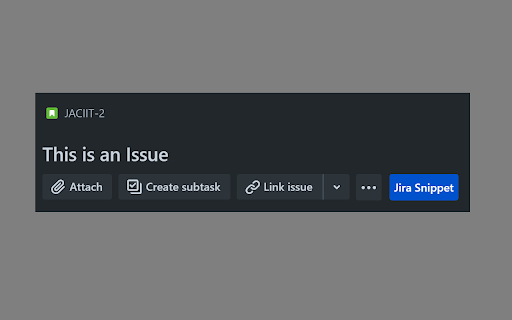
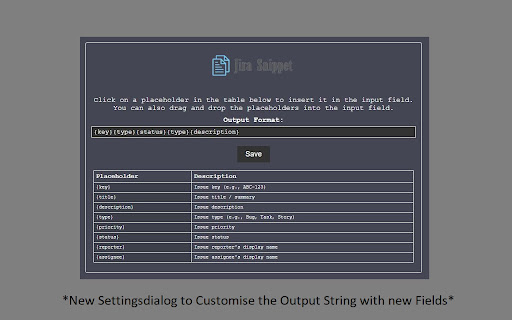
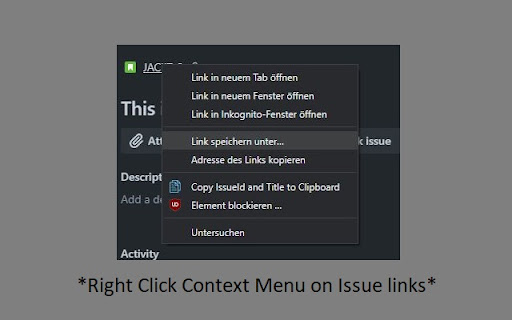
Jira Snippet: Quick copy add-on for customizable issue data. Integrates with Jira Cloud on Chrome, Firefox, Edge. Makes it possible to copy the jira issue id + title with one button Jira Snippet is a browser extension that streamlines your Jira experience by allowing you to quickly copy issue information in a customizable format. It's easy to configure and enables you to choose what data you want to include when copying, such as issue title, ID, status, and more. The add-on integrates seamlessly with Jira Cloud and is compatible with Chrome, Firefox, and Edge browsers.

Jira Tools
Automatic Confluence Page Creation: From the Backlog page, you can automatically create a Confluence page from template page based on the current sprint's issues. This makes it easy to share sprint progress and task details. Press the "Shift" key while clicking the "Copy link" button to copy the Jira issue key to the clipboard. Press "Shift" + "Alt" while clicking the "Copy link" button to copy both the Jira issue key and summary to the clipboard.

Jira Ticket Link Generator - Cloud Edition
Generates a nice looking link for Jira tickets containing ticket ID, description and link Now here comes the cloud edition of our Jira Ticket Link Generator, works if the Jira instance is on Atlassian Cloud. (If Jira is hosted on-premise instead, try searching for "Jira Ticket Link Generator") This plugin is used for generating a hyperlink for a selected Jira ticket including ticket ID and ticket description, the generated link is copied to clipboard for using. Link can be generated from a selected ticket on sprint board, a ticket detail page, or a selected ticket on search result board. Also we provide another option to generate a list of links for all tickets shown up in search result board. No configuration needed, just plug and play, and enjoy!

JiraLink
Copy a Jira link with the Ticket Number and Title, ready to be pasted into Outlook or Websites. This plugin enables you to copy a Jira Ticket link with formatting to clipboard to paste with ticket title.

Jira Copy Issue Title
Adds a 'Copy Issue Title' button to 'Browse' and 'Issues' Jira pages Improve user experience in Jira and allow: - Copy issue Title, Key-ID, URL to clipboard; - Customize copy template (e.g. markdown compatible); - Customize button name; - Customize keyboard shortcut; - Get native Jira notifications;
