
nbikaeclldnpbfeffmhakhfaekkbfjel

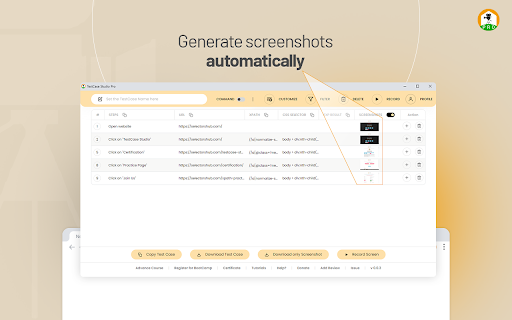
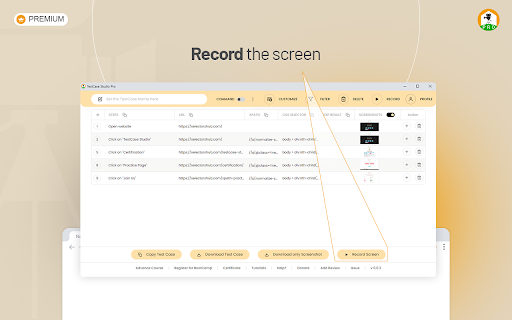

TestCase Studio Pro record the user actions performed on a web application in English Sentences. TestCase Studio Pro is a plugin to record the user actions performed on a web application along with screenshots and screen recording. User can save or copy these recorded steps and screenshots. Very simple 5 steps to start with Pro Version- 1- Add TestCase Studio Pro to your Chrome Browser. 2- Now pin the extension to tool bar in your browser. TestCase Studio Pro is installed and setup is ready. 3- Now checkout the plans and take the Free trial to experience the new timesaver innovations- Compare and Take the Free Trial from here- https://selectorshub.com/testcase-studio-pro/plans/ 4- After taking a subscription you will get the login credentials. 5- Now Click on the TestCase Studio Pro logo in browser toolbar and here Login with the credentials which you have received in email after taking a subscription. Wow!! You are all set, Enjoy using the Pro version and increase your productivity. For any query please write us to selectorshub@gmail.com

GoldDust
Ask a question about a company or a person. If the answer is on the internet - our AI agent will locate, synthesize, and display it. Welcome to GoldDust, the Chrome extension that automates the tedious and repetitive research you need to effectively qualify leads, prioritize opportunities, and customize outbound messaging. ⭐ Seamless Integration: Whether you're scrolling through LinkedIn, checking out a company’s website, checking latest news or deep in your CRM, GoldDust is there to enrich your experience without the hassle of switching tabs or tools. ⭐ Rich Info, On Demand: You've got a treasure trove of information, when and where you need it. It’s like magic, but for work. ⭐ Custom Insights: You’re getting the good stuff – customized insights that matter to you. Say goodbye to info overload and hello to insights that make a difference

Kodif Copilot
Copilot Extension Unblock non-technical teams to build powerful CX flows, test them and run experiments. No coding skills required.

SelectorsHub Pro
xPath plugin to auto generate, write and verify xpath & cssSelector. SelectorsHub Pro- Auto-generate Playwright Locators, XPath & CSS Selectors SelectorsHub Pro is a powerful developer tool that automatically generates and verifies Playwright locators, XPath, and CSS selectors for web automation testing. Key Features: 1. Auto-generation: Instantly generates multiple selector types including native Playwright locators, XPath, CSS selectors, IDs, names, and more. 2. Advanced element support: Works seamlessly with iframes, Shadow DOM, SVG elements, dynamic elements, dropdowns, and complex UI components. 3. Smart suggestions: Auto-suggests attributes, text values, and occurrences to help you build selectors faster—no more copying and pasting from the DOM. 4. Error detection: Provides clear error messages indicating what's wrong with your XPath or CSS selectors. 5. Element highlighting: Automatically highlights matching elements and scrolls them into view for easy verification. 6. XPath Healing: Verify all the xpath in one shot. 7. Locators Page: Generate Locator Page in one go. Very simple steps to use SelectorsHub Pro plugin- 1. Add SelectorsHub Pro to your Chrome Browser. 2. Now checkout the plans and take the Free trial from below link- https://selectorshub.com/selectorshub-pro/plans/ 3. After taking a subscription you will get the login credentials. 4. Now click on SelectorsHub Pro Logo and log in with the credentials you received in mail. 5. Inspect any element to automatically generate all selector types 6. For Playwright locators, click the "Playwright Selectors" button, then inspect the element 7. Type or edit selectors in the input box—smart suggestions will help you complete them quickly Please follow below tutorial to get started with SelectorsHub Pro- https://www.youtube.com/watch?v=GhaJSrVsrP4 To learn more about SelectorsHub Pro, please checkout product page- https://selectorshub.com/selectorshub-pro/ Perfect for: a) QA Engineers and Test Automation professionals, b) Web developers working with Playwright, Selenium, Cypress, or other testing frameworks c) Anyone who needs reliable, maintainable element selectors If you have any query, please write us at support@selectorshub.com

CrecenTech Utilities
It's a simple chrome extension which will hide password showing method.It will also hide code inspection with all ways like short cut keys etc.
