
namejbgghdedbdcchflmocfhckelenok

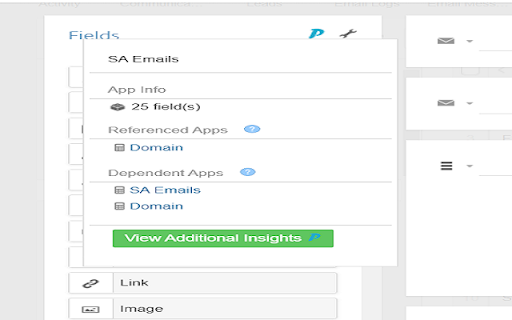

Insights for Podio is a tool that provides the user both a high level and granular view of the workspace/apps structure and… Insights for Podio is a tool that provides the user both a high level and granular view of the workspace/apps structure and metadata of their Podio platform. It offers a Podio workspace overview including, health/issues of the workspace/apps, and provides the user a thorough system insight.

Lucen Track widget
Track your time directly from Google Chrome in all your favorite tools Lucen Track for Google Chrome™ is the simplest extension to track time from your favourite productivity tools. The extension automatically integrates with the Lucen Track web app and allows to start timers, log time manually and manage your time entries without opening a new tab. Start tracking your time from your browser and within leading project management tools. = Get started in 3 simple steps = 1) Click “Add to Google Chrome™”. 2) Click on the Extension Icon. 3) Log in with your Lucen Track credentials. 4) You will now find a little Lucen Track icon inside the supported tools. 5) Click on the Lucen Track icon next to the task or project you want to track time - the extension will automatically match the task description with the equivalent project in the web app. 6) Choose whether to start a timer or log time manually, and start boosting your productivity! If you are working on a project or multitasking between emails, meetings and social media, you can always monitor the time spent on each task or to-do by starting single or multiple timers. The extension already works in: - Basecamp - Asana - Microsoft To-do / Planner and many others. Find all of our supported sites at https://www.timeneye.com/integrations If you are experiencing problems or want to send us a feedback, please contact us at support@timeneye.com Please note that Lucen Track for Google Chrome™ requires a Lucen Track subscription: subscribe at https://www.timeneye.com

Slash for Search
Simple extension for adding shortcut to focus on search Simple extension for adding shortcut to focus on search. PRIVACY POLICY: This extension does not track any user data, and therefore does not require a detailed privacy policy. If this is insufficient please email browserextension@010pixel.com Support this extension: https://coffee.010pixel.com

Risk Management Calculator
Calculate stop loss and take profit levels for your investments. Maximize your investment strategy with the Risk Management Calculator, a Chrome extension designed to empower investors with the tools needed for efficient risk assessment and decision-making. Whether you're a seasoned trader or just starting out, understanding and managing the risk involved in each investment is crucial. Our intuitive calculator simplifies this process, allowing you to set precise stop-loss and take-profit levels, ensuring that your investments align with your risk tolerance and financial goals. Simple Input Mechanism: Easily input the price per share, initial investment, desired profit, and maximum loss you're willing to bear. Real-Time Calculations: Receive instant calculations for both stop-loss and take-profit levels, helping you make informed decisions on the fly. Elegant Design: A user-friendly interface with a sleek, modern design that enhances your calculation experience. Responsive Layout: Whether you're on a desktop or a mobile device, our calculator's responsive design ensures a seamless experience across all platforms. Educational Tool: Not only does it serve as a practical tool for risk management, but it also helps users understand the importance of setting clear financial boundaries. Enter the price per share of your investment. Input the total initial investment amount. Specify the profit you aim to achieve and the loss you can tolerate. Instantly view your calculated stop-loss and take-profit levels, which can guide your trading decisions. Ideal for traders and investors seeking a straightforward way to enhance their risk management strategies, the Risk Management Calculator Chrome Extension is your go-to tool for safeguarding your investments against unpredictable market movements. Install now and take the first step towards more disciplined and informed investment decisions.

Power Tools
Power Tools for Podio is a bundle of 4 tools that will make your Podio life much easier. Power Tools for Podio is a bundle of 4 tools that will make your Podio life much easier. These 4 tools are included in this extension: - Bulk Edit: Update multiple Podio items directly from your table overview. - Power Export: Combine your linked Podio apps in one export. Drag and drop the columns you want to export, save your report and click export. - Power Sync: Sync your Podio app to a Google Sheet. - Power filters: Filter on fields from related Podio apps.
