
nabiilbmnbbgdbhkgdghdbcldakfeofd
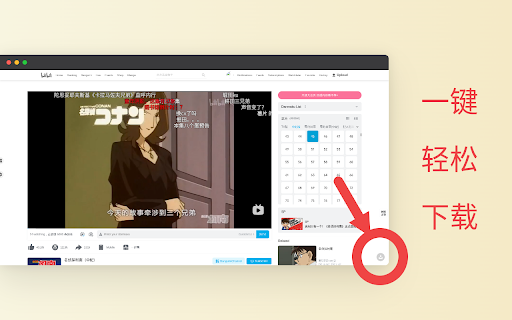
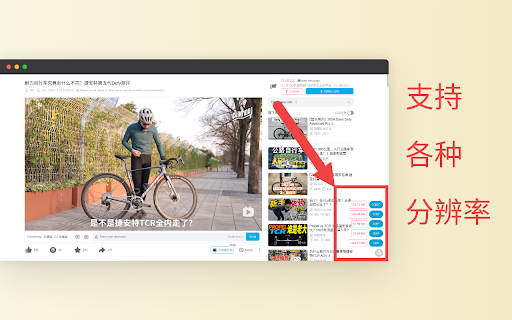
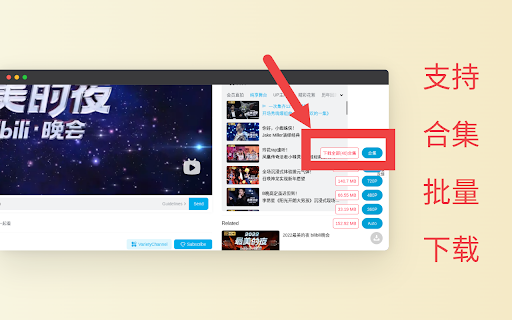
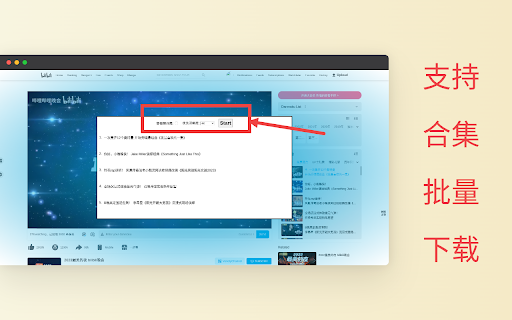
bilibili 哔哩哔哩网页版视频下载。支持博主投稿视频,番剧视频下载,支持合集一键批量下载。 bilibili 哔哩哔哩网页版视频助手。支持博主投稿视频,番剧视频下载,支持合集一键批量下载。 Telegram 交流群: https://t.me/+BbO_r6dVLR5hMjE1 1. 操作简单,一键下载。 2. 支持各种分辨率,音频,视频分离及自动合并。 3. 支持合集一键下载。 4. 显示下载大小,及下载进度。 5. 笔记下载 6. 评论下载

Wistia Video Downloader
Easily download Wistia videos from any webpage! Supports captions, multiple resolutions and bulk downloads. This extension helps you detect and download embedded Wistia videos from any webpage with minimal effort and high reliability. Features: - Detect Wistia videos on any webpage - Allow you to download any available resolution (224p, 540p, 720p, 1080p, 4k, Original) - Download captions for any language provided - Download password-protected Wistia videos (as long as you know the password) - Download all videos from the page at once. You can do it from the context menu or from the popup. - Set default caption language and resolution for download - You can open the extension either in the popup or in the side panel, depending on your convenience. How to download a Wistia video? 1. Go to a webpage that contains the Wistia video you want to download. 2. Click the extension icon in your browser toolbar. 3. Wait a short time while the video(s) are detected and listed in the popup. 4. Choose your preferred resolution from the dropdown menu. (optional) 5. Click the Download button for the video or caption you want to save. If the video is protected by a password, enter the password in the input field which appears in the popup. We are not affiliated with Wistia the company.

Bluesky Video Download — Save Media & Screenshots Free
Download Bluesky videos, images & bulk media. Capture post screenshots. Free Chrome extension for bsky.app. You found the perfect video on Bluesky. Now try saving it. Right-click — nothing. No "Save video" option anywhere. You Google "how to download Bluesky videos" and land on some sketchy website. It asks you to paste the post URL, shows three ads, makes you wait, and then — maybe — gives you a blurry re-encoded file named "video_final_2.mp4". Or it just fails silently. You've been there. We've all been there. That's why we built this. One extension. One click. Original quality. Done. Wondering how to download video from Bluesky? Here you go: 1. Click "Add to Chrome" — installs instantly 2. Go to bsky.app and click the small floating button in the bottom-right corner 3. Hover over any post — it lights up 4. Click the post. Hit "Download media" The video saves to your computer in full original quality. No paste, no wait, no quality loss. Do it once and you'll never use an online download website again. Every other tool for downloading Bluesky videos works the same broken way: copy a URL, open another tab, paste it into a form, click through popups, and hope for the best. Some don't even support video. Some compress your files. Some are just ad farms pretending to be tools. This Bluesky video download extension is different because it lives inside bsky.app. You never leave the page. You never copy a URL. You hover, click, and the original file downloads. That's the entire workflow. We didn't build "another downloader." We built the one that makes all the others pointless. Not just videos — everything you see on Bluesky You can download Bluesky videos for free — that's obvious. But that's just the start. → Card screenshots — capture any single post as a clean, perfectly cropped image. Great for sharing on other platforms, saving receipts, or archiving something someone might delete. → Thread screenshots — capture an entire conversation as one tall image. The extension scrolls through the thread automatically and stitches everything together. Perfect for preserving context when a single screenshot wouldn't capture the whole story. → Bulk download — enter any Bluesky username and download every video and image from their entire profile as a ZIP file. Choose images only, videos only, or both. Set a limit or grab everything. No other Bluesky video download extension gives you all of this in one tool. Why people switch and never go back The moment you download video from Bluesky with one hover and one click — and see it saved in perfect quality with a clean filename — something clicks. You realize how unnecessarily painful every other method was. You can download Bluesky video free and in original quality, without leaving the page. Maybe you're a content creator backing up your own Bluesky posts. Maybe you're a researcher archiving public discussions. Maybe you just love someone's photography and want to save their portfolio. Open the extension popup. Type in a handle. Choose what you want — images, videos, or both. Click start. The extension collects every piece of media from that profile, packages it into a ZIP archive, and saves it to your computer with real-time progress. An entire profile's worth of content — saved and organized, in one action. Thread screenshots that capture the whole conversation A conversation on Bluesky is 15 posts deep, and you need to share the whole thing. You could take six screenshots and stitch them in an image editor. Or you could click one button. The thread screenshot tool scrolls through the entire conversation, captures everything, and combines it into one seamless tall image. No cropping, no stitching, no editing. The full thread, exactly as it appears on screen. Perfect for journalists, researchers, or anyone who needs to share a Bluesky thread outside of Bluesky. Keep your downloads organized Every file you download gets a clean, meaningful filename — not "download (7).mp4". PRO users can fully customize the naming pattern: author, date, post ID, media type. Pick a separator, preview the result, done. Your downloads folder finally makes sense. Free: - Download Bluesky videos and images — free, no catch - Card and thread screenshots - Bulk download - Private — everything stays in your browser PRO: - Everything in Free, plus: - Unlimited downloads, screenshots, and bulk operations - Custom filename patterns - One-time payment — no subscription Start with Free. Upgrade when you want more. Built for people who actually use Bluesky Content creators — download videos from Bluesky to repurpose on other platforms. Archive your best content before it disappears in the feed. Journalists and researchers — capture thread screenshots for documentation. Bulk-archive public profiles for analysis. Download Bluesky videos as evidence. Everyday users — save a funny video, a beautiful photo, or a post you want to remember. If you ever searched "how to download videos from Bluesky" and felt frustrated — this is what you were looking for. Social media managers — bulk download media from the accounts you manage. Archive entire profiles effortlessly for cross-platform publishing. — How do I download Bluesky videos? Install this extension, click the floating button on bsky.app, hover over any post, click it, and choose "Download media." The video saves instantly in original quality. — Is this Bluesky video download extension free? Yes — no hidden fees, no trial. PRO just removes limits and adds custom filenames. — Can I download videos from Bluesky in bulk? Yes. Enter a username in the extension popup and get all media from their profile as a ZIP file. — Will the video quality be reduced? No. You get the exact original file — no re-encoding, no compression. — Is my data safe? All processing happens locally in your browser. Nothing is sent to external servers. — How is this different from online Bluesky video downloaders? Online tools make you copy-paste URLs, show ads, and often degrade quality. If you want to download videos Bluesky Chrome extension is the better way — it works right inside bsky.app with no external sites needed. Stop searching for how to download Bluesky videos. On Bluesky download video the way it should work — hover over any post, click, and save. Original quality. Free. The only download video Bluesky tool you'll ever need. Your feedback shapes what we build next.

Pinterest Video Bulk Downloader - HD Video and Images
Bulk download Pinterest HD videos and HD images. Browse and collect, one-click download Pinterest Video Bulk Downloader designed to help users efficiently download videos and images from Pinterest in bulk. Here’s an overview of its key features: 🔧 Key Features 🖱️ One-Click Bulk Download: Quickly download HD videos and images in their original resolution with a single click. 📜 Auto Scrolling: Load more content effortlessly with the "Swipe down" button. 📊 Real-Time Sidebar: Keep track of captured media with a sidebar showing the current number of HD videos and HD images detected. 🔓 Subscription Mode: Free users can perform up to three bulk downloads or "swipe 10" or "swipe 30". Upgrade to a subscription for unlimited access. 📂 Direct Download: Save content straight from the list without opening each item individually. 🛠️ How to Use ▪️Install the extension from the Chrome Web Store. ▪️Open Pinterest and browse a board or search results. ▪️Click the 'Swipe Down' button to automatically load more content. ▪️Monitor captured items in the sidebar and click Download to save them in bulk. ▪️You can click the 'Clean & Refresh' button anytime to clear the captured content and start fresh. ✅ Benefits ⚡ Efficient: Auto-scrolling and batch downloading save valuable time. 🧩 Simple: User-friendly interface suitable for everyone. 🎨 Versatile: Supports both videos and images to meet various needs. ⚠️ Limitations Free version is limited to three bulk downloads. Download speed may vary depending on your network conditions. Install now and enjoy a seamless Pinterest downloading experience! 📥✨

SponsorBlock for Odysee
Skip sponsored segments on Odysee videos imported from YouTube. Very basic plugin - only load and skip sponsored segments. This plugin works only on videos imported (sync) from YouTube to Odysee. This is a very basic plugin whose purpose is only to load and skip sponsored segments. So, there are no advanced features like statistics, advanced settings, submitting segments...etc. There is a possibility that the plugin will not work with certain videos if the author has changed certain video information. The plugin uses SponsorBlock API. Changelog: v1.2.1 (Nov 24, 2022) - Added: do not skip clicked segments - Improved: some minor CSS adjustments v1.2 (Oct 7, 2022) - Added: different color for each segment on the progress bar (not customizable.. yet) - Improved: show the name of the segment even if the video has no thumbnail - Improved: better YT video ID detection - Fixed: notifications are triggered multiple times if the video is buffering v1.1 (Sep 29, 2022) - Added: show segment name above thumbnail v1.0 (Sep 28, 2022) - First version
