
monhkdcehmbdgkhgpccaccbbcgcfpjkd
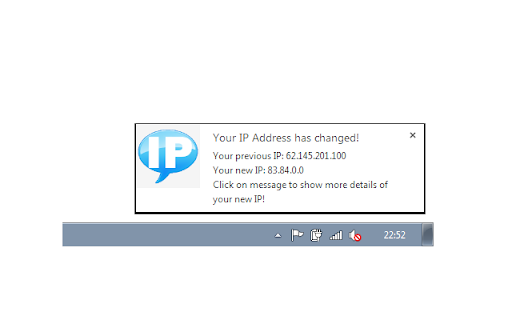
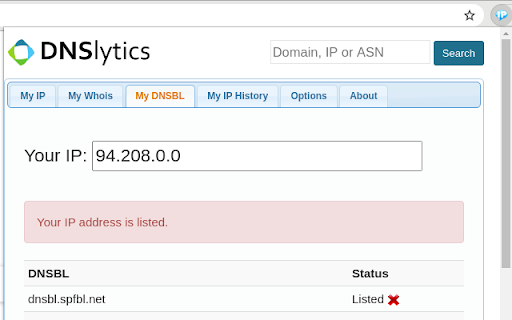


Find your IP address! See ISP, location, and DNS. Get IP address change alert and see your history. This extension shows detailed information about your IP address, domain and ISP. For example the ISP name, location, ISP, DNS, whois, routing, hosting, domain neighbors, DNSBL, BGP and ASN information. Functions: -Summary of the network information like ISP, ASN, BGP, subnet, DNS servers and reverse DNS. -Checks to see if your IP address is listed on the most popular DNS based anti-spam databases. -Checks to see if your IP address is listed on the most popular blocklists. -See all official registration information related to your IP address. -Find other websites hosted on the same IP address (domain neighbors). -Shows the geographical location of your IP address. -Summary of the country where your IP address is located.

IP address lookup
Displays your public IP address and location (country and city). This extension simply displays your IP address and location info including city and country based on geoip data. It's useful if you use VPN or proxy service and want to check whether your ip address has been changed.

Display IP Address Plugin
This extension will display your current IP Address on the page Clicking the extension icon will display your current IP Address in a box in the browser window. As simple as that, no need to navigate away to another web page. You can then click on the IP Address to copy it to your clipboard. There are also options to change the colour of the box and font as well as the positioning of the box. Clicking the extension icon will display your IP address and clicking the icon again will hide it. Any feedback you have is much appreciated. ==== Update: 3rd March 2025 ==== I have now updated the extension to work with Manifest V3. ==== Update: 23rd April 2020 ==== Just a simple update to say I've made a couple of improvements to how this extension works. This should especially improve the way this extension works when on browser tabs it is not allowed to run on, for example: chrome://flags/ A browser technology l use to help in obtaining the IP addresses has been updated and this stopped the IP address lookup working. This issue has now been fixed and the extension is now working properly again. An issue was reported where after the first successful use of finding an IP address this extension stopped working. I have fixed an issue that may occur if the extension is run multiple times in succession so this should hopefully solve that issue. It seems some Ad Blockers were stopping this extension from working. I've now updated the code so it gets around this issue and works regardless of an Ad Blocker being in use.

What is my IP
Discover your IP quickly with 'What is My IP' Chrome Extension – a fast, easy tool for Public IP address detection! What is My IP Quickly view and copy your public IPv4 address with one click. • Instant Reveal – Shows your current IP in a clean, minimal popup. • Geolocation Details – See city, country and ISP information. • Change Alerts – Get notified if your address changes. • Privacy Tips – Learn how to keep your connection secure. • Zero Configuration – Works right out of the box, no setup needed.

IP to Country Flag & MY IP - WhatIsMyIP.click
Display the IP and Country information of the currently viewed website and also quickly obtain your external IP address. Display the IP and Country information of the currently viewed website and also quickly obtain your external IP address. Shows -The IP and Country Flag of the website you are currently on - Your IP address - RDNS information
