
mojhbkjckfdaikbpfmmlfimchemiabln
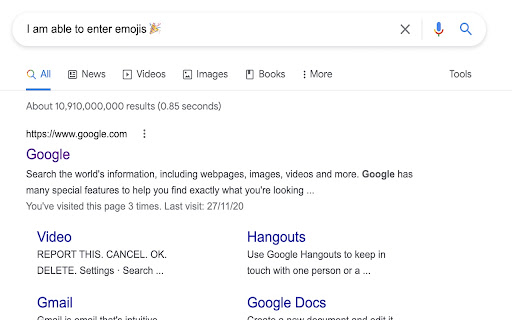
Allow to use markdown emojis code like :tada: 🎉 in text inputs Allow to use emoji markdown code in any text inputs

Emoji everywhere
Easily add emoji to any text you write Type ":" in any text field on a Google property to bring up a searchable list of emojis to insert into the text you're typing.

Emoji Autocomplete
Easily insert emojis by typing ':' followed by a word, just like in Slack, Discord, GitHub and other apps Add Emojis Anywhere, Anytime! 😀 Say goodbye to the hassle of copying and pasting emojis! 🎉 Emoji Autocomplete brings you the power of emoji autocompletion — just like in Slack, Discord, GitHub, and more — right into your browser for use on any website. Whether you're typing an email, chatting on social media, or leaving comments on forums, now you can easily insert emojis by simply typing : followed by a word, like :laughing or :heart. A pop-up will instantly show matching emoji suggestions, letting you quickly pick the perfect one for your message. ✓ Universal compatibility: Works seamlessly across all websites, including Twitter, Reddit, Gmail, Facebook, LinkedIn, and more. ✓ Customizable control: You decide which websites will use emoji autocomplete—turn it on or off for specific sites with ease. ✓ Effortless typing: Simply type : followed by a keyword, and you’ll get a list of relevant emojis to choose from. Make your messages more engaging in seconds! ✓ Time-saving tool: Skip the need to search for emojis or copy-paste from other sources. With Emoji Autocomplete, your favorite emojis are always at your fingertips. ✓ Lightweight and fast: The extension is designed to be lightweight, ensuring it doesn't slow down your browsing experience. ✓ Save time: Whether you’re writing emails, comments, or social media posts, typing emojis with autocompletion speeds up your workflow. ✓ More fun: Make your online conversations more expressive, colorful, and fun by adding emojis effortlessly. ✓ User-friendly: No complicated setup. Just install, and you’re ready to use emoji shortcuts anywhere. ✓ Affordable: A small, one-time fee (enough for a coffee!) with a personal touch—reach out for a discount and get started without breaking the bank. Simply start typing a colon (:) followed by a few letters, like :sun, and watch as a pop-up of matching emojis appears. This works on any website and integrates seamlessly with your typing flow.

Emoji Type
Allows you to type emojis in any text field by replacing specific text with emojis. EmojiType lets you type emojis in any text field by using a delimiter and keyword. No menus, no copy-paste. • Use your delimiter (default : ) plus a keyword plus the delimiter again — e.g. :smile: — and it becomes the emoji. • Or type delimiter + keyword and press Tab to autocomplete. • Turn on Suggestions in Options to see matches as you type. Customize everything: • Dictionary — Add, edit, and remove keyword→emoji pairs. Export/import your list; merge imports with your current dictionary. • Options — Set the delimiter, suggestion box opacity, and light/dark theme. • Sites — Whitelist or blacklist URLs so the extension runs only where you want (e.g. on social media, off work tools). Install, set a keyboard shortcut in chrome://extensions/shortcuts, and start typing.

Emoji Keyboard - Ilovemoji
This is a tool that can quickly access and insert emojis in Chrome browser. It has the following functions: 1. Quick access to emoticons: The Emoji plugin adds an icon to the browser's toolbar, and clicking on the icon opens a emoticon panel. Users can browse and search for emoticons in the panel, and directly click to copy them for use. 2. Multiple sets of emojis: The Emoji plugin provides users with a wide range of emojis to choose from, including smiley faces, animals, food, transportation, symbols, and more. Users can browse and use these emoticons as needed. This Chrome plugin makes it easier and more convenient for users to use emoticons in their browser, adding more fun and diversity to their text expression.
