
mnlieoklnkbhpjhfmohbgkbpccioibob
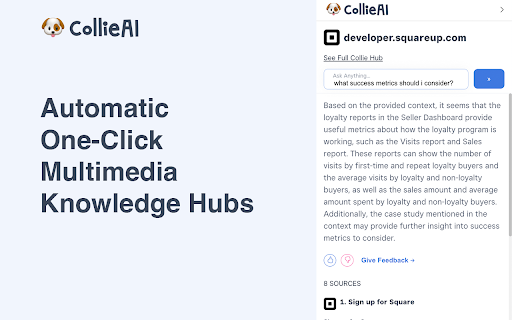
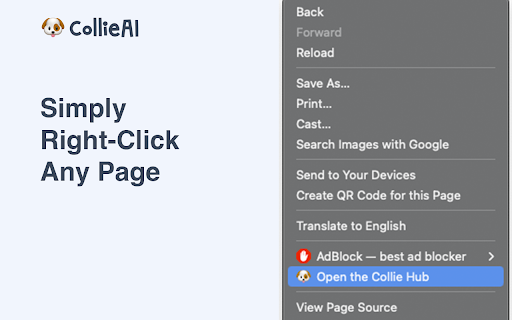

Collie.ai is a powerful Chrome extension that enables you to transform any webpage into an automated knowledge hub with just one… Collie.ai is a powerful Chrome extension that enables you to transform any webpage into an automated knowledge hub with just one click. Simply right-click on any page you're on, and Collie will fetch all the content, including text, image, video, and audio files. Once you have all that content, Collie uses advanced A.I. to create a powerful Q&A hub that you can use to ask questions, troubleshoot problems, and more. It's like having a personal assistant that can instantly provide you with answers and solutions. With Collie, you'll never have to worry about losing track of important information or struggling to find answers again. Plus, because it's so easy to use, you can start getting the most out of your browsing experience right away. Collie.ai is powered by the Mixpeek.com API

PeopleX
🛡️ Your New Digital Employee Experience Assistant for Security, Compliance, and Communication! 👩💻 PeopleX seamlessly integrates into your workplace, ensuring top-notch security and compliance. 🔒 Stay Secure: State-of-the-art security measures protect your data and communications. 📜 Compliance Made Easy: Stay updated with the latest regulations. 🗣️ Enhanced Communication: Connect efficiently within your organization. 📈 Drive Productivity: Simplify processes and focus on what you do best. 💡 Transform your workplace with PeopleX!

20Q Text Converter with AI
Enhance text editing: remove accents, filter characters, replace spaces, substitute strings, adjust text case and more. 20Q Text Converter with AI Elevate your text editing experience right within your browser with the 20Q Text Converter! Designed with precision and simplicity in mind, this extension caters to diverse text manipulation needs and now includes translation capabilities: 🖋 Accent Removal: Make your content universally readable by eliminating diacritical marks. 🤖 AI-Powered Text Enhancement: Elevate your content with AI-driven improvements in clarity, tone, and style. 🔒 Special Character Purge: Cleanse your text of distracting or unnecessary symbols with ease. ↔️ Customizable Space Replacements: Personalize spacing by replacing empty gaps with a character of your choice. 🔄 Quick String Substitutions: Instantly replace selected text portions with your desired alternatives. 🎨 Flexible Text Styling: Choose from UPPERCASE, lowercase, or capitalize formats to set the right tone. 🔢 Live Text Analytics: Get immediate feedback with dynamic character and word counts. 📋 Effortless Clipboard Actions: A single click to copy your processed text or to reset your workspace. 🌐 Seamless Translation: Instantly translate text to multiple languages with just a few clicks. Maximize productivity and ensure your content's best version with the 20Q Text Converter. Ideal for content creators, developers, and everyday Chrome users seeking to enhance their text manipulation capabilities.

Naro
Naro is an always-on sales knowledge assistant that helps sellers organize and surface the right content and knowledge in every customer interaction -- email, in meetings, demos, and beyond. We work right alongside the apps you use today (Gmail, Gong, Zoom, etc.) and pull in data from your CRM (Salesforce, Hubspot) and LinkedIn. We remove the need to search by unifying everything a seller might need (from slides to snippets) so teams can trust everything they need is in one platform.

OpenText Core SCA Select Extension
Open Source Select will help developers find and use the right open source and reduce friction between organisations and developers Open Source Select helps you find and use policy compliant and great open-source for any development project. The OpenText Core SCA Select Extension is a free plugin created with developers in mind, enabling you to check the health metrics and license information of an open source project at a glance. If you need more granular data, the extension can lead you to Open Source Select for more detailed information. The three types of metrics you can examine are: Community - How healthy the community around a project is. Popularity - Is it used by many? Is the usage declining? Security - How well does the maintainers apply security best practices. The extension now supports Start Left Policies. This lets you immediately see if the open source you are browsing is compliant with your company’s open source policy, without the need to import and scan code with Software Composition Analysis tools and common source code repositories and package registries such as GitHub, pypi, npmjs, nuget and many others are supported.
