
mmoofdchnhgamecafaceoidojbdoikof
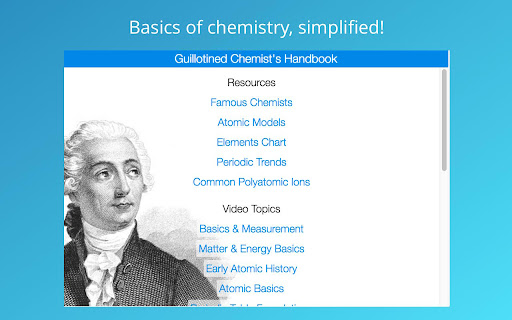
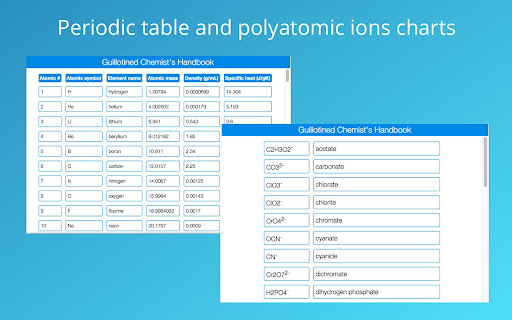

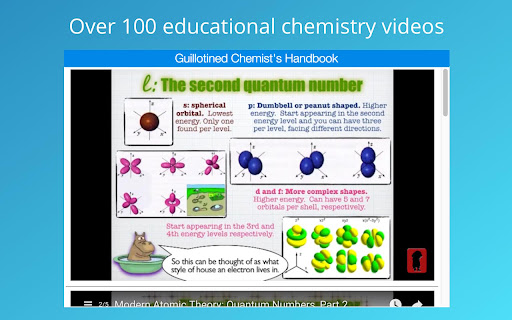
Guillotined Chemist's Handbook is a compact and versatile tool for students at any level of education to discover, master, and apply their their passion for chemistry. This extension helps to demystify several important chemistry concepts, and provides students with quick access to resources that may be useful in their chemistry career. Our comprehensive chemistry handbook contains videos pertaining to several major topics in chemistry, courtesy of Guillotined Chemistry on Youtube. --- Built in resources --- - A periodic table lookup with several important features for each of the natural elements, including Atomic #, Atomic symbol, Element name, Atomic mass, Density (g/mL), and Specific heat (J/gK). - List of famous chemists and links to further information regarding each - A chart describing periodic trends across the periodic table of the elements - A polyatomic ion chart with formulas and names of the most commonly used polyatomic ions - List of the history of the atomic model --- Video topics included in app --- - Basics and measurement - Significant figures - Matter and energy - Early atomic history - Atomic basics - Periodic table basics - Compounds and nomenclature - Ionic bonds - Covalent bonds - Equations - Reactions - Composition mathematics - Stoichiometry - Modern atomic theory - Atomic structure - Quantum numbers - Lewis dots - VSEPR - Bonds and geometry - Polarity - Intermolecular forces - Gas laws - Solutions - Acids - Bases - Periodic Trends - Activity Series - Polyatomic Ions Long time no see! Fix broken links. Code now open source on GitHub -- feel free to modify and make your own personalized versions! ALL VIDEOS FEATURED IN THIS EXTENSION WERE CREATED BY MR. MARK ANTICOLE. We want to make chemistry even easier for you! Please let us know what improvements or additions we should make to Guillotined Chemist's Handbook by leaving us a review in the Chrome Web Store!

Math Studio
Evaluate complex mathematical formula and plot them in a workspace like Matematica Write complex math expressions in a workspace that can be accessed within a browser tab or toolbar popup. The environment supports full mathematical expressions thanks to the internal MathJS library. You can use matrixes, arrays, and complex numbers. To ease the usage, you can even write JavaScript functions and use those functions in your mathematical sandbox. Features: 1. Supports numbers, big numbers, complex numbers, fractions, and units 2. Supports strings, arrays, and matrices. 3. Supports symbolic computation 4. Comes with a large set of built-in functions and constants. 5. Comes with a built-in plotting tool 6. Supports as many computational boxes as needed 7. Supports keyboard navigation between the boxes, and you can evaluate each box whenever needed. 8. Runs the evaluation in a sandboxed window This extension uses the following libraries: 1. math.js 2. Chart.js 3. Notify.js 4. Workspace.js The extension has a powerful built-in plotting tool. Make sure to visit the FAQs page for more info.

Scales & Modes Quick Reference
Musical Scales and Modes Quick Reference. Scales and Modes Quick Reference gathers in a very concise way valuable information about musical scales and modes. You can see the notes and the formula of the scale along with the intervals sequence that make it up. You can also listen to them and visualize their shapes along the fretboard or keyboard.

Research Notes
Bookmark, tag or add notes to pages, highlight and save quotes or images, save selected Google searches, filter out search results. KEEP NOTES AND ORGANIZE PAGES Bookmark, tag or add notes to pages. SAVE & HIGHLIGHT QUOTES Save quotes or other text snippets from pages (or PDFs), highlight quotes on the page. SAVE IMAGES Save images with pages - either pictures directly from the page or copy-pasted screenshots via a tool like Snipping Tool or Paint. TAGS WITH VALUE Advanced tagging: you can add values to the tags. For example, to record a page’s author, add a tag like “Author: ”. Or, when searching for products and comparing good websites with alternative offerings, add tags to pages such as “Product: ” or “Price: ”. You can group and sort by tags and values separately on the all notes -page. RESEARCH UNDER SEPARATE TOPICS All your pages and searches will be saved under topics that you define. This helps keep your different research topics - be it work, school or hobbies - separated from each other. SAVE YOUR GOOGLE OR GOOGLE SCHOLAR SEARCHES When studying a topic in-depth, save searches to remember what search terms you’ve used, which ones got great results and how far into the results you have looked. By default, search saving is turned off, it can be activated for each Google search tab separately. HELPFUL SEARCHING OPTIONS Cross out and hide search results that are not useful. Instantly add notes and tags to results straight in your Google search. OVERVIEW OF SAVED RESEARCH A special all notes -page gives a comprehensive overview of your topics, pages and searches. See your researched pages either in list or table format. Filter pages by text, tags, notes or bookmarks. PRIVATE The information that you create while working with the extension - addresses, searches, notes, tags, etc - is stored exclusively in your own browser and is not shared with anyone. We only collect anonymous analytics information about this products usage to get an overview of what features are used. DO YOU HAVE QUESTIONS OR RECOMMENDATIONS? We are open to feedback about this product, about existing features or new ideas - just send as an e-mail (feedback@onlineresearchnotes.com) or drop by in our Discord server (https://discord.gg/pE9BMg2m). And please do inform us also about any possible bugs that may be lurking. FREE This extension is free to use.

Periodic Table of Elements
A compact and easy to use Periodic Table of Elements. Detailed information about the chemical elements, including, atomic number, atomic mass, atomic volume, density, hardness, electronegativity, etc.
