
mmnhihhdmfojgcalbgfgdlpjmamcmekh
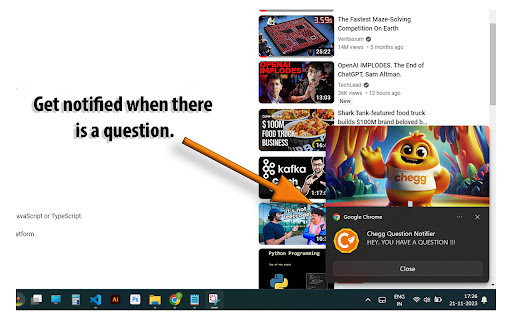

Auto refreshes the page and notifies you when there's a question. Chegg Question Notifier (CQN) is an extension designed for Chegg subject experts. It helps automate the process of finding a question, user can mind any other work until they get notified when there is a question available. They no longer have to keep staring at the same page refreshing it for hours. CQN will do all this for you. -- CQN helps you maximize the number of questions you can solve by notifying you each time when there's a new question available. Instructions to use: 1) After installing the extension go to Expert Q&A page (https://expert.chegg.com/qna/authoring/answer) 2) You will see a two line orange paragraph after "Dear Expert!", refresh the page if in case you don't. 3) That's it! you no longer have to stare at the same page for hours. CQN will look for questions and notify you when one becomes available. Make sure: 1. That your chrome notifications are turned on. 2. And your system volume is set to max to avoid missing the notifications.

Chegg Expert Answer Link Finder
This extension is a tool for the experts to find link to answers submitted by the experts. ->Goto expert.chegg.com ->Click on the… This extension is a tool for the experts to find link to answers submitted by the experts. ->Goto expert.chegg.com ->Click on the extension ->You will see your answer link along with question

Secure Hub
Advanced cookie manager with enhanced UI, developer tools integration, and powerful management features. Secure Hub is a simple yet powerful tool that allows you to easily create, edit, and remove cookies without leaving your current tab. With an intuitive interface, Secure Hub makes it easy to handle all common cookie operations. It’s perfect for developers testing web pages, SEO specialists, or anyone who wants more control over their online privacy. ⚠️ Note: Never share your cookies with untrusted parties. Cookies may contain sensitive data such as login credentials. Sharing them can put your accounts at risk and allow others to gain unauthorized access. View all cookies for the current tab in one place. Create, update, and delete cookies. Import and export cookies in multiple formats (JSON, Netscape, header string). Instantly clear all cookies for the active tab. Personalize your experience: choose light/dark themes, adjust detail level (basic or advanced), and configure extra data fields. Streamline web development and testing. Take full control of your cookies for stronger privacy. Enjoy a more secure and personalized browsing experience. Secure Hub values your privacy. All cookie data stays on your device — nothing is ever uploaded or shared online.

Chegg CourseHero Bartleby Skip Question
Skip Chegg/CourseHero/Bartleby Questions with reason don't have subject knowledge with just single click or [Ctrl+Space] ! [INTENDED FOR EXPERTS - NOT FOR STUDENTS] WANT TO USE IT ON MOBILE DEVICES?? Install Kiwi Browser on iOS and Android devices. Extension allows Chegg, Bartleby and CourseHero Experts to quickly skip unanswerable questions with the remark "don't have subject knowledge" with one click or pressing [Ctrl+Space]. Chegg & Chegg 2.0 - Answer Protection, which auto-click on "Answer" button when the time remaining becomes less than 2 minutes. - Watch words [Beta] : Watch words look for words which are sometimes liable for violating Chegg Answering guidelines in the question text and sometimes on images (not always) and warn you.

Chegg Expert - Every tool you need(Safest)
VIP Solutions Chrome Extension For Chegg Experts UPDATE : Now you can share you account with other friends just by sharing the code. NEW VERSION FEATURES AND UPDATES: This extension is all rounder tool for experts on chegg with following features. Background refresh / No full page reload to save memory and loading issues. Auto Refresh Alarm Settings: 1. Choose Your refresh time from 10 seconds to 180 seconds 2. Automatically stop refreshing after given time 3. Automatically accept questions for you 4. Auto Skip questions i. Auto Skip long questions with more than 1500 words ii. Auto skip questions with more than 2 images 5. Get Notifies on telegram about new question if you are away: > You can view your own expert details and your own answer links > Direct Button to search question on google and get answers > Direct Ai button > One click skip button
