
mmhppocgfdombmapajfeafhecobfcjpk
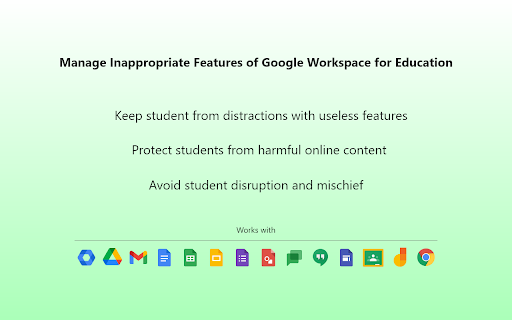


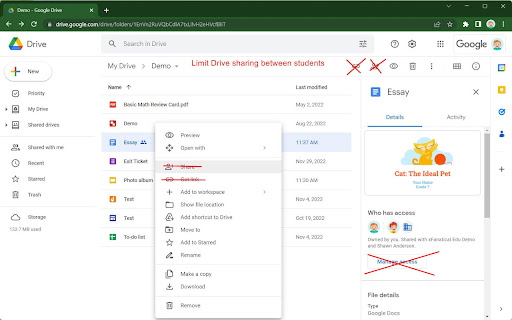
xFanatical Safe Doc smooths the way for schools managing Google Workspace for Education features (Docs, Sheets, Slides, Classroom,… xFanatical Safe Doc smooths the way for schools managing Google Workspace for Education features (Docs, Sheets, Slides, Classroom, Drive etc.) that Google Admin Console doesn't provide. It protects your students from inappropriate content and prevent your students from misusing certain features to disrupt classrooms. ===================================== Features ===================================== In Google Docs Editors ► Block the image searching feature ► Block Youtube video searching feature ► Block the Dictionary feature ► Block inappropriate emojis, e.g. the middle finger emoji, poop emoji or knife emoji. ► Block inserting GIFs and stickers ► Block inserting images by URLs into Docs ► Block the "Publish to the web" feature ► Block the "Email this file" feature (formerly "Email as attachment") ► Block the "Email collaborators" feature ► Disable spell & grammar checking ► Disable the voice typing feature ► Disable the "Translate document" feature ► Disable the "Make a copy" feature ► Disable the Comment feature ► Block certain web-linked functions in Sheets, e.g. IMPORTDATA, IMPORTFEED, IMPORTHTML, IMAGE etc. ► Stop students from sharing Drive files with each other ► Disable the chat feature when multiple users join in the same document In Google Classroom ► Remove the "People" tab to protect students' privacy ► Block preview pop ups for unsafe links, and the link preview in Stream > Add Link ► Disable students unsubmitting / resubmitting / late turning in / empty turning in assignment works In Google Search ► Block distracting doodle games and toys ► Block Youtube embedded videos in Google Search results ► Block doodles in the search home page and search result pages. In Google Meet ► Stop students from adding external people ► Hide student identities (full names) for privacy protection ► Remove phone joining options to prevent unauthorized external people from joining the session. ► Block students rejoining old unsupervised meetings (meetings without a nickname and open for students to join) Generally ► Support configurations for different age groups. Admins can decide which features in GSFE to be disabled or enabled ► Support Managed Chromebooks and Chrome browsers on Windows and Mac ► Support US and UK English Discover all the xFanatical Safe Doc policies that simply your feature management in Google Workspace for Education. https://xfanatical.com/blog/safe-doc-configuration/#safe-doc-policy-list. Quick Start For home use 🏠 ► Login your Chrome profile using an @gmail account and turn on sync. ► Click [Add to Chrome] above to install the extension. ► You will be popped up with guidelines. ► Not all features not For school use 🏫 ► Request a license in https://xfanatical.com/product/safe-doc/#trial ► Deploy xFanatical Safe Doc in your test OU. ► Configure and explore the features Pricing ► FREE for any @gmail accounts. ► $899/year for a single student domain with unlimited users, product updates and premier support. See more details in the xFanatical Safe Doc Pricing page https://xfanatical.com/product/safe-doc/#pricing ► Get a 30-days trial license at https://xfanatical.com/product/safe-doc/#trial Support? ► Self service help documentation at https://xfanatical.com/product/safe-doc/support ► Email us at support@xfanatical.com or https://xfanatical.com/contact-us/ ► Join xFanatical Safe Doc community (Google Group). Ask questions, request features, report issues and receive software update news. https://groups.google.com/a/xfanatical.com/g/safedoc-community

Call Timer for Meet
This extension adds a timer to your Google Meet calls with customizable time limits and alerts. ═══════════════════════════════════════════════════════ CALL TIMER FOR MEET ═══════════════════════════════════════════════════════ Track your Google Meet call duration with a sleek timer. Set time limits, get alerts, and view total call time automatically. Call Timer for Meet helps you stay on track during your Google Meet calls with a clean, unobtrusive timer that integrates seamlessly into the Meet interface. ⏱️ Real-Time Timer • Automatically starts when you join a meeting • Displays elapsed time in an elegant floating button • Shows total call duration when you leave the meeting 🎯 Smart Time Management • Set custom time limits for your meetings • Visual red alert when time limit is reached • Optional sound notification to stay on schedule • Configure everything with a simple hover panel 🎨 Seamless Integration • Positioned next to Google Meet's native controls • Matches Google Meet's design language • Hover to access all settings and controls • No intrusive popups or distractions 🌍 Multi-Language Support • Available in 17 languages • Automatic language detection based on your browser • Supported: English, Spanish, French, German, Italian, Portuguese, Polish, Russian, Ukrainian, Chinese, Japanese, Dutch, Swedish, Danish, Catalan, and more ♿ Accessible Design • Full ARIA support for screen readers • Keyboard navigation friendly • High contrast colors for readability • Enhanced Performance: Uses modern browser APIs for better efficiency and lower CPU usage • Improved UI: Cleaner design with smooth animations and transitions • End Screen Display: Beautiful time summary on the "You left the meeting" screen • Sound Notifications: Optional audio alert when reaching your time limit • Better Integration: Timer positioned alongside Meet's native buttons for a cohesive experience • Bug Fixes: Resolved timer reset issues and improved state management This extension does NOT collect, store, or transmit any personal data. Everything runs locally in your browser. Your privacy is fully respected. If you notice any translation errors or would like to contribute a translation for a new language, please contact us through the support section. v4.0.1 • Fixed Windows compatibility issues with improved element detection • Enhanced Mac reliability and initialization timing • Increased wait time to 60 seconds for better compatibility • Implemented MutationObserver with fallback strategies • Added race condition protection and improved error handling • Code cleanup and improvements v4.0.0 • Major UI/UX redesign with native Google Meet integration • Added sound notification feature with user control • Implemented MutationObserver for better performance • Enhanced end-call screen with total time display • Fixed timer reset and state management bugs • Improved accessibility with ARIA attributes • Updated all translations and added Ukrainian support • Migrated from JavaScript-injected CSS to native CSS loading • Removed unnecessary permissions for better security v3.0.1 • Added timer position validation on screen resize v3.0.0 • Updated styles for new Google Meet interface • Added draggable timer functionality • Added reset timer and reset position buttons v1.0.4 - v1.0.0 • Initial release with basic timer functionality • Turn on/off timer feature • Red alert when exceeding 45 minutes • Display total call time on call end Enjoying the extension? Please leave a review - it helps other users discover it!

Attendance for Google Meet™
Attendance Taking for Google Meet This extension is intended for users who need a simple way to take attendance during a Google Meet. This extension adds a button to the top right bar (next to chat & participant list) to help remember who joined a meeting in Google Meet. Attendance taking allows you to remember who joined an online meeting and see who is not here. (With more online video conferences taking place, its important to have an automatic solution to take attendance ). Try attendance taking for hangouts meet This extension helps to remember when an attendee joined, how long they stayed for the meeting and helps you keep track of the meeting time It is the easiest way to record down attendance : you can follow up later with participants who were unable to make the call. It works well for google hangouts meet Change Log for 1.0.6 Updated the extension so attendance taking feature works again for new design of Google Meet. To begin using this extension, here is what you need to do Install the Software Extension Go inside a Google Meet meeting. Click on the extension icon when you are IN the meeting to activate the extension. Attendance taking will be enabled once you click on the extension icon when you are in a Google Meet online video call. Take attendance today using this software extension If you have any feedback for attendance taking for google meet app, please let us know on how we can improve our software extension for google video conference Disclaimer: Please note this extension is NOT made by Google and is made by an independent development team. All copyrights belong to their respective owners. Google doesn’t endorse or sponsor this Chrome extension. This is not owned by, it is not licensed by and is not a subsidiary of Google Inc.

Mute All for Google Meet™
Customise the settings and save your preferences for Google Meet. Use this software extension to save all your user settings for Google Meet. Here is a list of user settings you can customise using our extension - Auto Mute your microphone when you join a Google Meet call - Set Video to be off automatically when you join a Google Meet call - Auto Unmute, ensure other individuals in a call are not able to mute your microphone - Mute all participants, this is useful when you are in a presentation and want to be the only one speaking - Hide Mute popup, hides the "Are you speaking?" popup when you are muted. - Add in Emojis in the chat box as well - Use hotkeys for Google Meet Please note the mute all function only works if you are the host of the Google Meet call. Try using this extension today and upgrade the experience you have using Google Meet. Enjoy the power of customising your Google Meet experience.

Meet Extension
Collaborate with anyone, anywhere using Meet extension. Moxtra is the collaboration companion that works the way teams do: flexibly and simply, in real-time or anytime. With the Moxtra Meet Extension for Google Chrome, users are able to collaborate with anyone, anywhere, and on any device. Keeping everyone connected and up to date helps teams never miss a beat. The Meet extension allows Chrome Users to host or join Video and Voice conferences, screen share anything on your desktop, live share any documents and remote control another desktop. It lets members white-board as well as easily annotate files. Also, the entire meeting can be recorded and stored for later use. Moxtra is your team’s communication and collaboration center.
