
mmhfonkfehekiofpkjiofjeoofloidog


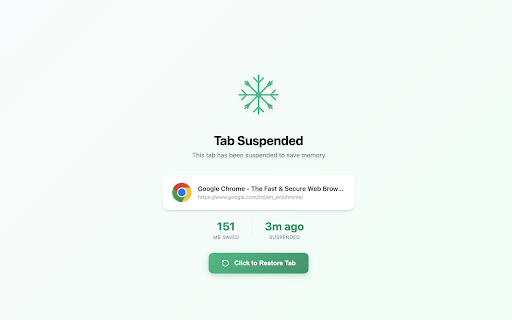
Save memory by suspending inactive tabs. Auto-suspend after inactivity and restore with a single click. Smart Tab Suspender helps you save memory and improve browser performance by automatically suspending inactive tabs. • One-Click Suspend - Instantly suspend any tab to free up memory • Auto-Suspend - Automatically suspend tabs after a customizable period of inactivity (5 min to 2 hours) • Smart Protection - Never suspend tabs playing audio/video, pinned tabs, or whitelisted sites • Memory Savings Dashboard - Track how much memory you've saved with detailed statistics and charts • Whitelist - Add your favorite sites to never be suspended • Keyboard Shortcut - Press Alt+Shift+S to quickly suspend the current tab • Form Data Protection - Preserves scroll position and form data when restoring tabs • Memory Alert - Get notified when system memory usage is high • Data Management - Backup your settings and data, and easily export/import them across devices Each browser tab can use 50-150MB of memory. If you're a tab hoarder with dozens of tabs open, this can slow down your computer significantly. Smart Tab Suspender solves this by suspending tabs you're not using, freeing up memory instantly. • Beautiful, modern interface • Lightweight and fast - won't slow down your browser • Privacy-focused - no data collection, everything stays local • Works offline • Free and open source Perfect for users who keep many tabs open but want to maintain browser performance.

Auto Discard Backgrounded Tabs
This extension automatically discard opened tabs in the background (with ctrl). Discarded tabs consume no memory and open no additional processes (visible in Chrome's task manager). Compatible with chrome and all chromium-based browsers (vivaldi/edge/brave...) The code is lightweight and only works when a tab is opened (less than a kilobyte). No setting and work out of the box.

RAM Rescue - Memory Usage Dashboard
Track and manage Chrome's memory usage. See which tabs and extensions are eating your RAM. 🚀 Take Control of Chrome's Memory - Never Deal with Slow Tabs Again! RAM Rescue is the ultimate Chrome extension for monitoring and optimizing your browser's memory usage. With a beautiful cyberpunk-inspired interface and powerful features, keep Chrome fast and responsive no matter how many tabs you have open. 📊 REAL-TIME RAM MONITORING - Beautiful circular gauge showing current memory usage - See total, used, and available RAM at a glance - Live updates every 5 seconds - Clean, modern cyberpunk design 🔍 TOP MEMORY HOGS - Identify which tabs are using the most RAM - See estimated memory usage per tab - Sort by memory consumption - One-click tab suspension 💤 MANUAL TAB SUSPENSION - Suspend any tab to free up memory instantly - Suspended tabs use ~8MB vs 80-200MB active - Tabs restore instantly when you click them - Visual indicators for suspended tabs ⚡ AUTO-SUSPEND INACTIVE TABS - Automatically suspend tabs after 5, 15, 30 minutes, 1 or 2 hours - Save hundreds of MB of RAM without lifting a finger - Configurable timers for your workflow - Respects active tabs and audio/video 📊 MEMORY ANALYTICS DASHBOARD - Track RAM usage over 7 days - Beautiful interactive charts - See average and peak usage - Identify memory usage patterns 🔮 PREDICTIVE ANALYTICS - AI-powered RAM usage predictions - See when you'll run out of memory - Trend analysis (increasing/decreasing/stable) - Proactive memory management 💥 ONE-CLICK NUKE MODE - Suspend ALL tabs except current with one click - Automatically respects your whitelist - Perfect for emergency memory recovery - Save 60-80% RAM instantly 🔍 EXTENSION MEMORY MONITORING - See which extensions are memory hogs - Identify what's really slowing you down - Make informed decisions about extensions - Top 5 memory-consuming extensions ━━━━━━━━━━━━━━━━━━━━━━━━━━━━━━━━━━ 🎯 PERFECT FOR ━━━━━━━━━━━━━━━━━━━━━━━━━━━━━━━━━━ ✓ Power users with 20+ tabs open ✓ Developers juggling multiple projects ✓ Content creators with heavy workflows ✓ Remote workers using web apps all day ✓ Anyone tired of Chrome eating all their RAM ✓ Multitaskers with limited system memory ✓ Users with older computers ✓ Anyone who wants faster browsing - Modern cyberpunk aesthetic with cyan/purple gradients - Smooth animations and transitions - Dark theme optimized for long use - Professional, polished UI/UX - Intuitive navigation - Responsive design Your privacy is our priority: ✓ 100% local processing - no data sent to external servers ✓ No tracking or analytics ✓ No personal data collection ✓ All data stays on your device ✓ Open source friendly ✓ No ads, ever ✓ No background mining or suspicious activity ⚡ FASTER BROWSING Chrome runs faster with less memory pressure 💻 WORK WITH MORE TABS Keep 100+ tabs open without slowdowns 📊 UNDERSTAND YOUR USAGE See exactly what's consuming resources 1. Install extension 2. Click icon in toolbar 3. See your RAM usage instantly 4. Suspend tabs or enable auto-suspend (PRO) 5. Done! No complicated setup. No configuration required. Just install and it works. ✓ Most beautiful memory manager extension ✓ Real Chrome API integration (accurate data) ✓ Actively maintained and updated ✓ Responsive developer support ✓ No bloat - lightweight and fast ✓ Professional design ✓ Both free and PRO options ✓ One-time payment (no subscription) PRO VERSION ($4.99 one-time) - All free features plus: - Auto-suspend with timers - Smart whitelist protection - 7-day analytics & charts - RAM predictions - Extension monitoring - Nuke Mode - Top 10 view - Custom alerts - Lifetime access - No subscription - Free updates forever WHAT IS TAB SUSPENSION? Suspended tabs are unloaded from memory but remain visible in your tab bar. When you click them, they reload instantly. It's like closing and reopening the tab, but automatic and faster. HOW MUCH MEMORY CAN I SAVE? Typical users save 2-4GB of RAM. Power users with 50+ tabs can save 5-10GB. WILL MY TABS CLOSE? No! Suspended tabs stay in your tab bar. They just reload when clicked. CAN I USE IT WITH OTHER EXTENSIONS? Yes! RAM Rescue works perfectly alongside other extensions. Need help? We're here for you! We read every review and constantly improve based on your feedback! Install RAM Rescue now and take control of Chrome's memory usage! Free version includes everything you need to get started. Upgrade to PRO anytime for advanced automation and analytics. Stop letting Chrome eat your RAM. Start managing it intelligently.

Tab Manager & Resource Monitor – CPU, RAM Usage per Tab
Find slow tabs instantly. Monitor CPU, RAM, and network usage per tab to speed up Chrome and reduce memory usage. 🚀 Stop guessing why your browser is slow. Tab Resource Monitor gives you a live task manager right in your toolbar showing CPU, RAM, and network usage for every open tab, color-coded by impact. Spot the tab eating your memory. Close it. Done. ✅ Real-time CPU, RAM & network stats per tab ✅ Color-coded alerts — see heavy tabs at a glance ✅ One-click close or refresh from the popup ✅ Total usage summary across all tabs ✅ System Info: CPU model, cores, RAM, GPU ✅ Pinnable on-page widget — monitor without opening the popup ✅ Auto-refreshing every 1–10 seconds (your choice) ✅ Dark mode & compact view ✅ 100% local — no data ever leaves your browser Built for developers, power users, and anyone running 20+ tabs who wants their browser back. ────────────────────────── HOW IT WORKS CPU & RAM figures are estimated from real page signals — Long Tasks, FPS, event-loop lag, DOM complexity, and resource size. Network (MB/s) is measured from request metadata. For the active tab, Accurate Mode uses the DevTools protocol for precise readings. PERMISSIONS EXPLAINED • Tabs — list and switch to tabs from the popup • Storage — save your appearance and threshold settings • Web Request — measure per-tab network bandwidth • System CPU & Memory — display your hardware specs in System Info • Debugger (optional, Accurate Mode only) — read precise CPU/RAM for the active tab

RAM Freezer — Smart Tab & Memory Manager
Free your RAM by freezing inactive tabs, saving sessions, and restoring them anytime. Keep Chrome fast and organized. 🧠 RAM Freezer keeps your browser light and responsive — even with hundreds of open tabs. 🚀 Features: • Smart tab freezing — automatically suspend inactive tabs to free system memory. • One-click “Park All” — save all open tabs and restore them later. • Session manager — organize and restore workspaces by project or topic. • Per-window profiles — e.g. “Work”, “Personal”, “Research”. • Built-in memory analytics — see how much RAM you’ve saved. • Auto backup of sessions — never lose your work again. • Lightning-fast UI with dark mode and language support. • Privacy-first: all data stays on your device (no third parties, no sync). 💡 Bonus tools: • Quick Search — find any tab or session instantly. • Panic Button — close or park everything with one click. • Manual freeze/unfreeze per tab. ❤️ Support the project: If you enjoy RAM Freezer, consider supporting development via the built-in donation section (Revolut or Lightning). Every tip helps keep the project free, open, and privacy-respecting. 📦 Open-source concept designed for developers, creators, and power users who keep multiple projects open at once.
