
mmgpajibllaionblgcgafnihmlnlnjie

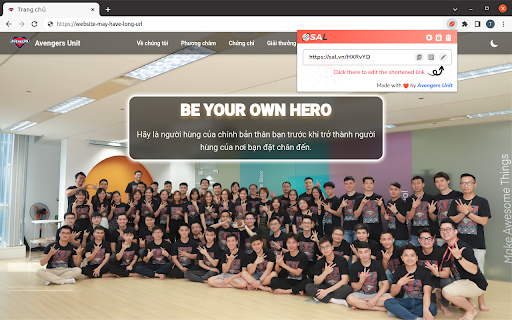
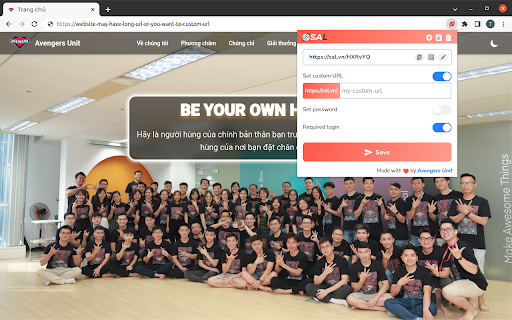
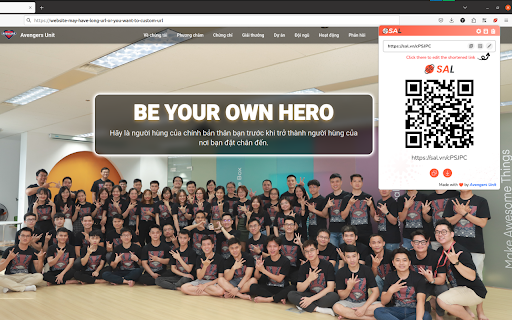
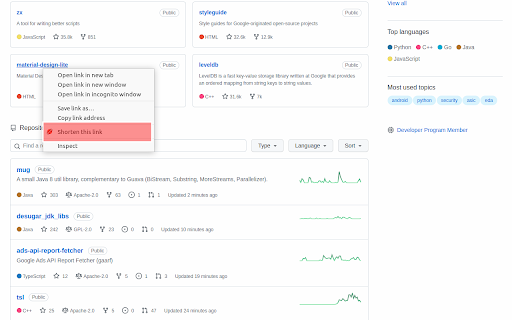
Shining your URLs Official extension for https://sal.vn Sun.shine is a URL shortener system. Shorten URLs, manage your links and view the click rate statistics.

URL Shortener Plus
Add text before/after URLs, shorten them with Bitly, and copy to clipboard ### Overview This extension is a versatile tool that lets you add custom text before and after URLs, shorten them using Bitly, TinyURL, Is.gd, X.gd, or Rebrandly, and copy them to your clipboard! It features preset functionality and QR code generation, all available in 6 languages. ### Background Adding parameters to URLs for affiliate marketing or social media sharing can be tedious. This extension automates these repetitive tasks and makes long URLs shorter and easier to share! ### Intended Users - **Affiliate Marketers**: Automatically add tracking IDs and tags - **Content Creators**: Create optimized links for different social platforms - **Business Professionals**: Generate clean URLs for presentations and documents - **Everyday Browsers**: Use as a simple, user-friendly URL shortener #### For Affiliate Marketing - Automatically add Amazon Associate tags (e.g., ?tag=YOUR-ID-20) - Append Google AdSense or other ad-related parameters - Configure tracking parameters for major affiliate networks - Add marketing tracking codes like UTM parameters #### For URL Shortening - Convert long cloud document URLs into easily shareable links - Simplify lengthy product URLs from e-commerce sites - Create concise invitation URLs for online meetings or webinars - Generate consistent links with one click using multiple presets #### For QR Code Usage - Generate QR codes to guide users from offline materials to online content - Easily create QR codes for business cards or posters ### Key Features - Set custom strings to add before or after URLs - Support for **5 different** shortening services (Bitly, TinyURL, Rebrandly, Is.gd, X.gd) - Automatic QR code generation & download functionality - Preset feature to save frequently used patterns - Available in 6 languages (English, Japanese, German, French, Spanish, and Italian) - UI optimized for each language - Fallback functionality for restricted network environments ### Security and Privacy - Minimal permission requests for enhanced safety - Data stored only within your local browser ### How to Use 1. Install the extension 2. Create a Bitly or Rebrandly account and obtain your API token if needed (TinyURL works without requiring an API token!) 3. Configure your token and URL modifiers in the settings tab 4. Simply click a button in the Shorten tab to process your URL 5. QR codes are automatically generated and ready to download! This user-friendly yet powerful extension makes URL management more efficient and professional! It significantly reduces the effort required to create affiliate links while serving as a versatile URL modification tool for everyday browsing. Save your frequently used settings with the preset feature for one-click link creation anytime!

Edgs | Trusted Short URLs
Create powerful short links by one click from any tab and share them anywhere. Shorten URLs quickly and conveniently from any tab by single click. This extension eases the shortening of your URLs from Chrome. It integrates into the UI toolbar button and communicates with our shortening service. You need to register first and have your account and login in order for this extension to extract your API key. Key features: 1. Passwordless authentication. The extension extracts your API key automatically as long as you are login 2. Provide a keyword for the short URL 3. Automatically copy the resulting short URL to your clipboard for better productivity NOTE: Creating, saving and sharing URLs with this Chrome Extension is exactly the same as if you do directly from our shortening service website. This Chrome Extension does not collect any additional data about your browsing activity or history.

GitHub Flex
GitHub Flex enhances GitHub's interface with powerful productivity features that make your daily workflow smoother and more efficient. - Wide Layout: Expands GitHub pages to use the full width of your browser. No more wasted screen space - see more code, diffs, and content at a glance. - Table Expand: Expand, resize columns, and hide/show columns on large tables. View tables in fullscreen mode. All customizations (column widths, hidden columns, expand state) persist across page loads. - Image Lightbox: Click any image on GitHub to view it in a fullscreen overlay. Easily inspect screenshots, diagrams, and visual content without opening a new tab. - GIF Picker: Insert GIFs directly into comments, issues, and pull requests. Search from a huge library powered by Giphy - add reactions and fun to your conversations. - Sidebar Toggle: Hide or show the GitHub sidebar with a single click or the Alt+M keyboard shortcut. Reclaim horizontal space when you need to focus on content. - Edit History: Enhanced diff viewer for comment and description edits. Click "Split View" in any edit history dialog to compare changes with word-level highlighting in split, unified, or rendered markdown preview modes. All features can be individually enabled or disabled from the popup settings. Your preferences sync across devices via Chrome Sync. Lightweight, open-source, and built with Chrome Manifest V3. No data collection, no tracking - just a better GitHub experience.

QuickAsk AI — Highlight, Summarize, Translate, Notes & Tasks
Highlight, summarize, translate, ask AI, and organize notes and tasks for work and study. ⚡ QuickAsk GPT – AI Assistant, Highlighter, YouTube Summary, Notes & Tasks for Every Webpage QuickAsk GPT is a lightweight AI browser extension that helps you work faster on any webpage. Simply highlight any text to ask AI, translate content, save highlights, summarize YouTube videos, take quick notes, or create mini tasks — without switching tabs or breaking your workflow. Whether you are reading articles, emails, documents, technical references, research papers, learning materials, foreign-language content, or watching YouTube videos, QuickAsk GPT turns your browser into a smarter AI workspace. ━━━━━━━━━━━━━━━━━━━━ ✨ What You Can Do ━━━━━━━━━━━━━━━━━━━━ Save important text from any webpage as highlights for later review. QuickAsk GPT helps you keep useful information close while you read, study, research, or work online. Select any text and send it to your preferred AI assistant. You can ask AI to: • Explain difficult content • Summarize selected text • Rewrite sentences • Improve writing • Generate ideas • Compare information • Continue the conversation naturally You can also add custom translation instructions, such as: • Use a polite tone • Make it professional • Keep it concise • Translate naturally • Rewrite for business communication • Adjust the tone for emails, documents, or study materials Perfect for language learners, developers, marketers, researchers, and professionals working with international content. Summarize YouTube videos faster with AI. QuickAsk GPT helps you turn video content into clear, concise summaries so you can understand key points without watching the entire video from start to finish. Use YouTube Summary to: • Summarize video transcripts • Extract key ideas • Review learning videos faster • Understand tutorials more quickly • Save time on long videos • Turn video content into quick notes • Capture important points from lectures, podcasts, reviews, and guides Perfect for: • Online learning • Research • Tutorials • Product reviews • Podcasts • Lectures • Educational videos • Business and marketing content Simple, fast, and distraction-free. Create quick tasks directly from your browser. QuickAsk GPT is not a heavy project management tool. It is designed for small “don’t forget this” moments while you work, study, research, or browse. Use Mini Tasks for: • Quick reminders • Follow-up actions • Reading tasks • Study reminders • Small work items • Things you notice while browsing Access your AI assistant, notes, and tasks quickly with a floating button and keyboard shortcuts. Designed for fast workflows and fewer interruptions. QuickAsk GPT is built with privacy and safety in mind. For safety, QuickAsk GPT can block sensitive websites by default, including: • Finance platforms • Cloud services • Developer infrastructure • Crypto platforms • Trading websites • Payment services You stay in control with whitelist and blacklist settings. 🖍️ Highlight and save important webpage text 🤖 Ask AI about selected text instantly 🌍 Translate selected text into 20+ languages ▶️ Summarize YouTube videos with AI 📌 Extract key ideas from video transcripts ✏️ Add custom translation notes and style instructions 🧠 Use ChatGPT, Claude, or Gemini as your default AI 💬 Open AI in a focused popup window 🔁 Remember ChatGPT conversation threads optionally 📝 Create quick notes while browsing ✅ Create mini tasks and reminders 🔔 Set lightweight task reminders ⌨️ Use keyboard shortcuts for faster access 🎯 Use a floating AI button on webpages 🚫 Control blocked and whitelisted domains 🔐 Mask sensitive content before sending to AI ⚡ Lightweight, fast, and easy to use ━━━━━━━━━━━━━━━━━━━━ 👥 Who Is QuickAsk GPT For? ━━━━━━━━━━━━━━━━━━━━ QuickAsk GPT is useful for: 🎓 Students and language learners 💻 Developers reading technical documentation 🌍 Professionals working with international content 📣 Marketers rewriting or summarizing text 🔬 Researchers reviewing articles, papers, and videos 🏢 Office workers handling emails and documents 🎥 People who watch long YouTube videos for learning 📚 Anyone who reads, studies, translates, summarizes, or saves information from webpages Most AI tools require you to copy text, open a new tab, paste your content, wait for a response, and then return to the original page. With QuickAsk GPT, AI appears exactly where you need it — on the webpage you are already reading or the video you are watching. ━━━━━━━━━━━━━━━━━━━━ 🚀 Built for Real Workflows ━━━━━━━━━━━━━━━━━━━━ QuickAsk GPT is designed for everyday browsing, learning, researching, writing, translating, video summarizing, note-taking, and quick task tracking. AI should not interrupt your workflow. It should support you exactly where you work. Your feedback helps us improve QuickAsk GPT and build a better AI productivity experience for everyone.
