
mmeijimgabbpbgpdklnllpncmdofkcpn

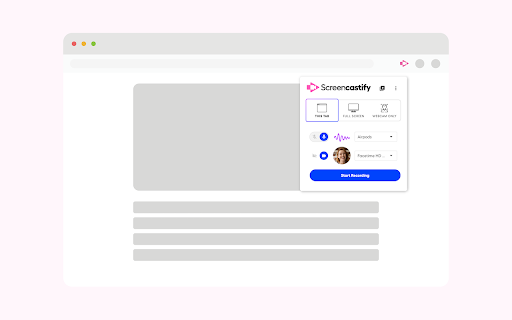


An easy-to-use screen recorder for your browser. Capture, edit and share videos in seconds. An easy-to-use screen recorder for Chrome. Capture, edit and share videos in seconds. Screencastify, now part of Castify is Chrome's simplest free screen recorder and interactive video platform, empowering anyone to become a better communicator by recording, editing, and sharing videos in seconds. Plus, easily turn any video into an assessment by adding Interactive Questions. With Screencastify, use simple yet powerful screen recording tools to: ▸ Record your desktop, browser tab, and/or webcam ▸ Edit video from your browser ▸ Edit YouTube videos ▸ Translate and add voiceovers on any video in 90+ Languages ▸ Share your video in multiple ways ▸ Add Interactive Questions to videos and see analytics to measure engagement ▸ Request video submissions with Submit Educators, professionals, and personal creators across the world use Screencastify screen recorder as a simple way to communicate more effectively through video. 🎬 Join a massive community of video creators ✔ Millions of weekly users ✔ Hundreds of millions of videos recorded ✔ Incredibly easy to learn and use 🎥 Create engaging videos with our easy-to-use screen recorder ▸ Record your browser tab, desktop, and/or your webcam ▸ Narrate with your microphone’s audio ▸ Embed your webcam into the recording ▸ Annotate in real time to highlight key points ▸ Add captions to make your video more accessible ▸ Add questions to check viewer comprehension ✂️ Simple video editing ▸ Trim the start and end of your videos ▸ Draw on your tab with the pen tool ▸ Merge, crop, and add text to videos 🚀 Share with your audience, wherever they are ▸ Share directly from Screencastify ▸ View and share videos on Google Drive ▸ Share to Google Classroom ▸ Export as MP4, animated GIF, or MP3 ▸ See who has viewed your videos ▸ Translate the captions on your video into 50+ languages 👀Available free ▸ Create your first 10 videos free or upgrade for unlimited video creation ▸ Record videos up to 30 minutes for free 🎓 Education ▸ Create instructional videos to engage your students ▸ Add Interactive Questions to turn videos into assessments ▸ Personalize learning by creating differentiated videos for each level ▸ Embrace flipped classrooms or blended learning with video lessons ▸ Have your students practice foreign languages or public speaking ▸ Empower student video creation with Submit assignments 🏛️ At Work ▸ Eliminate emails or meetings in favor of more effective, async communication ▸ Create performance review videos for coworkers ▸ Share engaging messages with your customers, users, and colleagues ▸ Create training and onboarding videos that captivate your employees ▸ Cancel meetings by sharing video instead 🌍 Everyday creators ▸ With millions of weekly users, we’ve helped creators share countless ideas for videos to life - from professional YouTubers to personal trainers and attorneys to UFO hunters. What are you waiting for? Install Screencastify and inspire the world with your video communication. 📝 Specs: ▸ Screencasts are captured as webm/vp8 files with ogg vorbis audio ▸ Videos can be saved to your local disk as various file types (GIF, MP4, etc), directly to your Google Drive, or you can simply share the link ▸ Screencastify screen recorder does not depend on any external software (like Java, Flash or other plugins) so it runs on Chrome OS, Chromebooks, and Chromeboxes ▸ Screen recording is a CPU intensive task. Older or weaker computers may lag if multiple programs and tabs are open at the same time as a screencast

Read&Write for Google Chrome™
Boost reading and writing confidence across all types of content and devices, in class, at work, and at home. Wonderfully intuitive and easy-to-use, Read&Write for Google Chrome™ provides personalized support to make documents, web pages and common file types in Google Drive (including: Google Docs, PDF & ePub) more accessible. It’s designed to help everyone engage with digital content in a way that suits his/her abilities and learning styles. Read&Write offers a range of powerful support tools to help you gain confidence with reading, writing, studying and research, including: • Text-to-speech to hear words, passages, or whole documents read aloud with easy-to-follow dual color highlighting • Text and picture dictionaries to see the meaning of words explained • With speech-to-text, dictate words to assist with writing, proofreading & studying • Word prediction offers suggestions for the current or next word as you type • Collect highlights from text in documents or the web for summarizing and research • Create and listen to voice notes directly inside of Google Docs • Simplify and summarize text on web pages to remove ads and other copy that can be distracting Install Read&Write for Google Chrome to access ALL of these features FREE for 30 days! Teachers can get a FREE premium subscription to Read&Write for Google Chrome. To register and activate your subscription, go to texthelp.com/en-gb/products/read-write/free-for-teachers/ after installing the Read&Write for Google Chrome trial. Get more information on Read&Write for Google Chrome™ features, licensing, and pricing at texthelp.com/en-gb/products/read-write/premium-features/

edpuzzle
Import your favorite educational YouTube video into Edpuzzle with a click! The extension lets you make any YouTube video interactive, by embedding questions (either manually or instantly with Teacher Assist AI), and safe, with no ads, no tracking, and no recommended videos. The extension also includes an amazing screen recording tool so you can create your own educational videos! Record your screen and take your students through a presentation they can watch at their own pace, walk them through a math problem using the interactive whiteboard complete with drawing tools, or use the camera to record a science experiment or any other creative classroom ideas you dream up.

Move It
Busy working on your computer? Spending hours searching the internet? Get active with Move It. Your brain works better when your body moves. Move It is a productivity extension that interrupts your work sessions with short, randomised movement breaks — helping you stay focused, avoid burnout, and build healthy habits without thinking about it. Whether you follow the Pomodoro Technique, manage ADHD, or just spend too many hours at a desk, Move It gives your brain the reset it needs to keep performing. How it works Set your break interval (anywhere from 5 to 55 minutes). When the time is up, Move It takes over your screen with a randomly selected physical activity. Complete it, click Done, and get back to work. No willpower required. Why it works Regular movement breaks are proven to improve concentration, reduce mental fatigue, and support attention regulation — making Move It a natural fit for anyone with ADHD or anyone using focus techniques like Pomodoro. The randomised activities remove decision fatigue entirely: you don't choose what to do, you just do it. Customisable break intervals from 5–55 minutes 160+ randomised activities — from desk stretches to full body exercises Work Hours mode — only active during your working hours and days Daily completion counter to track your movement Shuffle to swap any activity that doesn't suit you

Revision History: Writing Process Visibility for Google Docs & Slides
Built for teachers: See how students write, not just what they wrote. View the writing process in Google Docs & Slides. Revision History helps 200k+ teachers see students' writing process in Google Docs and Slides - especially useful in the AI age. Track authentic writing development and guide meaningful revisions while ensuring academic integrity. Key Features: ✍️ Complete Writing Timeline: Track editing sessions, time spent writing, and revision patterns in Google Docs & Google Slides. 🎥 Video Replay: Watch documents being written from start to finish with large paste/deletion moments highlighted 📋 Copy/Paste Detection: See what content was pasted from external sources 🏫 Google Classroom Integration: Works seamlessly with submitted assignments, so long as they were written in Docs. 🔍 Enhanced Video Navigation: Important paste/deletion events now highlighted with icons for quick access 💡 Unusual Writing Pattern Detection: Identify atypical writing patterns that may benefit from additional guidance (these patterns are NOT evidence of any specific behavior and may have perfectly reasonable explanations) 📑 Multi-document tab detection: See writing analytics that occur within an individual Google document tab. 🔑 Google SSO 👥 User contribution breakdown in Video Replay This version includes RH for Google Slides Beta release as well as Teacher Tools for Google Docs Beta (Writing Report Download & Docs Templates) Perfect for writing instruction, formative assessment, and supporting authentic student work. We’re designed for with privacy in mind: Revision History collects ZERO document or student data collection. All revision analysis occurs locally. Contact us for details. With 200k+ educators now using Revision History, we've introduced Plus subscriptions to unlock unlimited document analysis and fund ongoing support and improvements. Free tier includes analysis of 150 unique documents per month. We never imagined so many educators would use our product. We're grateful, to say the least. Works with any document created in Google Docs, including those submitted through Google Classroom. Draftback, Originality.ai, Process Feedback, and Grammarly Authorship all work in Docs only. Revision History works in Docs & Slides -- and provides Summary Stats, Unusual Writing Flags, PDF Report Downloads, and much more. Please email info@revisionhistory.com with any questions.
