
mmbhfeiddhndihdjeganjggkmjapkffm

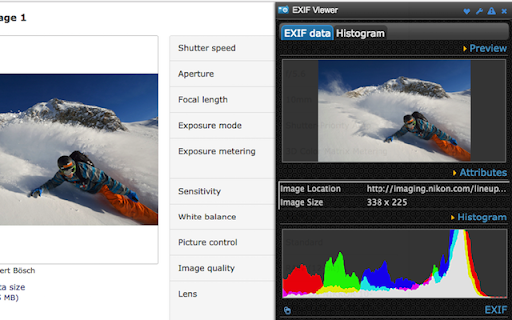

Quick access to EXIF data of any image you view Quick access to EXIF data of any image you view in Google Chrome How to use it? - Right click on any images/pictures - Select “Show Exif data” - Then show the image/exif information in a separate panel right side of the browser. TOP Features: - Just one right-click to get various information - Preview image details - More than 300+ cameras supporting - Histogram or RGB color refactors - Auto-copy the exif information to clipboard - Notifications to sharing critical updates - Other features coming soon… - 99% of the websites are unaffected. Help us fix if anything - No sign-up or login required ========== Current Issues ========== 1. Breaking some web sites? - Any site which imports some(require-js) javascript may get impacted - Solution: On Oct 17th 2016, we have put fix for it and hoping it will resolve everything 2. PDF Not Opening - Any URL ending with .pdf is fixed - Steamed PDF files like from Drive is unaffected - Other forms of PDFs are verified from here - http://bit.ly/2d8lStp - If any issues, please share details/links at http://tiny.cc/extsupport =============== FAQs ============== 1. Why some sites are breaking? - As this extensions needs some(jQuery) libraries to work and may conflict with website’s imports mutually 2. Does this inject/css? - YES, because it is an integrated extension that needs to process content right from browser DOM - It injects only scripts/css that it needs to deliver the EXIF Data functionalities ============ Change Log ============ 3.0 - Major upgrade through Chrome's Manifest V3 - Stable UI and features 2.4.3 - Fixed the height of Exif attributes section - Copy to Clipboard option is working again - Bug fixes and UI enhancements 2.4.0 - Fixed the issue of CSS rules breaking some sites - Increased space for content 2.3.7 - Fixed the require-jquery.js issue that used to break couple of websites 2.3.6 - PDFs issue is unreproducible, please verify here - http://bit.ly/2d8lStp, and report any issues at http://tiny.cc/extsupport 2.3.5 - Fixed the missing camera picture details 2.3.4 - Improved look and feel - Notification support - Fixed the PDF opening issue (Ref - http://prntscr.com/cj3h7i)

EXIF Metadata Viewer - Find Information About Images
View EXIF metadata from images - camera settings, GPS location and more with a right-click. For photographers and privacy users. Ever wondered about the story behind a photo you see online? The EXIF Metadata Viewer extension lets you instantly reveal the hidden details embedded within images, directly from the context menu in your browser. All you need to do is right-click on an image to find out if the image has the following details stored: Camera settings: Find the make and model of the camera used, along with settings like aperture, shutter speed, and ISO. Location data: See where the photo was taken (if GPS data is available). Date and time: Know exactly when the image was captured. And much more: Uncover other valuable metadata, such as software used, artist information, and more. It's easy to use: Simply right-click on any image and select "View EXIF Data." We respect your privacy and don't collect any personal data. This project is open source and the source code can be found at: https://github.com/ternera/exif-viewer

IPTC Photo Metadata inspector
Right-click on any image and select "View IPTC Photo Metadata". IPTC's GetPMD tool shows all metadata embedded in the image. Many images on the web contain embedded metadata such as creator, location, copyright and licensing information, even people and products depicted. IPTC's Photo Metadata Inspector tool lets you see embedded metadata in many image files. For eligible images, a context menu will appear when you right-click on the image. Select "View IPTC Photo Metadata" and you will be taken to IPTC's Get Photo Metadata (GetPMD) tool which will display all metadata embedded in the image file. NOTE that this tool needs to download your image from the web to process it. Therefore it does not work with local images accessed via file:// URLs.

Hunchly 2.0
Hunchly is a tool to capture and organize online data for your investigations. Requires the Hunchly app (https://www.hunch.ly) - Never take a screenshot again! Hunchly captures the web content you visit automatically, and makes it much easier to stay organized. - Stay focused on what matters - the investigation! Hunchly works quietly in the background, and with the blacklist and capture toggle, you can make sure you're only capturing what you need. - Page you saw got taken down? No probblem! Hunchly makes highly accurate offline copies in case the page you visited gets taken down or changed. - Protect against tampering! Every page, image, and attachment in Hunchly is given a unique fingerprint ("hash") at capture.

Mitaka
A browser extension for searching IP, domain, URL, hash, etc. via the context menu. Mitaka is a browser extension for searching IP, domain, URL, hash, etc. via the context menu. This extension can: - Extract & refang IoC from a selected block of text. -- e.g. example[.]com to example.com, test[at]example.com to test@example.com, hxxp://example.com to http://example.com, etc. - Search / scan it on various engines. -- e.g. VirusTotal, urlscan.io, Censys, Shodan, etc. See https://github.com/ninoseki/mitaka for more details.
