
mlnghacnjjppjfbbjbpkgcemiaglbpii

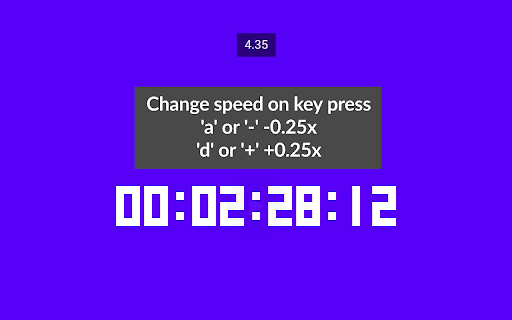

Chrome extension that enables changing YouTube video playback speed from 0 to 10 with a custom step. The controls are integrated with the YouTube player in the form of: - a draggable bar below the quality option in the player settings, - numeric input - by detecting pressed keys provided by the user (by default '-' or 'a' to subtract and '+' or 'd' to add). The feature of dynamic video playback speed enables the playback speed to begin at a specified rate and then gradually increase until it reaches the desired rate at the specified duration percentage. Source code: https://github.com/MarekNowak250/Change-youtube-playback-speed-chrome-extension Have any improvement suggestion? You can create an issue here: https://github.com/MarekNowak250/Change-youtube-playback-speed-chrome-extension/issues

Change YouTube Speed
Take full control of your YouTube video playback with the "Change YouTube Speed" extension, designed for both Chrome users. This simple yet powerful tool allows you to modify the video speed from a minimal 0.1x up to a maximum of 15x, providing a wider range than YouTube's default options. Flexible Speed Adjustment: Directly control your video playback speed ranging from 0.1x to 15x, all through an easy-to-use interface. Instant Speed Shifts: Switch speeds with just one click, making your viewing experience more efficient and tailored to your needs. Seamless Integration: Works perfectly with YouTube’s native player, ensuring a smooth and intuitive user experience. After installing, refresh any already open YouTube pages to activate the extension. Click on the extension icon to select your desired speed, and instantly see the change on your YouTube video. Perfect for educational purposes, entertainment, or professional use, the "Change YouTube Speed" extension helps you optimize your time and enhance your viewing experience. Install today and experience YouTube like never before!

Youtube Speed Control Hotkeys
Allows you to customize your own speed control hotkeys in Youtube You can customize your own hotkeys to speed up and speed down the playing video on youtube. This extension only works on youtube. ======================================================== Version 1.0.22 - Bug fixes and performance improvements Version 1.0.21 - Add support for Youtube Shorts Version 1.0.18 - Bug fixes and performance improvements Version 1.0.9 - Remove "Seek backward & forward" feature from extension, as Youtube had include this feature in the latest update. Version 1.0.7 - Seek backward & forward works even the focus element is not on video player Version 1.0.6 - New configuration effect immediate change without the needs of refreshing page Version 1.0 - Basic customization that allows you to customize your own hotkeys of changing youtube playback speed rate.

YouTube Speed Control
Control the speed of YouTube videos! The one-stop solution for changing the speed of every video you watch on YouTube, including outside of YouTube.com!

Change YouTube Speed 0.0625x to 16x
Elevate your YouTube viewing experience with our Chrome extension that lets you control the playback speed of videos. With a simple slider, you can set speeds anywhere from 0.0625x for ultra-slow motion to 16x for a quick watch. Whether you want to take your time understanding tutorials or speed through lengthy content, our extension puts you in charge. This user-friendly tool is designed for convenience, allowing you to adjust playback speed effortlessly. Slow down videos to catch every detail or speed them up for efficient watching. Download our extension now and take control of your YouTube experience by customizing playback speeds to suit your preferences.
