
migomhggnppjdijnfkiimcpjgnhmnale
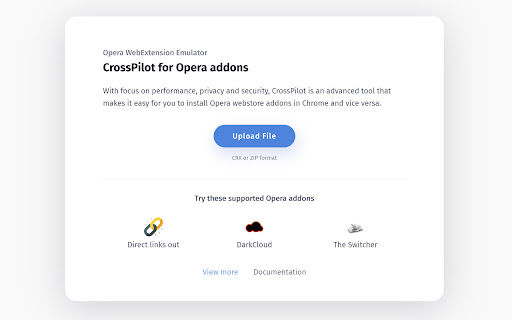


With focus on performance, privacy and security, CrossPilot is an advanced tool that makes it easy for you to install Opera webstore addons in Chrome and vice versa. How to use - Visit Opera addons webstore and find your desired addon. - Click on Install with CrossPilot button in sidebar. - Installation process will begin in CrossPilot installation page - Review the optional permissions (Grant/Deny) - You are ready to use your Opera addon in Chrome. CrossPilot requires minimum permissions possible to operate. All optional permissions can be granted or denied by the user. See the following section on use of permissions for more details. Use of permissions: CrossPilot requires 3 permissions upon install: 1. Storage - (Used to store CrossPilot settings) 2. Unlimited Storage - (Chrome Extension storage is limited to 5MB, We require higher storage for larger extensions) 3. Alarms - (Used to create repeating tasks, mainly used for checking updates) Optional permissions: 1. http://*/ and https://*/ (Used to for installed extensions' content scripts) 2. Downloads, downloads.open (Create and read downloads, open downloaded files, for download managers) 3. tabs (Can be used for screenshot extensions, PDF generators) Data Privacy Policy We do not track any of your data, period. We do not track any usage of the extension - that includes searches, filters, tabs, windows, popup opens, etc We do not track any websites, website usage, etc We do not transfer any data to any 3rd party servers The extension uses Google Analytics to collect installation metrics and code error information anonymously to improve extension quality. The only data that we store is your storage data. You save this data to your local browser storage. We never touch or see this data. This data is exclusively stored inside your browser. The same goes for your settings - your settings are saved solely inside your browser. Feel free to contact us if you got any questions or concerns about data privacy, we will be happy to help.

Foxified
Emulate firefox extensions in Chrome, Opera and other Chromium based browsers Emulation Sandbox Firefox addons are emulated and served in a sandboxed unique origin. WebExtension API Foxified polyfills most of the browser and Chrome APIs including XHR and webextension API Extra Layer of Protection All of the permissions are optional and requested upon plugin install Notes: - Not all Firefox extensions are supported/compatible. We have only added support for a few APIs that are stable and we are working to add more. - Foxified does not include analytics or gather any user data by itself. But you should beware when installing guest extensions.

SCDownloader - SoundCloud Track Downloader
Adds a download button for publicly available SoundCloud tracks. For personal use only. SCDownloader adds a convenient download button to SoundCloud tracks and playlists for personal offline listening. ------ Key Features: - One-click download button on track and playlist pages - Download entire playlists with a single click - Works with publicly available content only - High-quality audio format - Preserves track metadata - Lightweight extension This extension only works with content where downloading is permitted by creators. For personal, non-commercial use only. The extension respects copyright laws and SoundCloud's Terms of Service by only enabling downloads for content explicitly marked as downloadable by creators. Not affiliated with or endorsed by SoundCloud.

Douga Getter
You can easily download videos from popular video sites. Just click the extension icon, then select the video you want to download. The Douga Getter provides a feature that allows you to download videos from websites. On a page opened in your browser, it detects all the videos that have been loaded and notifies you on the action button. When you click the action button, a list of downloadable videos will appear, and you can click the one you want to download. By default, video files smaller than 2MB are not shown, so change the settings if necessary. Please note that Douga Getter takes no responsibility for the content you download. Therefore, before downloading, it is recommended that you check the copyright and permissions of the video. In Japan, it is prohibited by law to download videos that you know have been uploaded without the copyright holder’s permission. Please be mindful of this. We bear no responsibility for any incidents arising from the use of this extension. No guarantees are made regarding the operation of this extension. Use it at your own risk. Distribution of this extension may be discontinued without notice. There is no obligation to provide version upgrades, bug fixes, or other support. 1. Extension This extension does not collect, store, or transmit any personally identifiable information or usage data. All functionality runs entirely within the user’s local browser environment. 2. Service Website ( https://www.douga-getter.com/ ) Our official service website, which works in conjunction with the extension, may collect limited technical information and may use analytics tools (e.g. Google Analytics). • Collection The service website may collect anonymous technical data such as browser type, screen size, language settings, visit duration, and whether the content on the page is displayed correctly. Personally identifiable information is not collected. Please note: We do not collect or store any information about your personal activities, such as which pages you visit or what files you download. Your browsing and download history remain entirely private and are never transmitted to us. • Purpose Collected information is used only to understand general usage patterns, improve service functionality, and enhance user experience. • Sharing We do not sell, share, or disclose collected data to third parties. If analytics tools such as Google Analytics are used, data may be processed by those providers in accordance with their privacy policies. • Choices Users may opt out of Google Analytics data collection by using tools such as the Google Analytics Opt-out Browser Add-on, or by discontinuing use of the service website. • Updates This privacy policy may be updated from time to time. Any changes will be posted on the service website and/or the extension’s store listing page.

CRX Emulator
Emulate CRX files in your browser CRX Emulator allows you to test and run Chrome extensions (.crx files) securely in a sandboxed environment, ensuring complete privacy and isolation from your browser. Whether you're a developer testing your extensions or a user verifying an offline extension, CRX Emulator offers a safe, installation-free solution with no data tracking. 🔒 Privacy & Security Runs in a Secure Sandbox – CRX files are executed in an isolated environment, preventing unauthorized access to your browser data. No Installation Required – Test extensions without modifying your browser settings. Zero Tracking – We do not collect, store, or transfer any data to third-party servers. Local Storage Only – Your settings and data remain inside your browser and are never accessed or shared. Privacy policy No unnecessary data tracking – The extension only requests permissions required for its core functionality. All optional permissions require user approval – The extension will not access websites or perform actions without user consent. Local storage only – Any stored data remains in the browser and is never sent to external servers.
