
mhcaanbbgcjmknckdnjepncjgobccogi


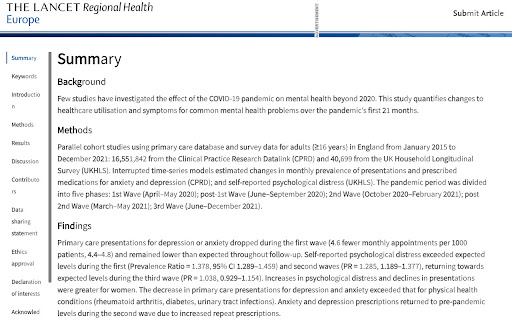

Enhance your online reading experience with half-bolded words! Enhance your online reading experience with half-bolded words! Bold Reader is designed to make reading text on web pages easier and more accessible. This free-to-use Chrome extension transforms the text of web pages by making the first half of every word bold, creating a unique visual cue that can help improve reading speed and comprehension. This tool is beneficial for people with any form of neurodivergence where this kind of formatting can aid reading. Whether you struggle with dyslexia, ADHD, or any other condition that can make reading on a screen challenging, Bold Reader is here to help make your online reading experience better. Key Features: - One-click activation: Bold Reader works on any web page with a simple click. - User-friendly: Simple, clutter-free design makes it easy to use. - Secure: The extension only activates when you choose to use it and does not collect or store any personal data. This extension is a completely free tool, developed with the sole aim of offering help to anyone who could benefit from it. There are no commercial interests attached to this project. Instructions: 1. Install the Bold Reader extension. 2. Navigate to any web page. 3. Click on the Bold Reader icon to activate the extension and enhance the readability of the page. Bold Reader is a product of an experiment to explore the ways artificial intelligence, specifically OpenAI's GPT-4, can be used to contribute to making the web more accessible. The creation of Bold Reader involved coding advice and guidance from GPT-4 to an otherwise hapless amateur coder, but the extension itself operates independently without any AI components. Install Bold Reader today and make your online reading experience better! I am very open to feedback and suggestions to improve the tool, so feel free to reach out.

Make text easier to read :)
Provides simple options to format the text on your favorite page in lowercase and with half-bold words. If you're at a screen all day like some of us, you'll know text and fonts are adapting. This extension gives you two toggleable per-website options: - Lowercasify Force all text on the page to be lowercase. - Boldify Bold the first half of every word on the page. This extension does not collect any of your information. It does not contact any third party services.

Bold First Half
Bold the first half of every word in tags Read faster. We bold the first half of all long-form text in tags on any website, so that you can skim it quicker.

Bold It
Control the boldness of text on any website. * Easily adjust font-weight on any webpage. * User-friendly interface with simple controls. Features: * Real-time font-weight adjustment. * Save preferred settings. * Enhance readability. * Compatible with all websites. * Users have the flexibility to define a global default font-weight, as well as specify unique, additional font-weights for individual domains. How to Use: * Install from the Chrome Web Store. * Click the extension icon. * Adjust the font-weight slider. Support and Feedback: https://forms.gle/BK9xADEk7enopuQz8 Buy me a coffee ☕: https://buymeacoffee.com/yardenporat Contact: yardenporat@gmail.com

Reverse Half Bold
A tool to help a special someone improve their reading focus and comprehension. Half Bold literally bolds half of the word allows all users to focus on the second half of text without being overwhelmed. This can be a great tool to activate when you see long blogs or even a large group of paragraphs. For some that have a hard time reading the last part of a word this is for you.
