
mgodnpglndjnfpddlamphecaheodnafc
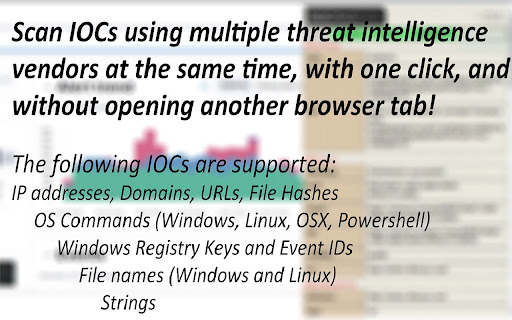


Get info on OS Commands, IPs, Domains, URLs, Hashes, Windows Events and Registry keys, Strings, and Files with one click. In-browser threat intelligence companion that streamlines artifact analysis—IPs, domains, URLs, and beyond—through one-click lookups across leading security vendors. SOCMaster integrates with leading threat intelligence platforms such as VirusTotal, AbuseIPDB, and others, allowing users to swiftly transform data into actionable insights. 1. From the web browser, select or highlight an artifact and right-click 3. Click one of the options available 4. Menu will appear on lower right side containing information on the artifacts Bulk lookups --allows you to quickly assess multiple artifacts at once, saving time during intensive investigations. 1. From the web browser, gather a list of either IP addresses, Domains, URLs, File Hashes, File Names. Each entry separated by new line or spaces For example: 2. Highlight all of the objects to be scanned, right-click, and select "SOCMaster" 3. Click one of the options available (IP/Domain/URL/Hash scan using vendor API keys or Get file (Linux/Windows) information) - Uses Threat intelligence vendors such as AbuseIPDB, VirusTotal, AlienVaultOTX, HybridAnalysis and others to obtain the reputation and information on an IP address, Domain, Hash. Data available is dependent on the vendor. - Submits URLs to URLscan.io, VirusTotal, AlienVault, HybridAnalysis and others for analysis using API keys. - Click the vendor link to view the URL scan result. - Get information on over 3,300 Powershell cmdlets from Powershell modules, almost all Linux commands (Man Sections 1-8), Windows commands, and OSX commands. - Shows information on Operating System binaries and commands. For example, Windows commands such as "ipconfig" or "tasklist", "Set-ExecutionPolicy" for Powershell, and "rm" for Linux. - Retrieve information on known files such as "kernel32.dll" for Windows or "passwd" for Linux. To query an IP, Domain, and Hash using vendor API keys, an API key is required. Follow the steps: 2. Click the "SOCMaster" icon > Settings 3. On the settings page, on the upper right corner click "Add API key" 5. Paste vendor API key on the API key field A user can highlight the above command and select the "Find command information" option and will be able to view the syntax and parameters of the command. 2. Suspicious IP address from the firewall logs: x.x.x.x A user can highlight the IP and select the "IP scan using vendor API keys" option and will be able to view IP reputation and data from vendors. A user can highlight the above command and select the "Find command information" option and will be able to view the syntax and parameters of the command. 4. Windows Event IDs on the SIEM show: eventID 4624 A user can highlight the event ID number and select the "Get event ID information" option and will be able to view the fields and description of the Windows event Supports the following vendors: VirusTotal AbuseIPDB AlienVaultOTX Twitter URLscan HybridAnalysis GoogleSearch Pulsedive

Add to LinkJoin
Organize and automatically open virtual meetings. Keep all of your links in one central location where they can be sorted, searched for, and opened from any device with just a click. Receive reminders up to 30 minutes before a meeting and automatically opens it when the time comes. LinkJoin Bookmarks store links for access from any device at any time. Add to LinkJoin streamlines this process into a two-click process in your browser. Add to LinkJoin operates in the background so you can open links or open Zoom meetings automatically without any tabs running. Share links and bookmarks with others via the LinkJoin website, transferring your saved information to them as well.

FLOZABLE Tab Monitor
Boost focus with timers, block distractions, get study tips, and stay updated with group alerts using FLOZABLE. Supercharge your focus and productivity with the FLOZABLE Study Focus Chrome Extension. Seamlessly integrated with your browser, this extension is your go-to tool for cultivating efficient study habits and making the most out of your online learning experience. Time Management Mastery: Effortlessly track your study time with our intuitive timer. Set focused intervals, challenge yourself, and stay on top of your study goals. Distraction-Free Browsing: Activate the distraction-free mode to limit access to non-educational websites during your study sessions. Say goodbye to procrastination and hello to enhanced concentration. Personalized Study Plans: Receive AI-generated study suggestions based on your learning habits and preferences. Tailored recommendations to keep your study sessions engaging and effective. Group Study Alerts: Stay connected with study groups seamlessly. Receive instant notifications for group study invitations, challenges, and achievements directly through the Chrome Extension. Progress at a Glance: Get a quick overview of your study progress with a personalized dashboard. See your daily, weekly, and monthly study trends, empowering you to stay motivated and accountable.

Peek for YNAB
Check on your YNAB category and account balances, and quickly add transactions. The Peek for YNAB extension gives you a snapshot of your current YNAB category and account balances. You can pin your favorite categories and accounts, view recent transactions, and add transactions right from the extension. Split transactions and transfers are fully supported. You can also setup customizable notifications and alerts for each budget. Peek for YNAB is a third-party extension, and is not maintained or supported by YNAB (the company). Please do not reach out to YNAB's official support channels for help or issues related to this extension. Instead, please refer to the extension's help page: https://peekforynab.com/help

Simple QR Code Generator
Generates a QR code based off on what website are you or the text you input. Simple QR code generator that generates a QR code based off on what website are you or the text you input. • Supports dark and light theme (changes based of your device preferences) • Download generated QR code in 512x512 PNG quality • Advanced QR Generator option • Open source
