
mgmpnjoaiemmpaikooaknnmljflbnnhf


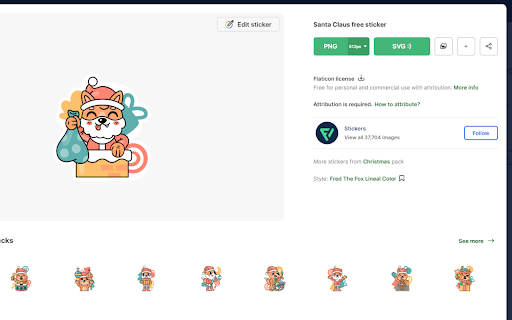
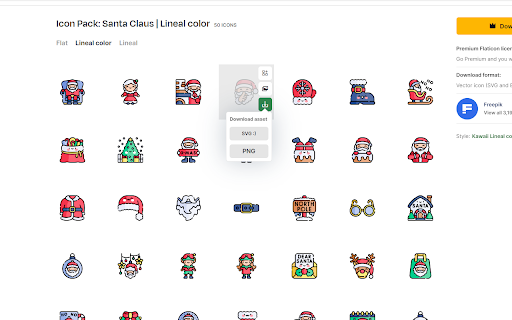
How to use: 1. Login in flaticon 2. Search your icon 3. Download using svg button and be happy

Amazing Icon Downloader
Easily find and download SVG Icons from a certain cloud management portal. This extension only works for a certain cloud management portal - hopefully you are here by word of mouth. If you are here randomly, then this tool probably isn't for you. This is an unofficial extension, so I can't actually say the name of the cloud management portal it is for :-) Main features: - Easily view all icons on a page - Search to filter down long lists of icons - Rename and download any single icon, in .svg or .png format - Bulk download all icons as a .zip file

html.to.design
Convert any website into fully editable Figma designs. Requires the associated Figma plugin! With html.to.design, convert any website into fully editable Figma layers. Leverage an existing website and import its HTML to Figma to start your own designs, without building each element from scratch. This Chrome extension is a companion to the html.to.design Figma plugin, which you’ll need to install for certain features. If you are using the “Copy to clipboard” option, you do not need to run the Figma plugin — simply paste (⌘+V) your captured webpage in your canvas! This extension also has built-in support for AI Tools like ChatGPT, Bolt and Lovable, and can directly capture their results without any extra steps. You can find the full list of AI tools supported here: https://html.to.design/docs/import-from-ai-tools 1. Install the html.to.design Chrome extension by clicking on [Add to Chrome] on this page. 2. Navigate to the page you would like to import into Figma. 3. Click on the html.to.design extension icon in your Chrome top bar. 4. Hit 'Capture' and the extension will automatically start capturing the page. Once your webpage has been captured, there are several ways to import it into Figma: a) Store it locally as an .h2d file that must be dropped into the html.to.design Figma plugin b) Send it directly to the Figma plugin d) Copy it to the clipboard to then directly paste the result in Figma --- Notes: In order to best map what you see in your browser to Figma, we need to access Chrome's debugging features.

Freepik Easy Copy by GFD
Adds the ability to quickly copy photoes from freepik.com Adds two buttons on each photo on freepik.com. Press on the fox to go directly to the photo image. ANd press on the cat to copy image to clipboard.

Dastyar Personal Assistant in your newtab
Everything you need to be productive and focused, in your newtab. Unlock Your full potential Dastyar - Your Personal Assistant for Productivity and Focus Dastyar is a Google Chrome extension that helps you boost your productivity and focus. It provides you with a variety of tools and features, including: ⏰ International clock and timers: Stay on top of time with a variety of clocks and timers in different time zones. 🌦 Weather updates: Get up-to-date weather information for your current location or anywhere else in the world. 💙 Today's box: A convenient way to keep track of important events, dates, and tasks. 📅 Calendar box: A comprehensive calendar with all of your events in one place. ✏️ Note-taking: Take notes, create to-do lists, and set reminders. 🔗 Bookmark organization: Organize your bookmarks with folders, labels, and custom icons. 📌 Speed Dial: Access popular websites and Google tools with a single click. 🔒 Secure browsing: Browse the web safely and securely with Dastyar's privacy features. 🌠Customizable appearance: Choose from a variety of background images, color schemes, and fonts. 📿 Prayer times: Access Islamic prayer times and religious occasions Dastyar is the perfect tool for anyone who wants to be more productive and focused. It's easy to use and customize, and it's backed by a team of dedicated developers. Download Dastyar today and start boosting your productivity Dastyar prioritizes user privacy and security Provides an enhanced web experience Constantly evolving based on user feedback Google Chrome Web Store approved and recommended Currently supports Persian language for users in Iran, Afghanistan, Uzbekistan, Tajikistan, and worldwide Persian-speaking users ☆☆ Security and Privacy ☆☆ Dastyar emphasizes the importance of security and privacy on the web. The extension undergoes rigorous scrutiny and testing by Google Chrome and is officially offered through the Chrome Web Store. The Dastyar team is committed to maintaining privacy and user data integrity, following strict protocols and technologies to ensure a secure environment.
