
mgdnblbhldmdglmbmmlfdfiiboblkibe
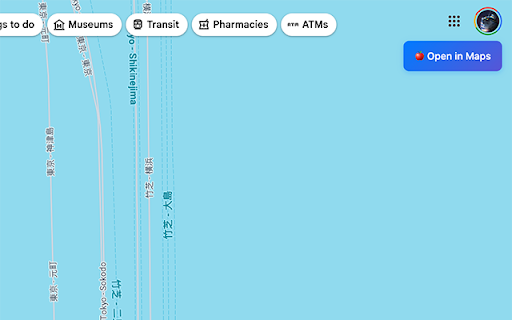
There will be a button in google maps web below your avatar, click to open mac os map application to show the location you are looking at.

Waves Macos Colorful Live Wallpaper
Fluid colorful waves flowing across screen with vibrant gradient layers in modern abstract style. Experience the mesmerizing beauty of fluid motion with this stunning abstract wave design! This captivating wallpaper features layers of smooth, undulating waves that flow gracefully across your screen in a symphony of vibrant colors. The composition seamlessly blends deep ocean blues, electric turquoise, vibrant coral pink, warm orange, and soft purple hues, creating a dynamic gradient that feels both energetic and calming. The sophisticated layering technique gives each wave a sense of depth and dimension, as if they're floating and intersecting in three-dimensional space. The smooth curves and organic shapes create a natural rhythm that's pleasing to the eye, while the contemporary color palette brings a fresh, modern aesthetic that complements any desktop setup. 🔗 Popular Shortcuts – Quick access to YouTube, Netflix, ChatGPT, and more. ➕ Custom Shortcuts – Add your own favorite websites with ease. 🔍 Search Bar – Seamlessly connected to your default search engine. 🕒 Clock & Date – Modern, clean display of current time and date. 🎮 Play Games – Built-in entertainment options for your browsing breaks. 🚀 More Extensions – Enhance your journey with additional features.

iCloud Find My GPS Logger
Logs device movements from iCloud Find My and exports to GPX files **Track your Apple devices' location history from iCloud Find My** Want to see where your iPhone has been? This extension captures GPS data from iCloud Find My so you can export location history as GPX files for use in Google Earth, Strava, or other mapping apps. • Logs GPS coordinates from your iCloud devices • Works with your devices and family members' devices • Exports data as GPX (for maps) or JSON (for analysis) • Shows battery levels and distance traveled • Auto-refresh keeps location data current **Why the auto-refresh?** iCloud Find My doesn't update locations automatically. After a few minutes, the coordinates get stale. The extension can refresh the page periodically to grab fresh GPS data. You can turn this off if you prefer manual updates. Your personal devices like iPhone, iPad, Mac, Apple Watch, etc. Family devices (if you have Family Sharing enabled) Note: AirTags and shared items aren't tracked. 1. Install the extension 2. Go to icloud.com/find and sign in 3. That's it - the extension starts logging automatically 4. Click the extension icon to see your tracked devices 5. Export whenever you want **Good for:** - Keeping a record of trips and travels - Making route maps from real GPS data - Tracking family road trips - Importing routes into fitness apps Everything stays on your computer. The extension doesn't send data anywhere. All location history is stored in your browser's local storage only. **Support the project:** If you find this useful, consider buying me a coffee: https://ko-fi.com/buiapp Free, no ads, no tracking. Just a simple tool to export your own location data.

Tab Flick ✨ — switch your tabs fast, like on Windows or macOS
Inspired by the familiar Alt+Tab window switcher on Windows, Tab Flick brings the same fast, muscle-memory flow — triggered by… Inspired by the familiar Alt+Tab window switcher on Windows, Tab Flick brings the same fast, muscle-memory flow — triggered by Ctrl+Q (changeable) — but for browser tabs. 1. Press Ctrl+Q (default) to open the switcher. 2. Keep pressing Ctrl+Q to cycle through recent tabs. 3. Release to jump to the highlighted tab.

Open New Tab Here
A shortcut to open a new tab next to the current one By default, Chrome will only open a new tab at the very end of the row of tabs, which isn’t always what you want. This is a quick shortcut to open a new tab to the right of the one you’re currently viewing. You can either use the button to the right of the address bar, or a configurable keyboard shortcut. *Important Note:* If the provided keyboard shortcuts don't work for you, you can change them by going to chrome://extensions/shortcuts The default keyboard shortcut is: • For Windows & Linux: Alt + T • For macOS: Ctrl + T There is also a shortcut to open the new tab in the background instead of switching to it straight away: • For Windows & Linux: Alt + Shift + T • For macOS: Ctrl + Shift + T The code is open source at https://github.com/gilmoreorless/chrome-new-tab-here
