
mfpkbigjnlcgngkdbmnchfnenfmibkig
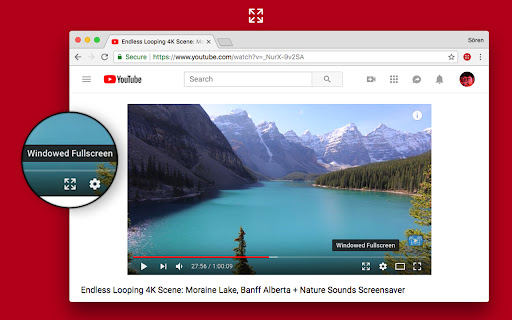

Make the most out of your screen space with a single click! This extension gives you a true fullscreen YouTube experience without forcing your browser into fullscreen mode. Enjoy videos that fully use your screen real estate, while still keeping comments, suggestions, and other features accessible. - Inline Fullscreen: Expand the video to fill your browser window, no borders or sidebars. - Responsive Layout: Keep comments, recommendations, and other elements within reach. - Fast Toggle: Instantly switch modes with a custom button in the player or a quick keyboard shortcut. - Customizable Settings: Click the extension icon to fine-tune the behavior to your liking. *Note*: After installing, please reload YouTube for the new player button to appear. 1.3.9 - Pressing "t" now exits fullscreen mode - Made auto enable and theater mode detection more robust. 1.3.5 - Searchbar hide bugfix - Made auto fullscreen more reliable - Fixed a case where the button would not be added 1.3.3 - Now ignoring modifier keys for shortcuts - Made shortcut editable 1.3.2 - Changed fullscreen shortcut from w to d to avoid conflicts with YouTube’s default shortcuts 1.3.1 - Added "Show Player Button" preference - Settings now take effect immediately after changing them - Now checking if content scripts are installed when opening the settings popup - Fixed a bug where autoEnable would fail if player is in default mode - Fixed theater mode preference not being properly restored 1.3.0 - Added Settings screen when clicking extension icon - Added Automatic Fullscreen option - Searchbar automatically shows/hides when in fullscreen. Similar to the seekbar.

Zoom to Fill - Ultrawide Video
Change aspect ratio of any video on any website, removing black bars ⬛ from videos and correcting the aspect ratio 🎉 Works on most websites, officially tested on major streaming platforms like: ⭐ Netflix ⭐ Amazon Prime Video ⭐ Disney+ ⭐ HBO Max ⭐ Youtube ⭐ and many more popular streaming websites! This extension was made for primarily for ultrawide 🖥️ screens (21:9, 32:9), but you can use it on any resolution and any video you like to zoom! If you have a 16:9 screen, this extension is very useful for 4:3 videos. ❇️How to use it? Very simple, if you want to use the player button (available for that site): *️⃣Click on the button to zoom, this will use your predefined aspect ratio. *️⃣Scroll on the button, to manually adjust your zoom level. ⚠️If there is no button, you can use the popup *️⃣Select a predefined aspect ratio (16:10, 16:9, 18:9, 21:9, 32:9). Selecting it again will reset the video aspect ratio to the original size. *️⃣Use the plus and minus controls, this will manually adjust the zoom level, also, you can scroll on the number to do the same. You can now also use shortcut keys ⌨️ to do everything, they can be customized on ⚙️Settings *️⃣You can define single keys for multiples aspect ratios. *️⃣You can define multiple keyboard combos separately also. New additions made on the last 2.0 version: ✅ Extension player button is now on most major streaming platforms. ✅ Popup added with more options and features ✅ Manual zoom adjustment ✅ Persistent mode ✅ Keyboard shortcuts ✅ Support for more screen resolutions If you find any issue don't doubt in leave feedback❗ You are always welcome to contact the developer 😉

Windowed Fullscreen for Videos
Works with most websites that include videos through the HTML5 tag, including videos that are embedded through iFrames and videos on websites that use shadow roots. Options: Enable / disable the extension for specific websites, and adjust button positioning so it doesn't interfere with other video overlays. You may report websites that are not compatible with this extension, but this usually happens due to websites being coded in exceptionally weird ways, so it might not always be possible for me to fix the problem. Please blame the website and not the extension :-)

Better YouTube Theatre Mode
Improves YouTube's theatre mode by making use of all of the available height

Ultrawidify
Removes black bars on ultrawide videos and offers advanced options to fix aspect ratio. Removes unnecessary black bars from the videos. Youtube and Twitch are officially supported by default. You can enable it for other sites as well, but support for other sites is not guaranteed. 1️⃣ Automatic aspect ratio detection (not supported on websites that utilize DRM. You may want to turn this option off when on battery power or when experiencing performance issues) 2️⃣ Crop to aspect ratio 3️⃣ Stretch video 4️⃣ Zoom video to aspect ratio
