
mfpiaehgjbbfednooihadalhehabhcjo


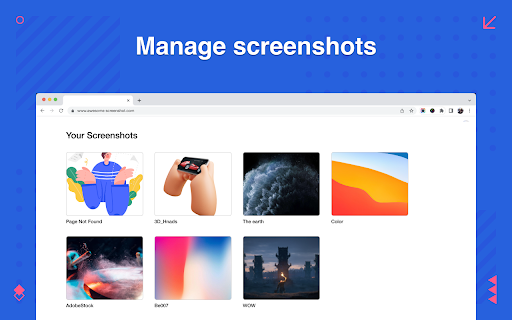
Scrolling Screenshot tool for screen capture and screen sharing This is the simple and quick version of the renowned “Awesome Screenshot” extension. Want to share your screen for cases like reporting technical issues, making product demos or how-to tutorials 【quickly】? Here are 7️⃣ reasons to choose Awesome Screenshot tool 1️⃣ Provide stable service for more than 10 years 2️⃣Loved by more than 3 millions users across different platforms 👍 3️⃣ Easy to use with shortcuts 4️⃣ No ads and respect your privacy 5️⃣Powerful features special designed for taking a screenshot quickly 6️⃣Quick Customer support 7️⃣ Most importantly, your voice matters! 🗣 & Continuous improvements Here are some features for this simple "Awesome screenshot" 📷 Screen Capture ▸ Capture a screenshot of the page you visit, full page, selected area or visible part ▸ Capture a screenshot of your entire screen or a specific application window (coming soon) ▸ Capture visible part, entire screen or app window after delay (Coming soon) 🖍 Annotate Screenshot ▸ Resize or crop a screenshot to the size you need ▸ Annotate your screenshot with rectangles, circles, arrows, lines, etc. ▸ Add text to your screenshot with or without background color, change text font and font size ▸ Blur sensitive information on your screenshot ▸ Highlight important part on your screenshot ▸ Select a local image or paste a copied image from your clipboard to annotate 📥 Copy & Save Screenshot ▸ Save screenshot as image in PNG or download screenshot as PDF ▸ Copy a screenshot directly when capturing selected area for quick pasting Shoot a message to care@awesomescreenshot.com if you experience any problem. Let us know your thoughts! Thank you.

Scrolling Screenshot & Full Page Capture
✨ The Ultimate Screenshot & Annotation Tool ✨ ➤ Long webpage screenshot capture 🔥 ➤ All features included in free version 🔥 ➤ Save and edit annotations forever 🔥 ➤ Over 100K users love this tool 🔥 Markup Hero is the only tool that offers multi-page scrolling screenshots for ultra-long websites – a problem other tools can’t solve. No website is too long or too complicated to get the perfect scrolling screenshot. Capture, annotate, and share with powerful editing tools that are always accessible. 🆓 FREE FOREVER WITH PREMIUM OPTION ➤ Premium features is just $3/month ➤ unlimited screenshots and edit forever 1️⃣ Scrolling Screenshot – Capture entire webpages, even extra-long ones 2️⃣ Multi-Page Slicing – Break long screenshots into manageable pages 3️⃣ Selected Area – Capture just what you need 4️⃣ Full Desktop – Grab your entire screen 5️⃣ Upload & Edit – Work with existing images and PDFs ➤ 20+ markup tools including arrows, text, pen, highlighter, and signatures ➤ Blur sensitive info with one click ➤ Insert images or other screenshots ➤ Add multiple pages – reorder like a PDF 🔥🔥 ➤ Crop, rotate, and zoom with precision ➤ All screenshots saved to your history ➤ Past markups can be edited forever 🔥🔥 ➤ Create folders and collections ➤ Title and search your screenshots ➤ Star favorites for quick access ➤ Instantly shareable links ➤ Expiring links for sensitive content ➤ Let others add annotations to your screenshots 🔥🔥 ➤ PDF export with one click ➤ Copy to clipboard for quick pasting 🔥 NEW: AI-POWERED SCREENSHOT FEATURES Extract text from any screenshot or image with just one click! More AI features coming soon, including background removal, image replacement, and text summarization. ➤ Product managers explaining features and collecting feedback ➤ Developers showcasing code and performing QA ➤ Designers creating comps and mockups ➤ Educators grading assignments and providing feedback ➤ Students completing coursework and asking questions ➤ Sales teams creating collateral and proposals ➤ Entrepreneurs… for literally everything! ➤ Chrome Extension (this one!) ➤ Desktop App for Mac, Windows & Linux ➤ Slack App ➤ Google Drive ➤ Notion ➤ API for developers Join over 40,000 users who have made Markup Hero their go-to screenshot and annotation tool. Try it now – no account or credit card required to get started! 🔗 Visit https://markuphero.com for more info or to download our desktop app.

Screenshot Tool - Screen Capture & Editor
Innovative screenshot tool lets users screen capture and edit screenshot. Full page screen capture. Take stunning screenshots of entire websites and capture page elements. Offline. No registration. Screenshot tool - captures entire websites and user areas. Ready-made screenshots can be quickly edited (crop, paint over, add arrows, captions or text). Screen Capture tool for making a full page or partial capture with further editing, download, or text adding. Make a full webpage screen capture or just any part of it with an opportunity to edit, save and download screen capture to your PC. The app is launched from a browser that totally saves your time. Simply click the extension icon to choose from options whole page capture or a selected part. You will not see any additional windows with websites here. Why waste time if you just want a screenshot? Want to share your screen for cases like reporting technical issues, making product demos or how-to tutorials? Here are reasons to choose Screenshot and Screen Capture: ✔️ Screenshot of the full page, not just the visible area or selected area; ✔️ Screenshot on One-Click; ✔️ Storage and processing without a server; ✔️ Save PNG files or Copy it to the clipboard with One-Click; ✔️ No login or registration required; ✔️ There are no restrictions on the size or size of the file; ✔️ Edit and discard changes your screenshot; ✔️ Add graphic and text elements such as pointer, arrow, square and other shapes; Click on the extension icon (in the upper right corner of the browser) then choose one of the options capture and watch the Screenshot Tool capture each part of the page and then transfer the finished screenshot to a new tab, where you can edit the image and upload it as a file to your PC. Notes Remember to reload the page after you install extension before trying to take a screenshot of it (Chrome should initialize the extension for each page). The extension Screenshot tool is completely free and easy to manage for users. If our extension is useful to you, please give us 5 stars!

Screenshot Entire Webpage
Capture a full page screenshot easily with the Screenshot Entire Webpage extension. Perfect for whole page screen capture. 📸 Introducing Your Ultimate Full Page Screen Capture Chrome Extension! Have you ever wondered how to take a picture of an entire webpage, including those parts hidden behind the edge of the browser window? With this Chrome extension, taking a whole webpage picture has never been easier! 🌟 Effortlessly Capture Screen Shots With our Chrome extension, you can: 1️⃣ Capture entire webpage picture with just one click. 2️⃣ Take a scrolling screen shot to include everything from top to bottom. 3️⃣ Save long screenshots without any hassles. 4️⃣ Share your screen shots instantly across various platforms. 5️⃣ Generate high-quality images from your captured content. 🚀 Features You Will Love Our full page screenshot app offers a variety of features: - Take full webpage picture effortlessly. - Learn how to screenshot the entire page. - Discover how to take a scrolling screen shot. - Seamlessly save and share captured images. ➤ Click on the extension icon. ➤ Select the option to take the full webpage. ➤ Wait as the extension scrolls the site content for you. ➤ Save or share your webpage picture instantly. 📈 Boost Your Productivity Wondering how to take a full page screenshot? This Chrome extension is designed to make your work easier, whether you're a student, a developer, or a designer. Here’s why you need it: ▪️ Document entire articles, tutorials, and guides. ▪️ Save full webpages for offline reading. ▪️ Share comprehensive reviews and feedback. ▪️ Capture everything from detailed analytics to creative content. 💻 Perfect for Professionals Learn how to screenshot an entire webpage for your professional needs. Our extension is ideal for: 1. Developers needing to debug entire web designs. 2. Marketers capturing promotional pages. 3. Writers archiving online content. 4. Designers documenting their layouts. 5. Educational purposes where you need to capture long articles. - User-friendly interface. - Hassle-free full page screen capture. - High-quality output every time. - Regular updates to improve user experience. 🔍 Optimize Your Workflow Tired of missing important parts of content while making screen pictures? Learn how to take a long screenshot that captures every detail. This application makes taking an entire webpage screen capture a breeze. 🚧 Reliable and Efficient 🔖 How to Use the Extension ◽ Install the extension from the Chrome Web Store. ◽ Open the webpage you want to screencapture. ◽ Click the extension icon. ◽ Select full page screen shot. ◽ Save the generated long screenshot. Our users love the ease and efficiency of our app. Whether you need to capture full webpage screenshots or understand how to take a long screen shot, our tool is highly recommended by professionals and everyday users alike. If you're wondering how to take a scrolling screenshot or how to take a full page screen shot, look no further. This Chrome extension is the solution to make entire web page picture efficiently. Discover how to screen shot an entire webpage easily and make your life simpler. Don’t waste any more time! Install our extension today and learn how to take a long screen shot effortlessly. Capture full webpage screenshot and enjoy the convenience of having every detail in one comprehensive image! 📜 Capture the Entire Page with Ease Whether you're capturing a detailed blog post, a lengthy research paper, or any other extensive content, our extension ensures you get a full website screencapture without missing a thing. Learn how to screenshot a whole page and make sure you always have the complete picture! ✨ In summary, if you’ve ever wondered how to screenshot an entire webpage, our Chrome extension is the answer. We regularly update the extension to include new features and improvements. Stay tuned for future updates that will enhance your full page screen capture experience even further. Don't miss out on the best way to screen capture whole page content. Download our Chrome extension today and experience the ease of full page screenshots. Whether you need it for work, study, or personal use, this tool will exceed your expectations.

Full Page & Scrollable Areas Screenshot – Capture X
This extension only runs when you click the extension icon, with minimum permissions required. Capture full webpage screenshots by scrolling, support image editing and annotation features, convert to PDF or JPEG/PNG files, and download for local saving. Why Install CaptureX? Key Features: 1️⃣ Take a scrolling screenshot of the entire page and stitch it into one image.🔥 2️⃣ Capture scrollable child areas. 🔥 3️⃣ Capture the selection of the page. 🔥 4️⃣ Edit screenshots and add annotations. 🔥 5️⃣ Convert screenshots to PDF for downloading and saving. 🔥 6️⃣ Save screenshots as JPEG/PNG files. 7️⃣ Copy screenshots to the clipboard. 8️⃣ Print screenshots directly. Privacy & Security: This extension only requests minimum permissions and does not run by default. It only activates when the user clicks the extension icon. This design ensures users' privacy is protected and avoids any unauthorized automatic actions or data collection. Users always have full control over when to enable extension features, enhancing security and privacy protection during use.
