
mfcaadoifdifdnigjmfbekjbhehibfel
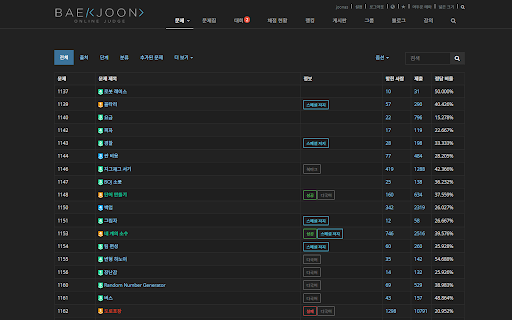
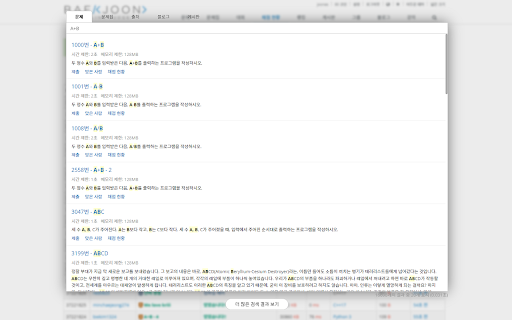

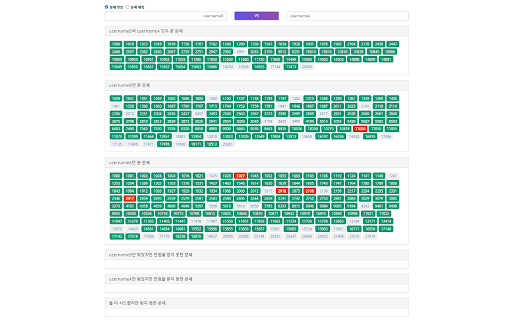
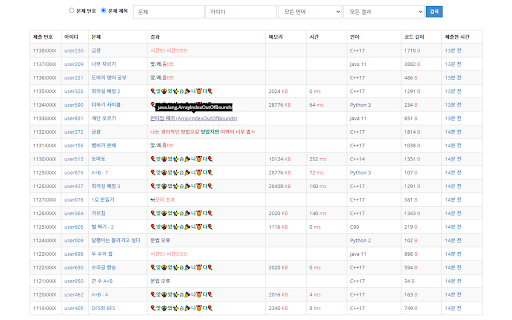
백준 온라인 저지(BOJ)를 확장된 기능과 함께 사용해보세요. [테마] - 어두운 테마를 포함해서 다양한 테마로 사이트를 이용해보세요. [넓게 보기] - 꽉 찬 화면으로 넓은 시야를 즐기세요. [프로필] - 문제 번호와 문제 제목을 선택하여 볼 수 있습니다. (기능 복구) - 푼 문제를 다른 사용자와 비교할 수 있습니다. (기능 복구) - 모든 유저의 닉네임 옆에 solved.ac 티어를 표시할 수 있습니다. [그룹] - 그룹의 채점 현황/랭킹/문제집 등 목록에서 한 번에 접속하세요. [채점현황] - 문제 번호와 문제 제목을 선택하여 볼 수 있습니다. - 자신이 제출한 코드가 표시됩니다. - 런타임 에러의 원인에 대한 짧은 설명이 표시됩니다. - "옵션 페이지"에서 제출 결과의 텍스트를 수정할 수 있습니다. - 마지막으로 채점된 상태(%)가 표시됩니다. [문제] - 타이머 기능을 사용해서 문제에 제한 시간을 설정하고 표시할 수 있습니다. [빠른 검색] - `ctrl+/` 또는 `atl+/` 키로 빠르게 검색하세요. [폰트] - 사이트의 폰트를 직접 설정해서 이용하세요.

o-ey
A user translation viewer for BOJ Take user translation from boj-user-translation and shows on BOJ problem page (e.g. https://acmicpc.net/problem/2557). Problems translated by users are marked as yellow on problem listings. On the problem page, click the language button, and the translation is shown. You can see the translated pages index on https://github.com/kiwiyou/boj-user-translation/blob/main/index. If you want to use your own repository for translation, click the extension button and add your repository on the list. You can see the list of translated problems on solved.ac (https://solved.ac/) as well.

백준코드
방금 푼 문제를 디스코드로! 방금 푼 백준 문제를 자동으로 여러 디스코드 서버에 알려보세요! 문제를 풀면 자동으로 디스코드 웹훅을 통해 전송합니다.

탭고리즘 - 새 탭으로 깨우는 알고리즘 두뇌
매일 새로운 알고리즘 문제를 새 탭에서 확인하세요. 짧고 굵게 2분, 꾸준한 학습으로 알고리즘 감각을 잃지 않도록! ✅빈칸 채우기 형식 - 코드를 직접 치지 않고도 알고리즘을 고민할 수 있어요. 한 문제당 최대 3개의 빈칸을 해결해 보세요. 짧고 굵게, 5분 만에 알고리즘 문제 하나를 깊게 고민하고 학습하게 됩니다. 🕛매일 새로운 문제 업데이트 - 항해99에서 자체 제작한 알고리즘 문제와 '백준'에서 가져온 고 퀄리티의 문제가 매일 밤 12시에 업데이트됩니다. 📆나의 학습 현황을 한 눈에! - 최대 며칠 연속으로 문제를 풀고 있는지, 지금까지 풀이한 문제는 몇 개인지, 현황 캘린더로 꼼꼼하게 확인할 수 있어요!

Competitive Companion
Parses competitive programming problems and sends them to various tools like CP Editor and CPH. Competitive Companion parses competitive programming problems and contests and sends the parsed data to various tools like CP Editor and CPH. At the moment it supports 117 online judges, including most major ones like AtCoder and Codeforces. Using it is very simple. Just install the extension, make sure you got one of the supported tools open, navigate to a problem page and click on the green plus icon in the top-left of your browser. On websites where Competitive Companion is able to parse contests, navigating to the page with all the problems and clicking on the green plus icon will download and parse all problems in the contest at once. You can also use the Ctrl+Shift+U shortcut instead of the green plus icon (configurable on chrome://extensions/shortcuts).
