
mehmbceeoajoljjbcodcbjlhmopjmlmf
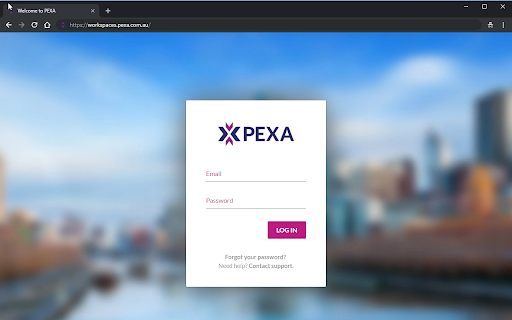
PEXA provides a simple and secure way to electronically sign documents and financial settlement when using your Chrome browser. Your Security is important. Digital Certificates use public key cryptographic technology to secure information that passes from one computer to another over a network. This technology helps to ensure that transacting online is a secure method of information exchange. Install the PEXA digital signing extension today and eliminate the costs, hassle, and lack of security in paper-based world. For more information on how we handle your personal information, please refer to PEXA's privacy policy at https://www.pexa.com.au/privacy-policy

Philips Device Connector
This extension allows communication between websites and Philips dictation devices This extension connects websites, such as speechlive.com, with Philips dictation hardware like Foot controls or SpeechMikes. Among other features, it allows using the buttons of Philips dictation hardware to control Philips SpeechLive (e.g. the webplayer, recorder or Speech to text). Please note: This extension only works in conjunction with the Philips Device Connector native host application! To set up Philips Device Connector properly, please follow the guide linked below: ISVs can use Philips Device Connector as a library to add Philips dictation device support to web apps. Please follow the guide linked below for further instructions:

Qantas Shopping Points-Prompter
Browser extension for Qantas shopping Qantas Shopping Points-Prompter is for every Qantas Frequent Flyer member who shops online and wants to ensure they’re earning Qantas Points. Points-Prompter brings the points-boosting opportunities to you while you’re shopping at hundreds of online stores. 1. Add to browser - it's quick, easy and free. 2. Shop online - when browsing a store, you'll receive a prompt to let you know you can earn Qantas Points. 3. Be rewarded - earn points shopping at supported stores including eBay, David Jones, rebel, PETstock and many more. Not a Qantas Frequent Flyer member? Join for free at: https://www.qantaspoints.com/join-now?code=POINTSPROMPTER The Qantas Shopping Points-Prompter requires a member to be authenticated in order to track & earn Qantas Points via Qantas Shopping. The Qantas Shopping Points-Prompter will create and use cookies in order to identify you. An encrypted unique identifier (not your Qantas Frequent Flyer number) and your first name will be saved in the cookie. This cookie is stored in your browser so that you don’t need to log in every time you use Qantas Shopping. The cookie will expire after 365 days or you can log out of the Qantas Shopping Points-Prompter to delete the cookie. The Qantas Shopping Points Prompter uses your browsing history to allow track & earn of Qantas Points via Qantas Shopping. The Qantas Shopping Points-Prompter does not retain or share any of your data, including your browsing history. By installing the Qantas Shopping Points-Prompter you agree to the Terms and Conditions of the Qantas Frequent Flyer program, the Qantas Privacy Policy and the Qantas Shopping Terms and Conditions. Select stores have opted out of Qantas Shopping Points-Prompter notifications being displayed on their website. This can be temporary or on occasion. If this is the case, simply visit the store’s retailer page at shopping.qantas.com to earn Qantas Points. Individual retailer terms and conditions apply, please check the individual retailer's offer at time of purchase. Please visit shopping.qantas.com/points-prompter for more information. Complimentary Qantas Frequent Flyer membership is offered by Qantas Airways Limited ABN 16 009 661 901. This offer may be withdrawn at any time. This offer is not available in conjunction with any other offer. Qantas Frequent Flyer membership and the earning and redemption of Qantas Points are subject to the Terms and Conditions of the Qantas Frequent Flyer program and each application is subject to approval by Qantas.

Read on reMarkable
Easily send web articles to your reMarkable with one click. 🔸It’s now easier than ever to send web articles to your paper tablet with Read on reMarkable.🔸 Choose between two different options to optimize your paper tablet experience: 🔹 Select reMarkable Notebook, and use Convert to Notebook to send web articles as notebooks to your paper tablet. Ads and pop-ups are stripped away, so you can read with focus and develop ideas with the power of the pen. 🔹 Select EPUB to keep the original content, but limit the ability to edit and arrange your content. You can also use Read on reMarkable from the print menu, by pressing command/control P or right clicking in your browser, then selecting Read on reMarkable. ▪️ If you don’t already have an account at my.remarkable.com, you’ll need to create one. ▪️Convert to Notebook requires a Connect subscription. ▪️ Once installed you’ll find the extension icon at the top right of your Chrome window, beside the address bar. ▪️Be mindful that each website has its own way of displaying content, which may change the formatting when it appears on your paper tablet.

Dragon Web Extension
Dragon Web Extension for Chrome For Dragon 13 or later, this extension gives Dragon's full power in Chrome: - clicking objects by name (e.g. say "Click Contact" for a link named Contact) - enhanced dictating and editing (note: in Google Docs, you can work directly or indirectly) To enable the extension, click “Add to Chrome,” confirm, then refresh (bookmark this page in case you later want it). To see that it's enabled: in Chrome, click the menu icon > Settings > Extensions and look for Dragon Web Extension: a. If its "Enable" box is empty, click it. b. If the extension is absent, return to this store page and click “Add to Chrome." For details, please see Dragon's Help menu and www.nuance.com/dragon.
