
mdogihgghagilpbeemaoeobokfhoebci
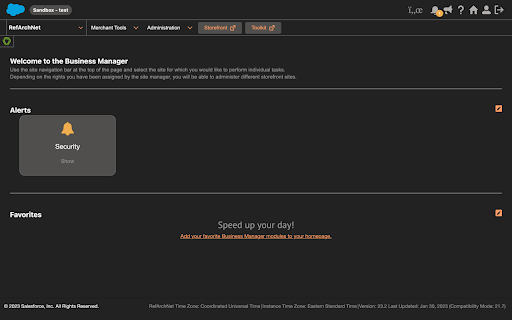
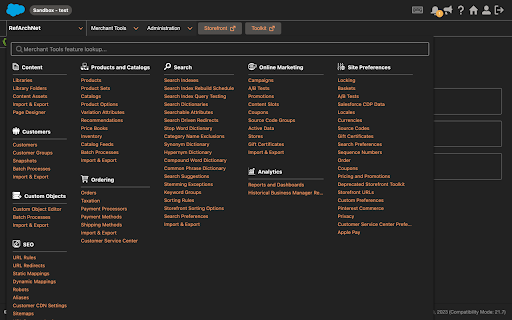
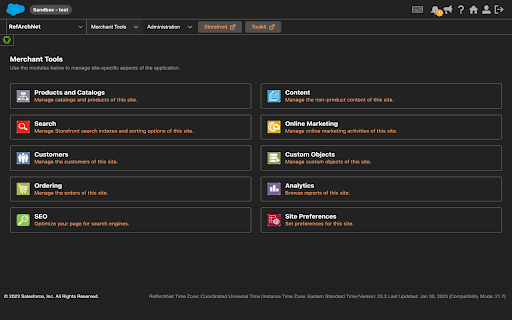
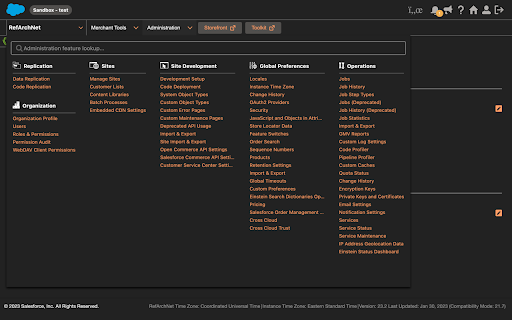

Dark Mode for Salesforce Commerce Cloud B2C! Do you work in Salesforce commerce cloud B2C and your eyes are red in the end of the day? Although Salesforce has not the dark mode option , there is still a way to activate this feature. This mod allows you: ✔️to have your whole business manager in dark mode ✔️to avoid eye pain ✔️to work in the most readable theme with a pleasant color and lower contrast ✔️to have the hover effects upgraded and not absent as in all other themes. ✔️increase your productivity and facilitate your workflow

Salesforce Dark Mode
Blinded by the light? - Say no more! This App adds a dark mode for Salesfoce, your eyes are going to thank you later! Includes Support for Case Merge Premium

SF Styles Lightning
This extension is intended for use with Dealer.Com's instance of SalesForce. The tool will dynamically highlight case priority, age, and status. At this time, SaleForce does not allow users to change colors of specific columns of data, which can make staying organized more difficult. This extension aims to solve for this. This extension uses JavaScript to pull specific page data from console SalesForce view and applies CSS based on the value. The user can choose to apply styling to case Priority, Age, and/or Status using the extension popup. This tool is only intended to function on the Cases page. Update 2.1.5 Fixing dark mode styling for reports page Update 2.1.5 Fixing dark mode styling for favorites Update 2.1.4 Fixing issue for Internal Case styling Update 2.1.3 Fixing issue where color would not change on Reply Received after status change Update 2.1.2 Added support for Reply Received status, fixed duplicated class issue Update 2.1.1 Fixed multiple issues caused by changes to SFX Update 2.1.0 Added support for Internal Mode. Minor Changes to Dark Mode Update 2.0.4 Minor Changes to Dark Mode Update 2.0.3 Minor Changes to Dark Mode Update 2.0.2 Minor Changes to Dark Mode Update 2.0.1 Minor Changes to Dark Mode Update 2.0 Major changes to SF Styles to allow for use in SFX. Also introduces a Dark Mode, which is currently in Beta testing. Update 1.3.4 includes minor bug fixes Update 1.3.3 includes minor bug fixes and updates to color targeting Update 1.3.2 includes minor bug fixes aimed to improve performance Update 1.3.1 includes minor bug fixes aimed to improve performance Update 1.3 introduces an Accessibility Mode which aims to offer a more accessible color pallet.

Salesforce Dark Theme
Do you have a decent screen time while working on Salesforce? If yes, you can use Salesforce Dark Theme specially curated to give you a vivid dark mode experience across multiple Salesforce products with just one click ensuring you a strain free eyes and increased productivity. Salesforce Dark Theme Supports The Following:

Dark Mode for Salesforce
Take care of your eyes day and night using dark theme for Salesforce tools and services. Switch the white background of Service Cloud Lightning to dark to work nicely in low-light environments. Prevent dry and itchy eyes, and preserve your vision. DARK MODE FOR SERVICE CLOUD LIGHTNING No need to adjust org settings or ask your Salesforce Admin to do so. You can easily switch from and black to a light theme. You can also tweak contrast and brightness levels in advanced settings. NIGHT SHIFT When staring at a computer screen, we get affected by the harsh blue light it emits. The cold undertone of the screen is proven to harm our sleep and vision. The Night Shift feature decreases your exposure to blue light, making it soft and warm. You can turn the Night Shifts on and off when you need to.
