
mddolicabhpkinbdmdgbeajjcpckinhe
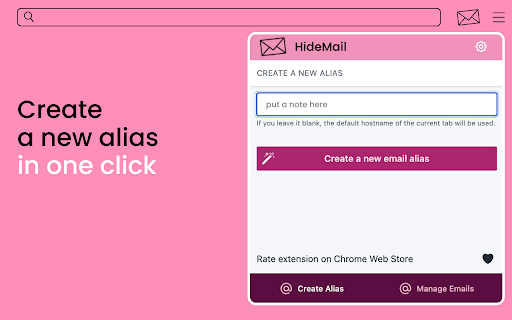


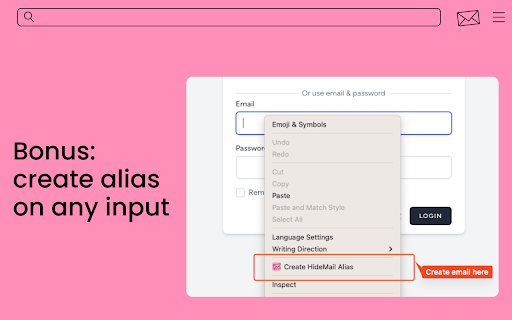
Gives you unique, random email addresses that are forwarded to you when you want to keep private your personal email HideMail gives you unique, random email addresses (or "aliases") that are forwarded to your primary e-mail account when you want your personal email address to remain private. Additionally, these email addresses can be easily deactivated at any given time, effectively blocking unwanted emails from reaching your inbox. Whether you're signing up for a new service or just want to keep your personal email private, Hide My Email has you covered. A random email address can now be generated for each new account, just like a password. Because email is often caught in database dumps and leaks, and while a password can be easily changed, an email address is difficult to change across all sites where it has been used. This is no longer a problem!

Temp Email Generator – Email Monster | Mask Your Email, Group Future Emails
Generate unlimited temp emails with Email Monster. Group future emails into digests, and reduce inbox clutter. Free account required Take control of your inbox with Email Monster, the ultimate temp email generator. Create unlimited temporary email addresses to mask your real email address and avoid spam. With Email Monster, you can manage incoming emails, merge them into weekly or monthly digests, and block senders or aliases at any time. -🎭 Mask Your Email: Create pseudo email aliases that forward emails to your real inbox while keeping your actual email address private. - 📮 Email Aliases with No Setup: Your email aliases are automatically created when you receive the first email to a new alias—no need to preconfigure them. - 📧 Pre-fill Email Inputs: When signing up for websites or newsletters, the extension automatically prefills your temporary email in the signup fields for convenience. - ✋ Manage Senders: Easily toggle off email forwarding for any alias or sender, stopping unwanted emails instantly. - 🌈 Custom Domains: Choose your own secret domain for creating personalized email aliases, ensuring total anonymity. - 🛑 Spam Protection: Block any unwanted emails or senders at any time, protecting your inbox from spam. - 👀 Email Tracking Prevention: Monitor if your email has been shared or sold by tracking suspicious activity through your aliases. Whether you're signing up for newsletters, registering on websites, or handling multiple accounts, Email Monster keeps your inbox secure, private, and organized. If your real email is clark.kent@gmail.com, and you've chosen superman as your alias, any email sent to anything@superman.eml.monster will be automatically forwarded to your real email, without revealing your true identity. - Stop Spam: Instantly block emails from any sender or alias with one click. - Secret Domain: Customize your email alias with a private domain for complete anonymity. - Unlimited Aliases: Create as many aliases as you want—no setup required, just type and go. 320K+ pseudo email aliases created 1.1M+ emails forwarded 100K+ emails blocked Create a free account today and start managing your inbox with Email Monster.

Faux
Generate temporary accounts on the go! Elevate Your Privacy: Leave behind the worries of sharing your personal data with every website. Faux empowers you to stay incognito, offering the freedom to explore the web without leaving behind a trail of personal breadcrumbs. Your privacy is paramount, and Faux ensures it stays intact. Effortless Management: Faux brings simplicity to the forefront. Access your temporary account information on a dedicated page with just a click. Need to access your temporary emails? The inbox page has you covered. Unlock a World of Content: Researchers, learners, and knowledge-seekers rejoice! Faux breaks down barriers, giving you the power to access gated content without breaking a sweat. Say farewell to roadblocks and hello to seamless discovery. Faux - Redefining Your Online Narrative: Embrace the revolution that is Faux and embark on a journey where your online presence is truly in your hands. Elevate your browsing, safeguard your identity, and unleash a new era of digital exploration. Are you ready to say hello to Faux and bid farewell to compromise? Your online adventure starts now.

Alias Email - Free Email Aliases
Hide your real email and control who can send you messages. Generate new emails with one click is pretty easy. Increase control of email address with Alias Email. Hide your real email and control who can send you messages. Generate new emails with one click is pretty easy. Just install extension, look for the Alias Email button on email fields and click it to generate new address, that's all! Now you can use it anywhere you want. - Disable or enable any generated email address — keeping active only those emails that you really needed; - Your real email address is private — we care about your personal information and forwards emails from our servers; - And other features waiting for you.

FDev Security
You are protected absolutely with our awesome features: Realtime protection, block seen and typing indicator, blur messenger! # INTRODUCTION You are often afraid about "malicious" websites on the internet. It seems that you cannot know when your sensitive data was stolen by attackers. And when your information, data is hacked by someone (such as banks account, Facebook, ...), you just realized that your data is very importance and you begin to care about the security when you browsing in the Internet. Let's CoderDocs Security protect you with real-time protection feature. And we also has another awesome features like: Facebook (+Zalo) privacy, Privacy Web Experience, Blur Messenger, Malware URL scanning, .... # FEATURE 1: REAL-TIME PROTECTION When you install CoderDocs Security extension successfully, this feature will enable real-time immediately. This feature is the most important, so you cannot disable it. When you visit a malware site, the warning popup will be displayed to warning you about this malicious site. # FEATURE 2: FACEBOOK (+ZALO) PRIVACY You can easily enable / disable this feature by check or uncheck the checkbox of every small functions. This feature includes: - Block "Seen" indicator: When you receive a Facebook message, you click to view this message, the sender will see the status "seen" in their message space. But if you enable this function, the sender can not see the status "seen" any more. They never know whether you saw the message or not. - Block "Typing" indicator: Similar with block "seen", the sender can not see the "typing" indicator when you compose the message in Facebook message space (the three dots indicator "..."). - Block "Seen" status in Story: When you click to view the Story of someone, they will know that you have seen their Story. But with this function, nobody can know that you saw their Story. You can click and see your ex-girlfriend any time. - Block "Typing" indicator in Comments space: When you are typing the comment in any post. People can see the indicator "Someone are typing ...". But if you enable this function, this indicator will be disappear forever. - NOW, it support block seen and typing indicators in Zalo web version. Note: Block "Seen" status in Story and block "Typing" indicator in Comments are disable now because some technical problems. # FEATURE 3: PRIVACY WEB EXPERIENCE You can also easily enable / disable this feature by check or uncheck the checkbox of every small functions. This feature includes: - Block important sites when you absent: When you go out, you forgot to lock your computer, someone can open you browser, they can open some important site such as Facebook, Gmail and see your sensitive information. If you don't want that thing happen. Let enable this function. It allow you to block some importance sites that you don't want anyone access to if you have to lend your computer or you go out. - Block tracking Ads Scripts: This function allow you to block the tracking scripts like Facebook, Google. For example, you go to an e-commerce website, when you comeback to Facebook, the previous items in e-commerce website will be display. You can enable this function to block them. - Browser for kids: This function allow you to block almost porn sites in the world. If your kids uses your computer, let enable this function. # FEATURE 4: URL MALWARE SCANNING This is a feature that allow you to operate directly on the user interface. Let go to menu path: TOOLS / SECURITY / MALWARE SCAN and explore this feature. This feature allow you to analyze any URL and inform for you if the URL will be redirected to the website that contains any malware/virus. # FEATURE 5: BLUR MESSENGER This feature allow you to hidden all information when you chat with someone in the Messenger (messenger.com). Just don't care anyone who often peek at your messages. It only work with Messenger - Open Messenger (messenger.com) - Click Settings Icon in the left side bar. - Enjoy the new Messenger feature. More information about CoderDocs Extension: https://lenhatthanh.com/en/coderdocs-security/
