
mceceabjnldjfoohokfbendongpamnnb

Simplest & most user-friendly scientific internet service for international internet workers – no complex configuration

iGuge Helper
We provide acceleration services for servers around the world for users with slow networks to ensure their privacy. We provide acceleration services for servers around the world for users with slow networks to ensure their privacy. * Some functions require the purchase of vip.

ProxyGo
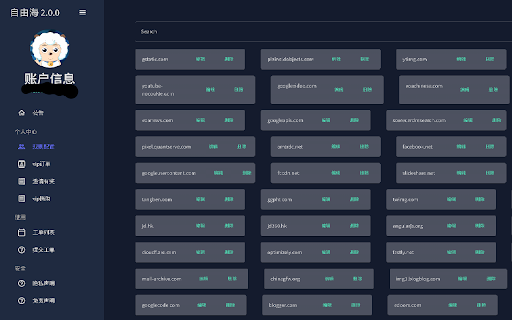
ProxyGo provides an easy way to add domain to whitelist and accessing it through proxy server White list proxy swichy, which means you do not need to apply a proxy to all web site, instead of, it will only be applied in the specified domain list web site. We supports both http/socks5 proxy. 2.0.14 1. show pending domain list in popup page 2. supports wildcard domain 3. auth supports

无忧府超级VPN
无忧府超级VPN是无忧府给会员提供的超级VIP服务,会员使用我们的插件,可以轻松简单的快速使用我们的服务,给会员更多的选择 可以实现如下的功能: 快速切换服务器,实时同步上网规则到服务器, 保证多终端可以同步,一个帐号多处使用, 按需模式可以实现只加速某一些网址, 已经内置了GFWlist的通用网址部分. 2016.7.4 1.2版对外发布.之前版本就是内部测试,已经完成了大部分功能. 2016.7.6 1.3版更新,修复如果部分帐号连接数只有一个的情况下.提示连接数不够的bug 2016.7.13 1.4版更新了mac下添加失败资源不能清零的bug,修复选项那里版本号错误的问题 2016.8.22 1.5版对外发布.修复因为域名更新部分网络登陆失败的问题,下拉菜单显示版本号,修复MAC下添加加速资源后数量不清空的bug 2016.9.2 1.6版 优化了域名匹配的算法,更多准确和智能来识别三级域名,如google.co.jp,域名匹配更准确,如g.co会匹配 gg.com这样的问题.优化用户只有一个连接数的情况下,切换出现超过连接数的问题. 2016.10.8 1.7版 解决一些bug,修复连接数等于授权数时,显示超过的错误提示,修复切换服务器时,如果连接数正好等于授权数时,超过的问题,现在增加了切换前断开当前服务器。 2016.12.15 1.8版 修复在中国大陆部分地区登陆失败的可能,修复当连接数,流量不足的提示. 2017.4.27 1.9 禁用了通用网址包含的域名一键添加例外的功能,对某些不理解的用户可能使用上造成困扰,但在帮助那里增加了单独的白名单添加管理功能。 2017.06.06 2.0 全面启用https,所有服务器,接口,都使用https,更安全,支持的服务器也会更多。 2017.07.17 2.1 修复域名更新无法使用的问题 2018.02.15 2.2 2018农历新年,修复域名更新无法使用的问题 2018.02.27 2.3 修复域名更新无法使用的问题 2018.02.28 2.4 修复360浏览器等无法使用的问题 2018.10.19 2.5 修复chrome升级69以后,Mac系统下,有可能CPU占用100%的bug 2018.11.29 2.6 继续修复chrome升级69以后,Mac系统下,有可能CPU占用100%的bug 2019.06.11 2.7 适应Google对应用的新的要求。 2019.06.11 2.8 修复部分服务器不能使用的问题。 2019.06.28 2.9 优化切换服务器,判断是否成功的访问网站,以前是访问youtube.com,改成google.com,经过测试更加稳定和准确。 2020.03.13 3.0 优化了连接数或帐号过期后的提示,优化相关网址的点击。 2020.03.16 3.1 优化切换服务器后提示重新输入密码的bug. 2022.04.23 3.2 代理模式优化,关闭代理能完全关闭。服务器认证优化,尝试解决了有部分情况下没有记住密码,启动浏览器时提示认证服务器的问题。 2022.08.06 3.3 3.4 支持Chrome104版本,解决最新chrome版本闪退的问题,目前选择服务器后,还需要再次输入用户名和密码。 2022.08.16 3.5 解决Chrome104版本以上,切换服务器后,需要再次输入用户名和密码的问题。 2025.03.15 4.0 支持全新的Chrome V3接口,从Chrome134版本开始,就开始半强制使用V3版本的插件了,我们已经支持V3接口,但由于接口权限的限制,我们已经无法向代理服务器设置过程中设置用户名和密码,所以第一次需要用户自己手工输入用户名和密码,但这个允许用户可以记住,所以影响不大。 2025.03.11 4.1 修复 bug 2026.3.20 4.2 增加了兼容密码的提示,增加了和桌面版应用冲突的提示 2026.4.24 4.3 优化密码修改失效,用户状态更改的时候展示. 隐私政策和条款: https://www.5ufvpn.com/Privacy_Policy

Greenhub Free VPN - Secure and Unblock VPN
Unblock any website with the Greenhub VPN proxy that protects your IP and lets you browse privately for free For Chrome. Unblock any website with the Greenhub proxy that protects your IP from Internet threads and lets you browse privately For Chrome. Unlimited bandwidth and completely FREE! Greenhub is the best browser extension for Chrome with fast connection speeds, total leak protection, and the ability to protect your online activities. ✓ the best plugin for Chrome, provides a network sharing-proxy approach that lets you easily access any site. ✓ Circumvent Russian Internet Censorship - The extension allows bypassing censorship in Russia, giving you access to libraries, encyclopedias, oppositional political sites, and other innocent sites blocked for many reasons. ✓ The sharing proxies, speedy and stable nodes in the US and Japan, are supported by some students and engineers. ✓ The service should only be used by students, teachers, researchers, or workers. ✓ Greenhub uses strong encryption to secure all your traffic and hides your real IP address, so you can access any blocked website, protect your data, and surf the internet anonymously without a data limit. ✓ 100% free with no credit card information needed and no trials offered. ✓ Simple, unblock websites and access the world with just one touch of the connect button. ✓ Secure, our strong SSL encryption will make you fully anonymous and secure. Get Greenhub from the Chrome Store by clicking 'Add to Chrome' Download and install the addon. Open the extension in your browser. Choose a server from the list and click 'Connect' to browse anonymously.
